20 Dark Aura Fantasy AI Photo Prompts for Stunning Edits
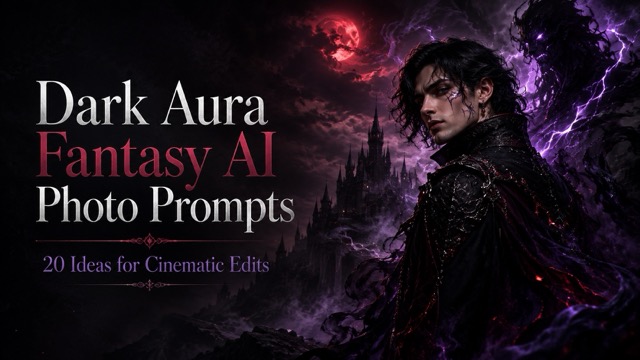
Explore 20 dark aura fantasy AI photo prompts for gothic portraits, shadow effects, cursed energy, dark angels, villain edits, and cinematic fantasy characters.
Dark fantasy portraits have become one of the most striking ways to transform an ordinary selfie with AI. Instead of applying a simple dark filter, you can surround yourself with shadow creatures, black smoke, glowing eyes, purple lightning, red moons, cursed energy, gothic environments, and cinematic villain lighting.
The right dark aura fantasy AI photo prompts can turn a normal portrait into something that looks like a fantasy movie poster or game character artwork while still keeping your face recognizable. With a ChatGPT image editor, you can upload your own portrait, paste a prompt, and experiment with different dark aura styles without manually building every lighting and smoke effect.
Below are 20 copy-and-paste prompts you can customize for ChatGPT-style AI photo editing.
20 Dark Aura Fantasy AI Photo Prompts to Copy
A strong dark fantasy prompt should describe the subject, aura, lighting, background, atmosphere, and the parts of the original photo that should remain unchanged.
For portrait edits, it is especially helpful to tell the AI to preserve facial identity and natural body proportions.
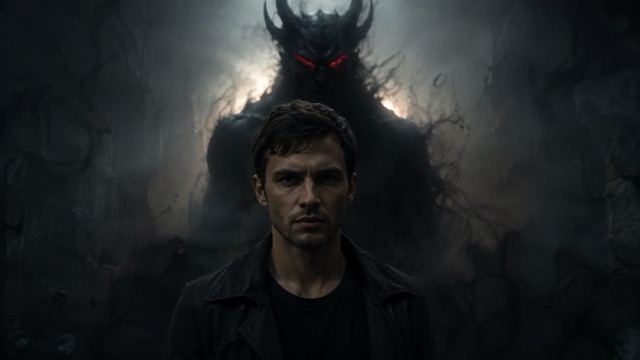
1. Shadow Demon Behind Me
Transform the uploaded portrait into a cinematic dark fantasy scene. Keep the person's face, hairstyle, identity, and body proportions unchanged. Place a huge shadow demon standing silently behind the subject, partially hidden in darkness. Give the creature faint glowing red eyes, long distorted shadows, and a smoky silhouette. Add dramatic backlighting, subtle fog, black smoke around the ground, realistic skin texture, and deep cinematic contrast. Make the final image photorealistic and atmospheric rather than cartoonish.This style works especially well when the original portrait shows enough background space behind the subject.
2. Black Smoke Aura Portrait
Edit this portrait into a dark fantasy character image while preserving the person's exact facial identity. Surround the body with thick black smoke that curls naturally around the shoulders and arms. Add subtle glowing embers inside the smoke, low-key cinematic lighting, deep shadows, a dark neutral background, realistic skin texture, and a mysterious villain mood. Keep the smoke atmospheric without covering the face.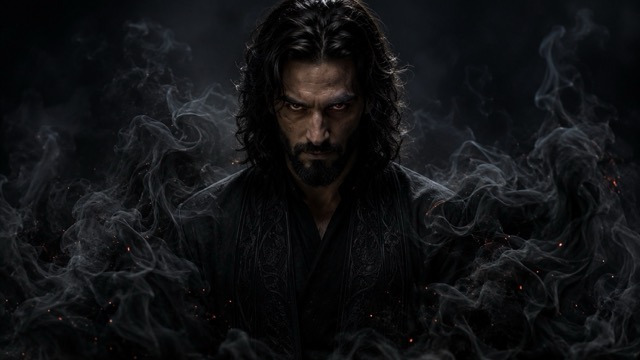
3. Glowing Red Eyes
Transform the uploaded portrait into a mysterious supernatural character. Keep the face, hairstyle, facial structure, and clothing recognizable. Make both eyes glow with a subtle deep red light that softly illuminates the surrounding skin. Add a dark smoky background, gentle mist, low-key cinematic lighting, slightly desaturated colors, and realistic facial texture. Avoid exaggerated monster features and keep the person human and recognizable.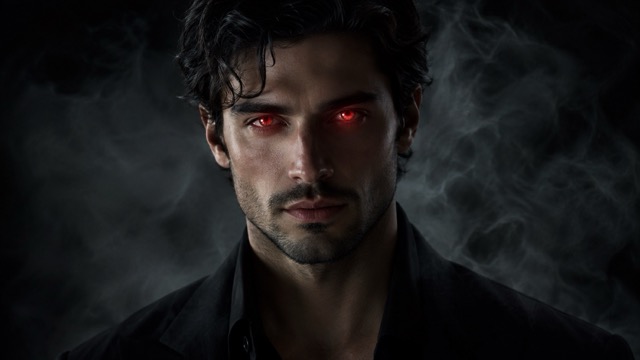
4. Dark Spirit Emerging From Smoke
Turn this portrait into a cinematic dark fantasy poster. Preserve the person's identity and natural proportions. Behind the subject, create a tall shadow spirit slowly emerging from swirling black smoke. The entity should be indistinct rather than fully visible, with only faint glowing eyes and a supernatural silhouette. Add dramatic side lighting, atmospheric fog, deep black shadows, subtle particles, and realistic movie-style color grading.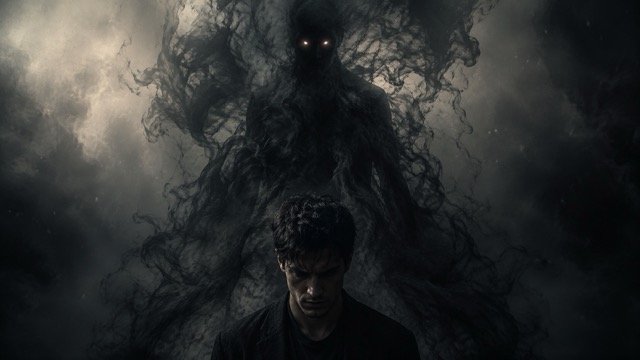
5. Shadow Hands Aura
Edit the portrait into an eerie dark fantasy scene. Keep the person's face and identity unchanged. Surround the subject with several translucent shadow hands reaching outward from the darkness without physically touching the face. Add black smoke, subtle red rim lighting, deep shadows, faint floating particles, and a dark cinematic background. Keep the composition stylish and mysterious rather than graphic or grotesque.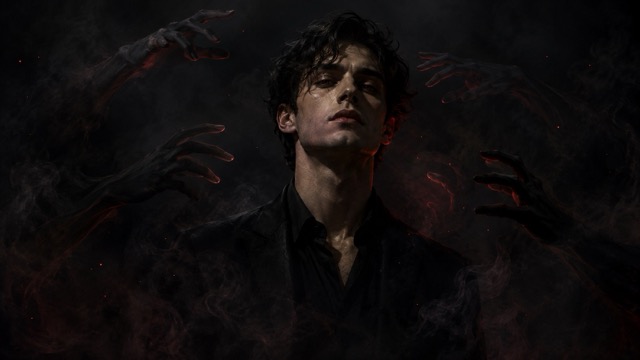
Gothic Dark Aura Fantasy AI Photo Prompts
Dark fantasy does not always need monsters. Gothic architecture, moonlight, dark clothing, fog, ravens, and dramatic lighting can create equally powerful results.
6. Red Moon Gothic Portrait
Transform the uploaded portrait into a cinematic gothic fantasy scene while keeping the person's face unchanged. Place the subject beneath a huge deep-red moon in a dark night sky. Add an old gothic castle in the distant background, soft fog across the ground, subtle wind moving the hair and clothing, red rim lighting around the silhouette, and realistic moonlight across the face. Use rich black, burgundy, and dark red tones.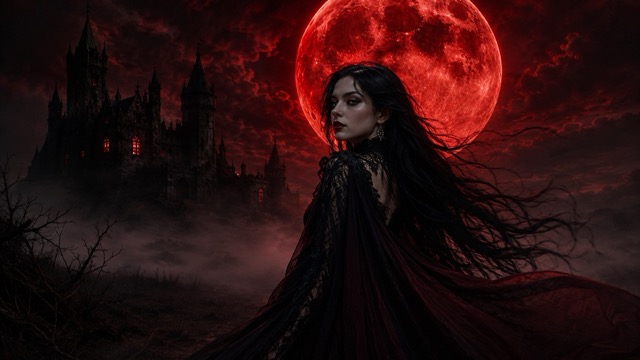
7. Dark Angel Aura
Edit this portrait into a realistic dark angel character. Preserve the person's exact face, identity, hairstyle, and proportions. Add large black feathered wings behind the subject with detailed natural textures. Surround the wings with faint black mist and subtle floating feathers. Use dramatic golden rim lighting mixed with deep shadows, a dark atmospheric background, realistic skin texture, and cinematic fantasy color grading.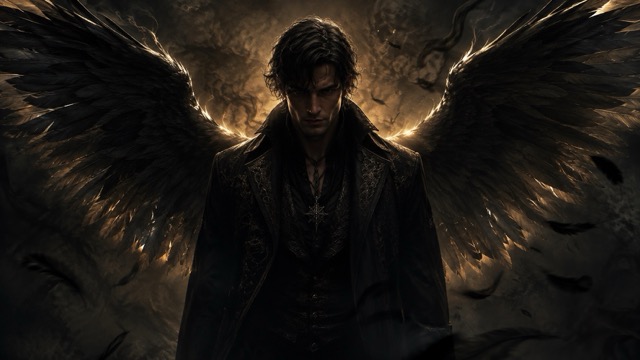
8. Gothic Warrior Portrait
Transform the uploaded person into a powerful gothic fantasy warrior while keeping the original facial identity unchanged. Dress the subject in elegant black armor with subtle metallic details and dark fabric layers. Place them inside a misty gothic cathedral with tall stone arches. Add dramatic window light, faint smoke, deep shadows, realistic metal textures, and a confident calm expression. Keep the image photorealistic and cinematic.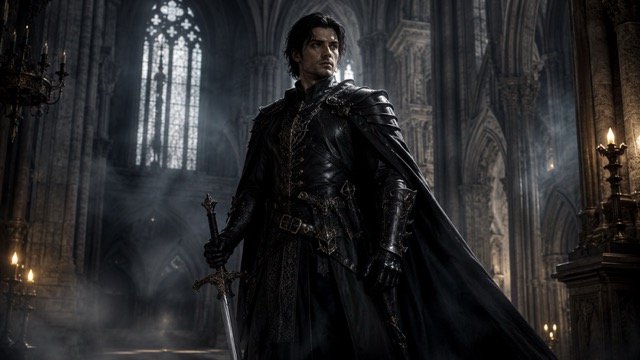
9. Raven Aura Portrait
Create a dark fantasy portrait using the uploaded photo. Preserve the person's facial identity and natural appearance. Surround the subject with several black ravens flying through a misty night environment. Add subtle black feathers in the air, dark clothing, soft moonlight, smoky shadows, and a faint cool rim light around the hair. Keep the birds realistic and the overall mood mysterious and cinematic.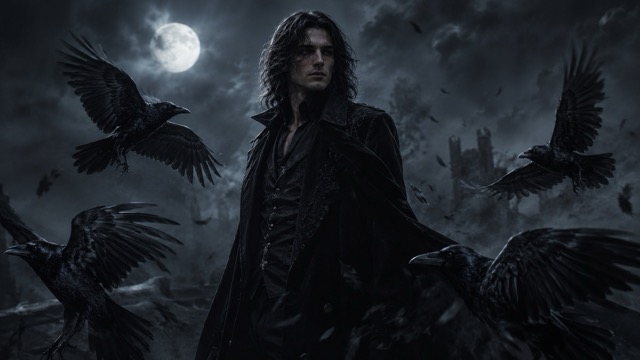
10. Haunted Forest Character
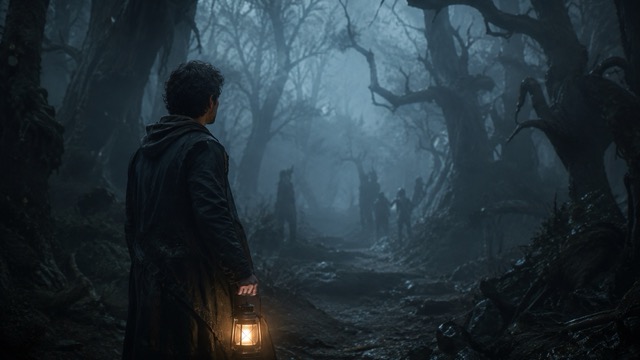
Transform this portrait into a dark fantasy scene inside an ancient haunted forest. Keep the subject's face, identity, hair, and body proportions unchanged. Surround the person with tall twisted trees, dense fog, faint moonlight, subtle glowing particles, and distant shadow shapes between the trees. Use muted blue-black tones, soft cinematic lighting, realistic skin texture, and shallow depth of field.You can try these first ten dark aura fantasy AI photo prompts with an AI ChatGPT photo editor while keeping the same source portrait. Testing several styles on one image makes it easier to compare how smoke, moonlight, creatures, wings, and gothic environments change the mood.
Cursed Energy and Supernatural Aura Prompts
Aura effects can become much more dramatic when energy appears to move around the subject instead of simply sitting in the background.
11. Purple Lightning Aura
Edit the uploaded portrait into a powerful dark fantasy character. Keep the person's face, hairstyle, body shape, and identity unchanged. Surround the body with electric purple lightning that arcs naturally around the shoulders and hands. Add dark smoke behind the subject, purple reflections on the skin and clothing, deep shadows, floating sparks, and cinematic backlighting. Keep the electricity realistic and integrated into the environment.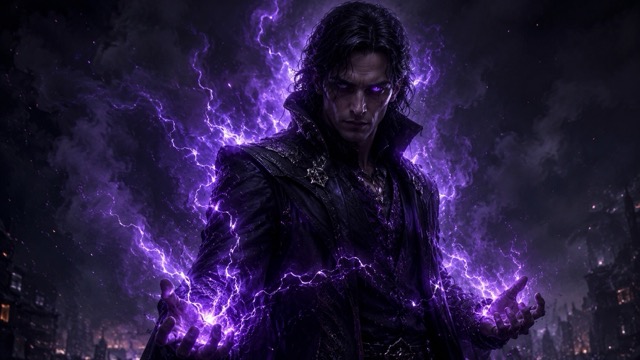
12. Cursed Energy Portrait
Transform this portrait into a dark supernatural character surrounded by cursed energy. Preserve the person's exact facial identity. Create swirling black and violet energy around the body with small glowing particles and subtle distorted air effects. Make the eyes slightly luminous violet without changing their natural shape. Add dramatic lighting, dark smoke, deep background shadows, and a cinematic fantasy atmosphere.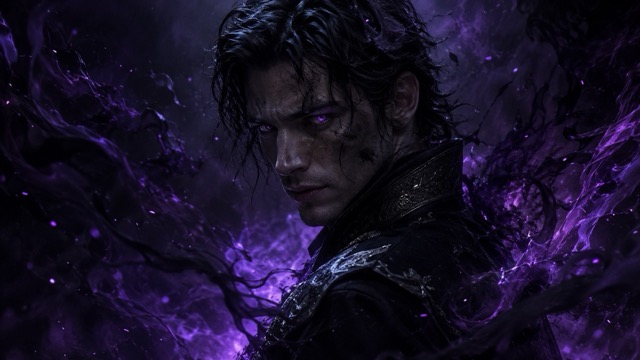
13. Black Flame Aura
Edit the uploaded person into a dark fantasy portrait surrounded by supernatural black flames. Keep the person's face and body proportions unchanged. The flames should rise naturally around the shoulders and behind the body, with faint violet and deep-blue highlights along their edges. Add realistic light reflections, smoky particles, deep shadows, and a dark cinematic environment. Do not let the flames cover the face.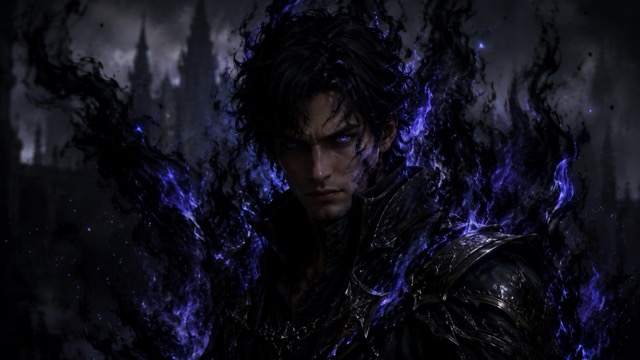
14. Crimson Energy Aura
Transform the portrait into a dramatic villain-style fantasy image. Preserve the subject's original face, hair, and identity. Surround the person with flowing crimson-red energy that forms ribbons around the body. Add subtle glowing particles, dark smoke, strong red rim lighting, a nearly black background, and realistic highlights reflected onto the clothing and skin. Keep the expression calm and powerful.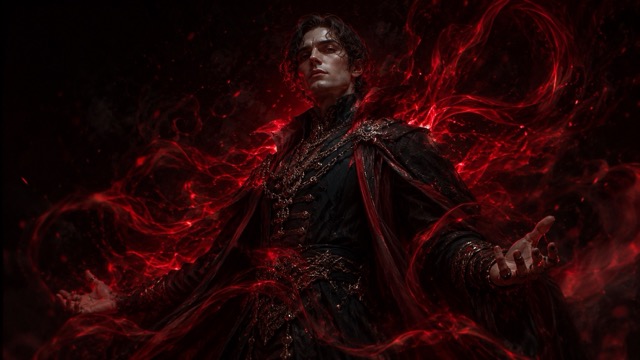
15. Frozen Dark Aura
Turn the uploaded portrait into a cold dark fantasy character. Keep the person's facial features and identity unchanged. Surround the body with smoky blue-black energy mixed with subtle frost particles and icy mist. Add pale blue glowing eyes, cold rim lighting, dark clothing, frozen air particles, and a shadowy background. Keep the skin realistic and avoid turning the character into a fully fantasy creature.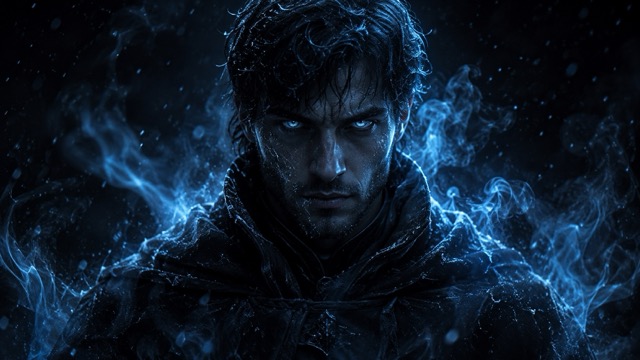
Villain and Gaming Character Prompts
These prompts are useful when you want the final image to feel closer to an RPG character poster, cinematic antagonist, or dramatic gaming avatar.
16. Dark RPG Boss Character
Transform the uploaded portrait into a cinematic RPG boss character while keeping the person's face recognizable. Dress the subject in dark layered armor with black metallic details and a long dramatic coat. Surround them with faint smoke, glowing red embers, and a powerful dark aura. Place the character inside a ruined fantasy throne room with dramatic lighting from behind. Use realistic textures, strong contrast, and premium game-poster composition.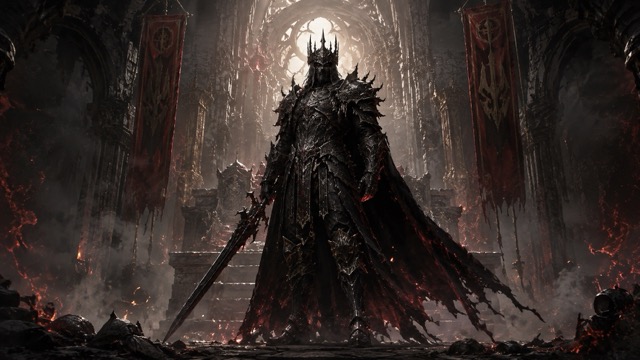
17. Shadow King Portrait
Edit the portrait into a dark fantasy king while preserving the person's identity and natural facial features. Add a subtle black metal crown, elegant dark clothing, and a long shadowy cape. Place the subject in front of a massive dark throne surrounded by smoke and dim candlelight. Add deep shadows, warm golden edge lighting, faint floating ash, and a calm intimidating expression. Keep the result cinematic and realistic.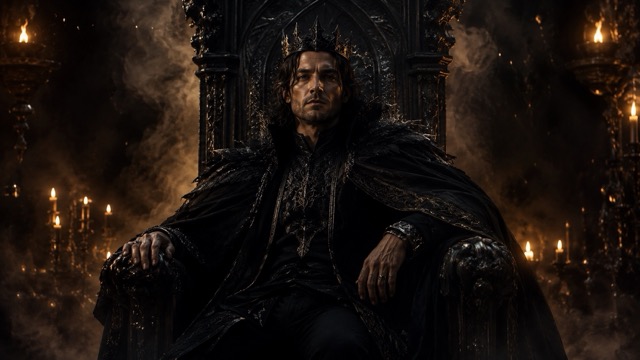
18. Cinematic Villain Poster
Transform this portrait into a cinematic dark villain poster. Keep the subject's face, hairstyle, and natural proportions unchanged. Dress the person in sophisticated dark clothing against a nearly black background. Add black smoke behind the shoulders, strong directional lighting across one side of the face, subtle red highlights, floating particles, and deep atmospheric shadows. Leave some clean negative space around the subject for possible poster text.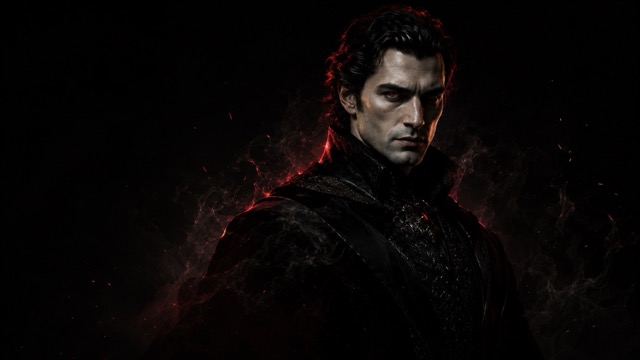
19. Dark Samurai Aura
Edit the uploaded portrait into a dark fantasy samurai character while keeping the person's original face clearly recognizable. Add detailed black samurai armor with subtle red accents and a sheathed sword. Surround the character with black mist, floating red leaves, soft rain, and faint crimson energy. Place the subject in a dark traditional courtyard at night with cinematic lantern lighting and realistic wet reflections.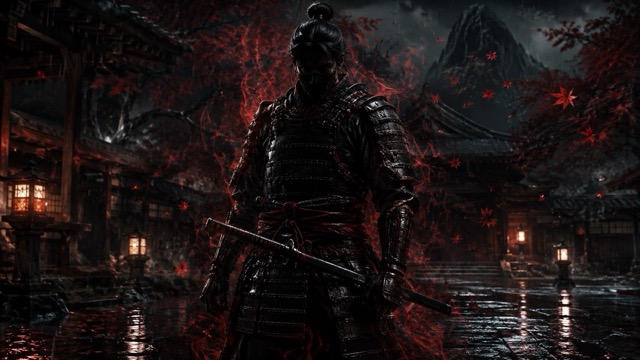
20. Midnight Demon Aura
Transform the uploaded portrait into a mysterious midnight fantasy character while preserving the person's exact facial identity. Create a large abstract shadow aura rising behind the subject that suggests a supernatural demon without changing the person's human appearance. Add deep blue-black smoke, subtle glowing violet eyes in the shadow, moonlight behind the character, faint fog, and dramatic cinematic lighting. Keep the final portrait elegant, mysterious, and photorealistic.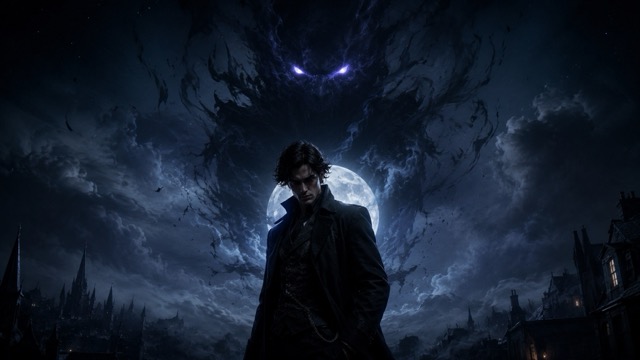
How to Write Better Dark Aura Fantasy AI Photo Prompts
A weak prompt might simply say:
Give me a dark aura.That leaves too much of the result to chance.
A stronger version explains the aura itself, the lighting it creates, the environment, and what should remain unchanged:
Keep my face and hairstyle unchanged. Surround my body with swirling black smoke and subtle violet energy. Add faint purple lightning behind me, cool rim lighting around my hair, deep cinematic shadows, realistic skin texture, and a dark night background.This gives the AI a much clearer visual direction.
If you want to create your own prompt, a simple structure is:
Keep identity + Choose aura + Add environment + Describe lighting + Set mood
For example:
Keep my face unchanged + black smoke aura + ruined gothic castle + red moonlight + mysterious villain mood.You can then expand each part with more detail.
How to Customize a Dark Aura Prompt
You do not need to recreate every prompt exactly as written.
The easiest way to make the result more personal is to change three or four visual elements while leaving the basic structure intact.
For example:
Black smoke + red glowing eyes + gothic castle + red mooncould become:
Purple electricity + violet eyes + rainy city + blue neon lightIf you want to test these variations without changing your original portrait, a ChatGPT photo editing tool can help you reuse one image while modifying the aura color, background, lighting, clothing, and fantasy effects.
This approach is particularly useful when you already like the composition but want to experiment with a different supernatural style.
How to Keep Your Face Recognizable
Dark fantasy prompts often contain so many visual effects that facial identity can become less consistent.
To reduce that problem, add clear instructions such as:
Preserve the exact facial identity.
Keep the original face unchanged.
Do not alter facial proportions.
Keep the original eye, nose, jaw, and lip shapes.
Do not cover the face with smoke or effects.
You can also tell the AI to place energy effects behind or around the subject rather than directly across the face.
For example:
Keep all smoke and supernatural energy around the shoulders and behind the body. Do not cover or distort the face.That small instruction can make the portrait much easier to recognize.
What Photos Work Best?
A clear portrait usually produces the strongest result.
Choose an image where your face is visible and reasonably well lit. Upper-body portraits are particularly useful because they give the AI enough space for smoke, armor, wings, aura effects, and surrounding environments.
If you want a shadow creature standing behind you, leave some visible space around your head and shoulders in the original composition.
For dramatic character posters, a front-facing or three-quarter portrait often works better than a tightly cropped selfie.
Try to avoid photographs with strong beauty filters, extreme blur, very dark faces, or important facial features already covered.
Make Dark Fantasy Portraits Feel More Cinematic
One of the biggest differences between a basic dark filter and a convincing fantasy portrait is lighting.
If you add purple energy, some purple light should naturally fall onto the subject. If there is a red moon behind the person, subtle red rim light should appear around the hair and shoulders.
You can describe these interactions directly in the prompt.
Instead of:
Add purple lightning.try:
Add purple lightning behind the subject and let the violet light naturally reflect across the hair, face, and dark clothing.Likewise, smoke should interact with the scene rather than appear like a flat overlay.
Words such as volumetric fog, realistic smoke, cinematic backlighting, rim lighting, shallow depth of field, and natural light reflections can help create a more convincing image.
Start Creating With Dark Aura Fantasy AI Photo Prompts
The best dark aura fantasy AI photo prompts give you much more control than simply asking an AI tool to make your photo darker.
You can choose whether your portrait has a shadow demon, black smoke, glowing eyes, a red moon, dark angel wings, purple lightning, cursed energy, gothic armor, or a full RPG boss aesthetic.
Once you find a style you like, paste one of the prompts above into a ChatGPT image editor online and customize the details. Change the aura color, creature, background, clothing, lighting, or atmosphere while keeping your facial identity consistent.
A normal selfie can become a gothic warrior, dark angel, shadow king, supernatural villain, or cinematic fantasy character simply by changing the way the prompt describes the scene.
Start with one concept, keep the face recognizable, and refine the atmosphere until your dark fantasy portrait has exactly the aura you want.