20 ChatGPT Photo Editing Prompts Trending in 2026
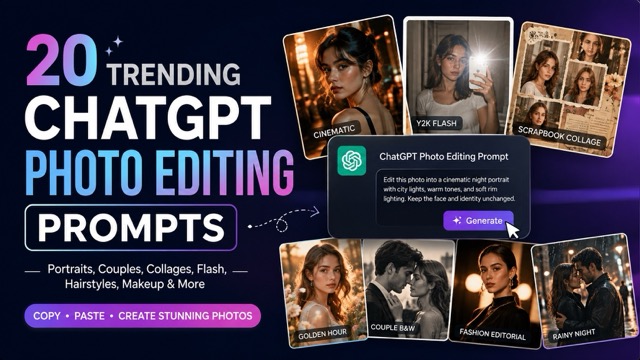
Explore 20 trending ChatGPT photo editing prompts for portraits, couples, beauty, fashion, collages, and social media, plus tips for better AI edits.
AI photo editing trends are moving far beyond simple background removal or basic filters. People are now using detailed prompts to turn everyday selfies into cinematic portraits, vintage flash photos, fashion editorials, romantic couple shots, scrapbook collages, and realistic beauty comparisons.
That is why chatgpt photo editing prompts trending has become such a useful search for anyone looking for fresh photo ideas. With a ChatGPT image editor, you can upload a photo, paste a detailed prompt, and experiment with different lighting, backgrounds, outfits, hairstyles, and visual styles without building an edit from scratch.
The key is using prompts that clearly explain what should stay unchanged and what should be transformed. Below are 20 trending prompts you can copy, customize, and try with your own photos.
20 ChatGPT Photo Editing Prompts Trending Right Now
A strong photo editing prompt should describe more than a general aesthetic. It should tell the AI which facial features to preserve, how the subject should be lit, what kind of background to create, and what photographic style the final image should resemble.
Here are 20 ideas covering some of the most popular AI photo editing styles.
1. Cinematic Night Portrait
Turn an ordinary portrait into a dramatic movie-style night scene.
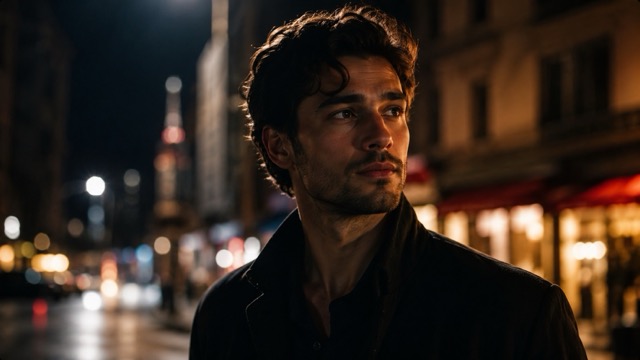
Edit the uploaded portrait into a cinematic night photograph. Keep the person's face, identity, hairstyle, and natural proportions unchanged. Place the subject on a softly blurred city street at night with warm shop lights and distant neon reflections. Add realistic rim lighting around the hair, subtle shadows across the face, natural skin texture, shallow depth of field, and premium movie still color grading. Make the result photorealistic rather than illustrated.This works especially well with close-up portraits and upper-body photos where the face is clearly visible.
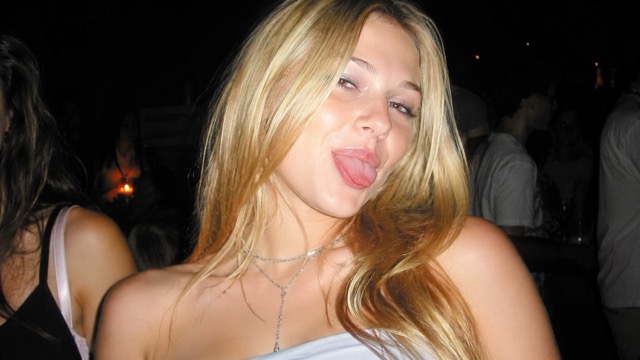
2. Y2K Digital Camera Flash
Recreate the direct-flash photography that defined many early-2000s party photos.
Transform this photo into an authentic early-2000s digital camera snapshot. Preserve the person's identity and facial details. Use strong direct flash, slightly overexposed skin highlights, a dark background, subtle sensor noise, mild motion softness, imperfect framing, glossy highlights, and a spontaneous party-photo feeling. Make it look naturally imperfect and nostalgic rather than professionally staged.The slightly imperfect lighting is important here. A perfectly polished image can make the result lose its Y2K character.
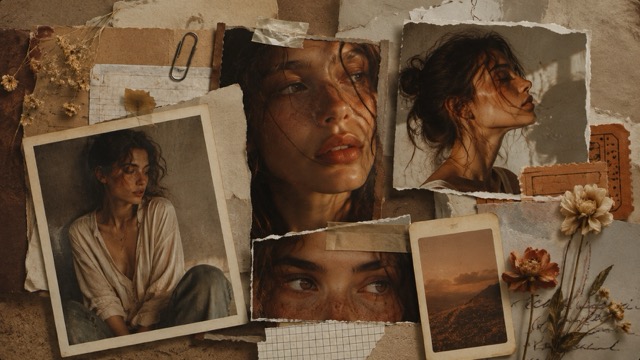
3. Moody Scrapbook Collage
Combine multiple views of the same person into a layered editorial collage.
Use the uploaded portrait to create an aesthetic scrapbook collage. Include several photographs of the same person in different crops, such as a close-up face, side profile, eyes, and half-body portrait. Arrange them with torn paper, old ticket pieces, handwritten textures, masking tape, faded flowers, and small vintage photo frames. Use warm brown, cream, and muted orange tones with gentle film grain and soft shadows. Preserve the person's recognizable facial appearance in every image.This style works well for social media posts, personal mood boards, profile headers, and visual diaries.
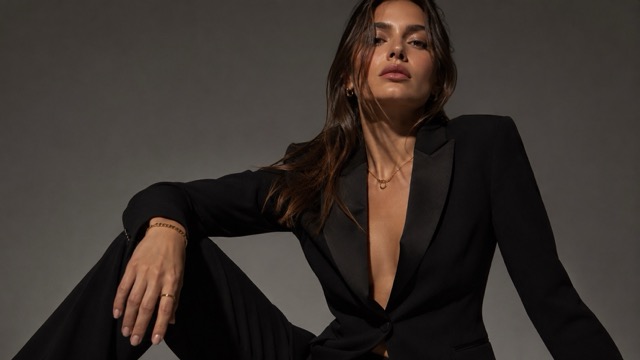
4. Luxury Fashion Editorial
Transform a casual portrait into a high-end studio fashion image.
Edit the uploaded person into a luxury fashion editorial portrait while keeping the original face and identity unchanged. Use a minimalist studio background, elegant black clothing, subtle jewelry, controlled dramatic lighting, deep clean shadows, realistic fabric texture, polished but natural skin, and a confident fashion pose. Frame the image like a premium magazine campaign with sophisticated editorial photography and high-end color grading.Keeping the background simple helps the clothing, face, and lighting become the main focus.
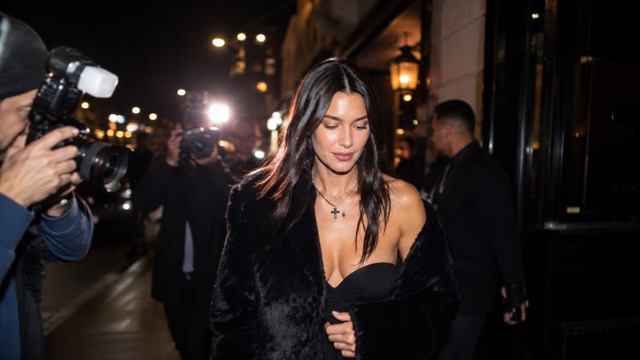
5. Paparazzi Night Photo
Create the feeling of a spontaneous celebrity photograph outside an event or restaurant.
Transform this image into a realistic paparazzi-style night photograph. Keep the subject's face and body proportions unchanged. Show the person walking outside a restaurant or event venue at night while multiple camera flashes illuminate the scene. Add slightly imperfect framing, realistic motion blur in the background, bright flash reflections, deep shadows, street lights, and candid body language. The final image should feel spontaneous and photographic.This is a useful alternative when you want something less polished than traditional fashion photography.
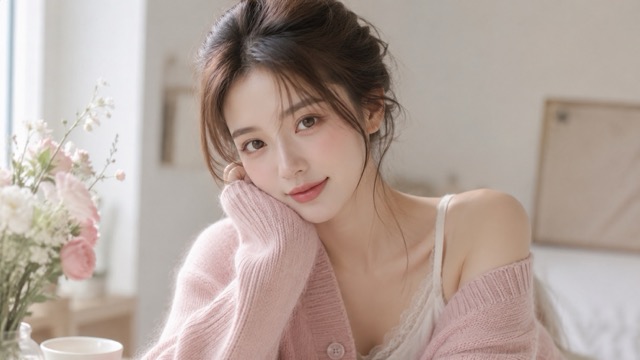
6. Soft Girl Portrait
Use gentle colors and natural light for a softer lifestyle aesthetic.
Edit this portrait into a soft, dreamy lifestyle photograph. Preserve the person's natural facial features and identity. Use gentle window light, creamy highlights, pastel clothing, a clean bedroom or café background, soft pink and beige tones, subtle floral details, realistic skin texture, delicate makeup, and shallow depth of field. Keep the image bright, natural, and elegant without excessive skin smoothing.Avoid asking for perfect skin. Small natural textures usually make AI portraits look more believable.
7. Golden Hour Beach Portrait
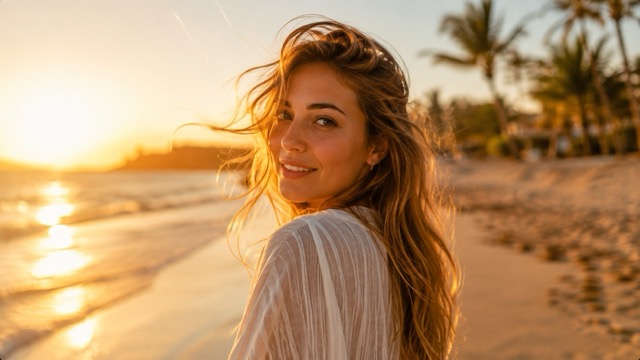
Add warm sunset light and a natural coastal atmosphere.
Transform the uploaded portrait into a realistic golden-hour beach photograph. Keep the person's face, hair, body shape, and identity unchanged. Place the subject near the shoreline during sunset with warm sunlight falling across the face, glowing hair edges, soft ocean reflections, gentle wind in the clothing, natural shadows, and a slightly blurred background. Use rich golden tones while keeping realistic skin colors.Golden-hour prompts are especially effective when the original photo already has simple, natural lighting.
8. Black and White Couple Movie Still
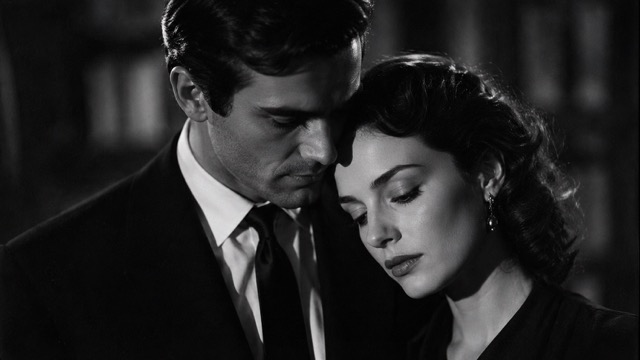
Give a couple photo a timeless cinematic feeling.
Edit the uploaded couple photo into an emotional black-and-white movie still. Preserve both people's faces, identities, body proportions, and relationship to each other. Use soft directional lighting, deep cinematic shadows, subtle film grain, elegant clothing, and an intimate natural pose. Keep the background minimal and slightly out of focus. The photograph should feel timeless, romantic, realistic, and emotionally quiet.The important part is keeping both faces consistent. Couple edits can easily change one person more than the other if identity preservation is not clearly stated.
9. Romantic Rain Couple Portrait
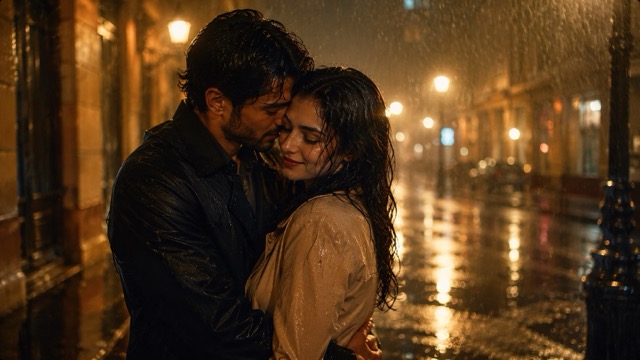
Turn a normal couple photo into a rainy-night scene.
Transform this couple photo into a cinematic rainy-night portrait. Keep both faces and identities accurately recognizable. Place the couple on a softly illuminated city street after rain, with wet pavement reflecting warm lights. Add small visible raindrops, realistic wet hair details, soft backlighting, subtle mist, natural skin texture, and an intimate candid pose. Avoid fantasy effects and keep the result photorealistic.Warm street lights against cool rain usually create a stronger contrast than using only blue tones.
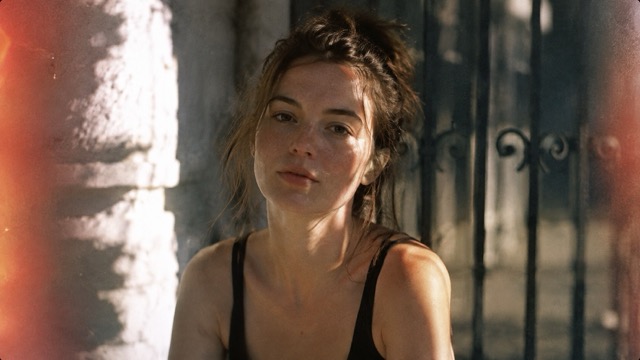
10. Vintage Film Portrait
Recreate the warmth, grain, and imperfect exposure of old film photography.
Edit this portrait to look like a photograph captured on vintage 35mm film. Keep the person's face and identity unchanged. Use slightly faded colors, warm skin tones, fine film grain, soft contrast, subtle light leaks near the frame edges, natural sunlight, imperfect exposure, and a slightly nostalgic composition. Avoid modern HDR sharpness and keep the result believable as an analog photograph.You can test these first ten styles with an AI ChatGPT photo editor and keep the same source photo for each variation. This makes it much easier to compare how cinematic lighting, flash photography, collage layouts, vintage film, and other styles change the final image.
Trending ChatGPT Prompts for Beauty and Style
Some of the most practical chatgpt photo editing prompts trending right now focus on previewing hairstyles, makeup, lipstick shades, and clothing colors.
Instead of transforming the entire photograph, these prompts keep the original face stable while changing only one visual element.
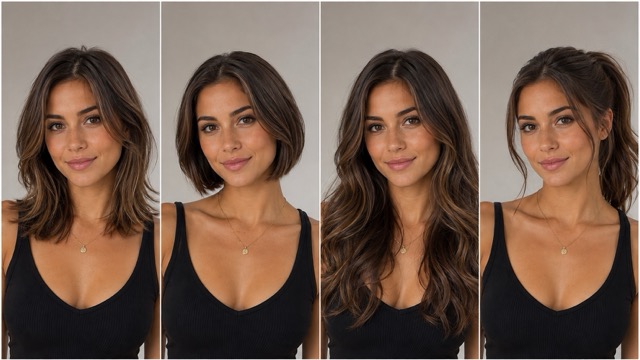
11. Hairstyle Comparison
Compare several hairstyles using the same portrait.
Using the uploaded portrait, create a realistic hairstyle comparison while preserving the person's face and facial proportions. Show four versions: shoulder-length layered hair, short bob, long soft waves, and a modern ponytail. Keep the same camera angle, expression, background, and lighting in every version so the hairstyles can be compared fairly. Make the hair texture realistic and naturally connected to the head.Using identical lighting and facial expressions makes the comparison much more useful.
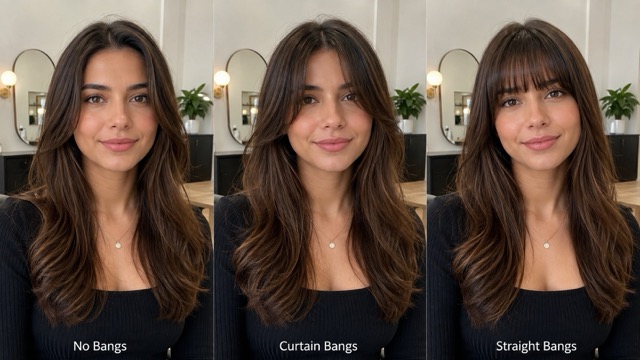
12. Bangs vs. No Bangs
Preview different fringe styles without changing the rest of the face.
Create a clean comparison using this portrait. Keep the person's identity and face unchanged. Show three realistic variations: no bangs, soft curtain bangs, and light straight bangs. Maintain identical facial expression, head position, lighting, hair color, and background across all versions. Make each hairstyle look naturally photographed rather than digitally pasted onto the face.This works best with a front-facing portrait where the forehead and hairline are visible.
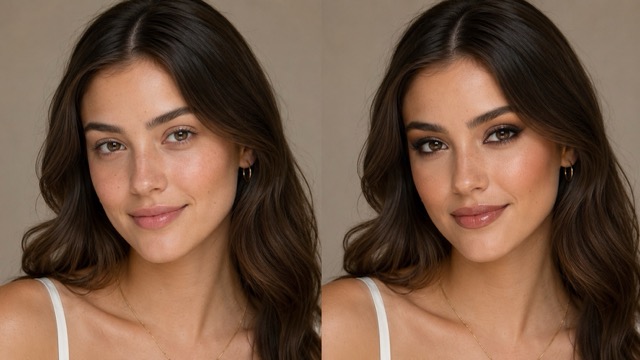
13. Natural vs. Glam Makeup
Compare subtle daytime makeup with a stronger evening look.
Use this portrait to create a realistic beauty comparison. Preserve the person's face, skin texture, eye shape, nose, lips, and identity. Show one version with subtle natural makeup and another with polished evening glam makeup. Keep the camera angle and lighting identical. Avoid reshaping facial features or excessively smoothing the skin so the comparison remains realistic.The goal should be changing the makeup rather than changing the person's face.
14. Lipstick Color Comparison
See several lipstick shades using one consistent portrait.
Create a beauty comparison using the uploaded portrait while leaving the person's facial structure unchanged. Show four realistic lipstick colors: soft nude, dusty rose, classic red, and deep berry. Maintain the same expression, makeup, lighting, clothing, and background in every version. Make the lip texture natural and ensure the color stays accurately within the lips.You can replace these four colors with any shades you want to test.
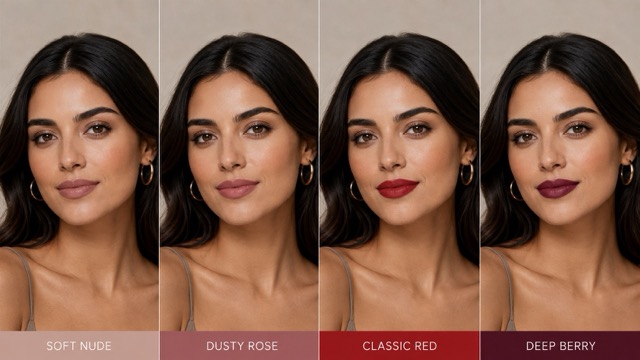
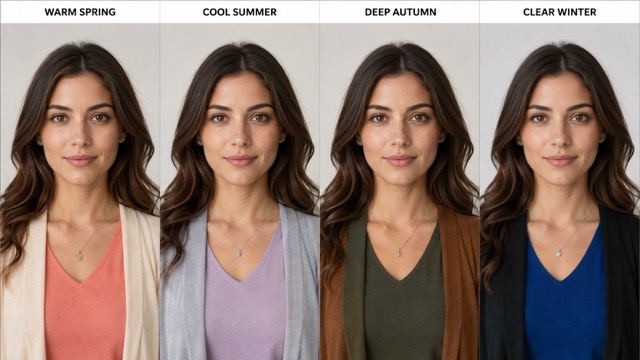
15. Personal Color Analysis
Compare how different seasonal color palettes interact with the same face.
Create a clean visual color comparison using this portrait. Preserve the person's face and natural skin tone. Show the subject wearing clothing in four different palette directions: warm spring, cool summer, deep autumn, and clear winter. Keep the lighting consistent across all four versions. Use realistic fabric and color reflections, and arrange the results in a simple comparison layout without changing the person's facial appearance.Keeping skin tone consistent is particularly important for this type of comparison.
Creative ChatGPT Photo Editing Prompts for Social Media
If you want something more noticeable for Instagram, TikTok, Pinterest, profile photos, or creator content, the following prompts push the visual style further.
The best results still come from being specific rather than simply asking the AI to “make the photo aesthetic.”
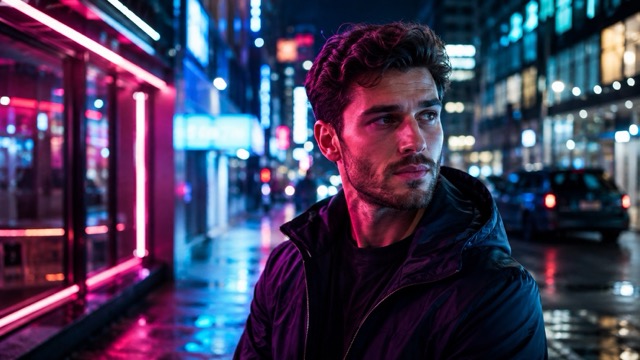
16. Neon City Portrait
Add colorful night lighting while keeping the image photographic.
Transform the uploaded portrait into a realistic neon city-night photograph. Preserve the person's identity, facial features, and proportions. Place the subject in a modern street filled with subtle pink, blue, and violet neon reflections. Add realistic colored light falling across the face and clothing, wet pavement reflections, shallow depth of field, soft background bokeh, and cinematic night photography. Keep skin tones believable and avoid a cyberpunk illustration look.The final sentence helps prevent the result from becoming too artificial or game-like.
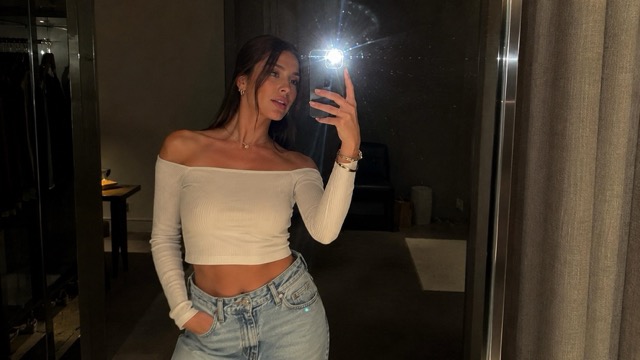
17. Mirror Selfie Flash
Recreate the casual direct-flash mirror selfie popular across social media.
Edit the uploaded image into a stylish mirror selfie photographed with direct phone flash. Keep the person's face, body proportions, outfit shape, and identity accurate. Use a realistic bedroom or dressing-room mirror, visible flash reflection, slightly dark surroundings, crisp highlights, natural shadows, casual framing, and subtle digital-camera grain. Keep the scene spontaneous instead of looking like a professional studio shoot.Small imperfections in framing usually make this style feel more believable.
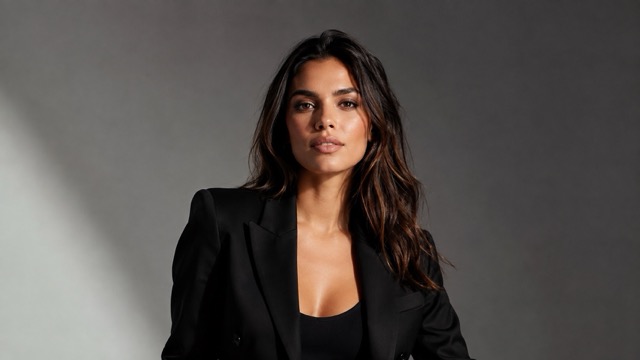
18. Magazine Cover Portrait
Create a clean editorial portrait with enough space for future text.
Transform this portrait into a clean editorial image suitable for a modern fashion magazine cover. Preserve the subject's exact facial identity. Use confident eye contact, a simple studio background, strong but flattering directional lighting, elegant wardrobe styling, natural skin texture, and balanced negative space around the subject. Keep the image photorealistic and leave enough clean space for magazine text to be added later.Leaving negative space is useful if you plan to add a title, logo, or headline afterward.
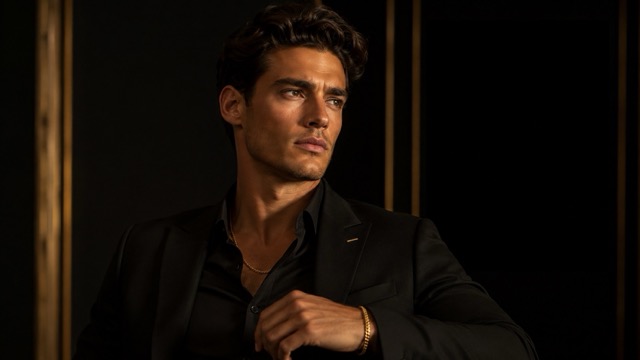
19. Luxury Black and Gold Portrait
Use dark styling and warm highlights for a premium fashion look.
Edit the uploaded portrait into an elegant black-and-gold fashion photograph. Keep the person's original face, hairstyle, and body proportions. Use a dark minimalist background, sophisticated black clothing, small gold accessories, warm edge lighting, controlled highlights, deep soft shadows, realistic fabric details, and premium editorial color grading. Make the mood confident and luxurious without adding excessive decorations.The combination works best when the composition stays simple rather than filling the background with decorative objects.
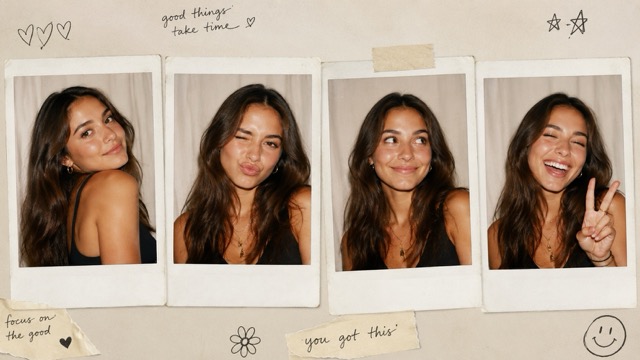
20. Polaroid Photo Booth Collage
Create four natural expressions from the same subject and arrange them like instant photos.
Create a nostalgic photo booth collage using the uploaded person. Preserve the same recognizable identity in every frame. Generate four different natural expressions and poses as if they were photographed seconds apart inside a real photo booth. Arrange the images as slightly worn instant-photo prints with subtle fingerprints, paper texture, soft flash lighting, minor exposure differences, and handwritten decorative marks around the edges.This style works particularly well for profile content, birthday posts, travel memories, and casual social media graphics.
How to Write Better ChatGPT Photo Editing Prompts
You do not need complicated photography terminology to get better results.
A useful photo editing prompt normally explains five things: who or what should remain unchanged, what needs to change, the environment, the lighting, and the final visual style.
For example, a short instruction such as:
Make my photo cinematic.does not give the AI much direction.
A more useful version would be:
Keep my face and hairstyle unchanged. Place me on a quiet city street at night, add warm storefront lighting from the left side, subtle reflections on wet pavement, shallow depth of field, realistic skin texture, and cinematic movie color grading.The second prompt clearly explains what the image should look like without making every detail rigid.
If the generated person stops looking like the original subject, add phrases such as:
preserve facial identity
keep the original face unchanged
do not reshape facial features
maintain the original body proportions
If the image looks overly artificial, phrases such as natural skin texture, realistic camera photography, physically believable lighting, and photorealistic rather than illustrated can also improve the result.
How to Customize a Trending Prompt
You do not need to use every trending prompt exactly as written.
A flash-photo prompt can become a beach-party image. A cinematic city portrait can become a rainy café scene. A scrapbook collage can use travel tickets and postcards. A black-and-white couple photo can be turned into warm 35mm film photography.
The easiest way to customize one is to change four elements:
Background → Lighting → Outfit → Mood
For example:
Neon city + blue light + black jacket + mysterious moodcan become:
Sunset beach + golden light + white linen shirt + relaxed moodIf you want to compare several variations quickly, a ChatGPT photo editing tool lets you keep the same original image while changing only one or two prompt elements at a time. This makes it easier to see exactly how the background, lighting, clothing, hairstyle, or color palette affects the result.
The same technique can also help you create your own prompt library. Once you find a lighting style or composition that works, keep that part and replace only the subject or environment.
Which Photos Work Best With These Prompts?
You do not need a professional photograph.
A clear smartphone portrait or selfie is often enough, especially when the face, hair, and upper body are visible. Images with simple backgrounds can also make transformations easier because there are fewer existing objects for the AI to reinterpret.
Try to avoid starting with photos that are extremely blurry, heavily filtered, very dark, or cropped across important facial features.
For hairstyle and beauty comparisons, front-facing portraits usually work best. For cinematic and fashion prompts, half-body or upper-body photographs give the model more room to change clothing, poses, lighting, and backgrounds.
For couple prompts, make sure both faces are visible and avoid source images where one person's face is heavily covered.
How to Get More Consistent Results
One of the easiest mistakes is changing too many things at the same time.
If your first result is close but not quite right, do not rewrite the entire prompt. Change only the element that needs improvement.
For example, if the background is good but the lighting is too dramatic, keep everything else and replace:
strong dramatic side lightingwith:
soft natural directional lightingIf the subject looks too different from the original photo, strengthen the identity instructions rather than changing the entire visual concept.
You can also reuse the same base prompt across several photos. Doing this helps you understand which parts of the prompt consistently control the final style.
Why Trending Photo Editing Prompts Work So Well
Trending prompts are useful because they convert an abstract visual idea into specific instructions.
Instead of seeing a cinematic portrait on social media and wondering how to recreate it, you can describe its important components: night background, warm rim light, shallow depth of field, natural skin texture, dark clothing, and movie-style color grading.
The same principle applies to Y2K photography, fashion editorials, couple portraits, beauty comparisons, collages, and vintage film styles.
The most useful chatgpt photo editing prompts trending are therefore not just templates to copy forever. They show you how to describe a visual result clearly enough that you can eventually build your own prompts.
Start Creating With ChatGPT Photo Editing Prompts
The 20 prompts above give you a starting point for cinematic portraits, Y2K flash photography, scrapbook collages, couple edits, hairstyle previews, makeup comparisons, neon photography, fashion editorials, and more.
Once you find a style you like, you can paste the prompt into a ChatGPT image editor online and continue refining it with your own details. Change the location, outfit, lighting, camera style, colors, or mood until the result feels more personal.
The most important part is specificity. Tell the AI what needs to remain recognizable, what needs to change, how the scene should be lit, and what type of photograph the final image should resemble.
With a clear prompt and a good source photo, one ordinary image can become dozens of completely different visual concepts—and every trending prompt can become the starting point for your own style.