
Swap Objects Without Rebuilding the Whole PhotoReplace Object in Photo Online
Tell the editor what to replace and what you want instead.
Replace Object in Photo Online to change one visible item while preserving the rest of the scene. The AI Object Replacer interprets a direct instruction such as “replace the red chair with a wooden bench,” while the AI Image Replacer adjusts scale, angle, shadows, and placement. Use Replace Object in Photo With AI for fast edits that still look connected to the original image. Replace Object in Photo Online keeps that change centered on the named item.
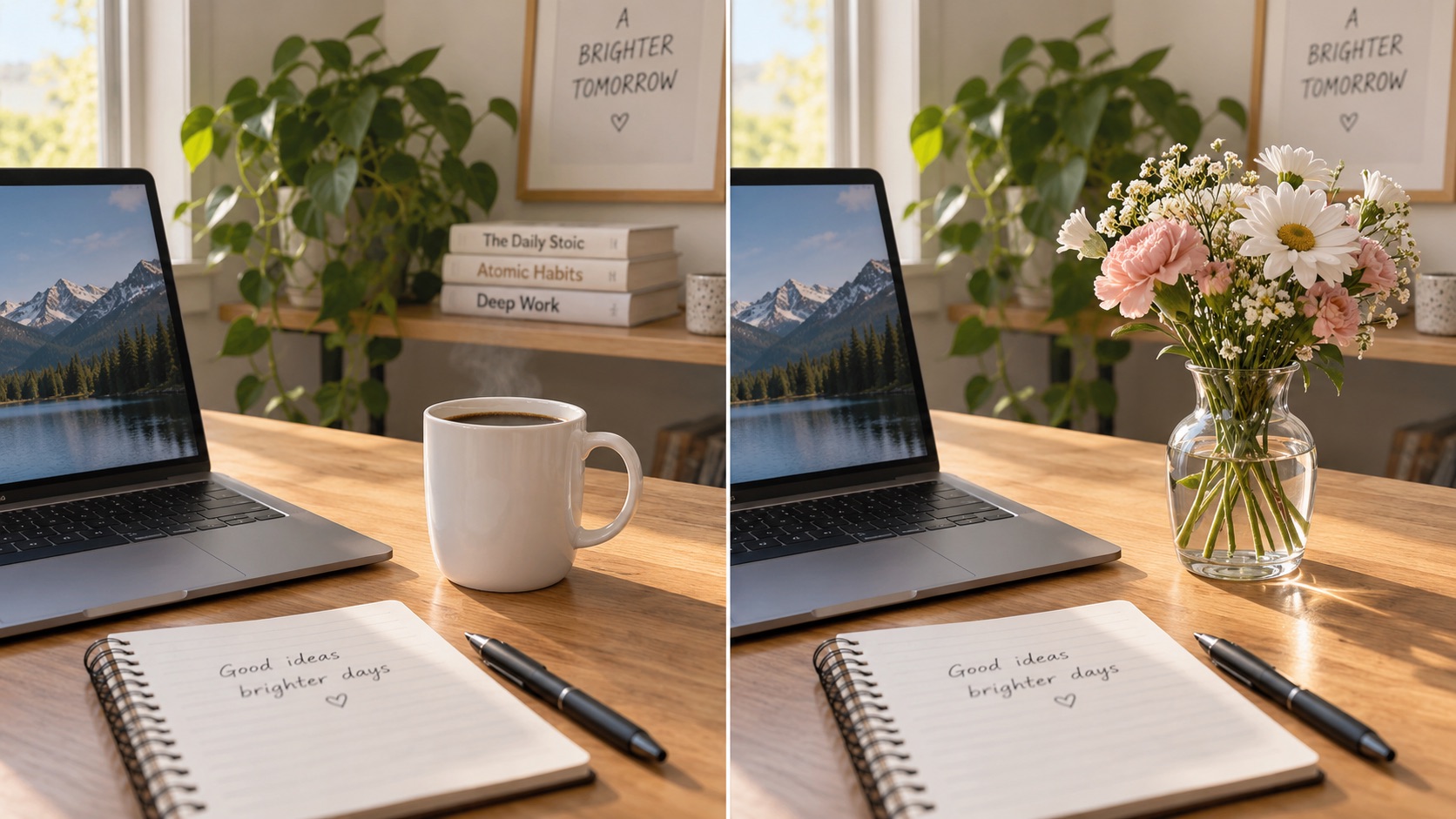
Describe what you want to replace and what to replace it with. (e.g. Replace the red chair with a modern sofa.)
AI Image Tools
Everything You Need to Edit Photos Faster
Open the PicEditor AI tools library for background removal, photo enhancement, object cleanup, face swap, upscaling, and more focused image workflows.

Add Object to Photo

Eyeliner Filter

AI Bust Down Filter

Image Splitter

Add White Background to Photo

Snapchat Text Remover

Realistic AI Skin Generator

Add speech bubble to photo

Change Photo Background

AI Clothes Wrinkle Remover

AI LinkedIn Profile Picture

GPT Transparent BG Image Editor

Image to Layers

3D Angle Editor

Change Background of Photo
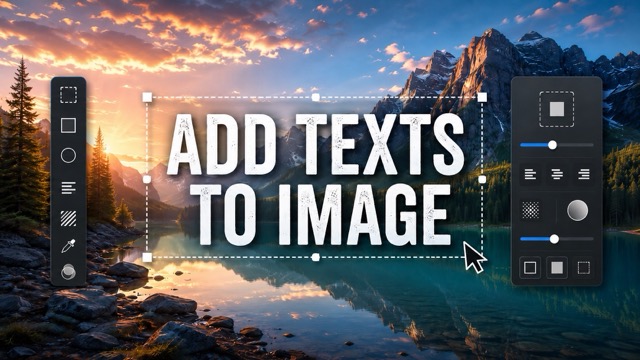
Add Text to Image
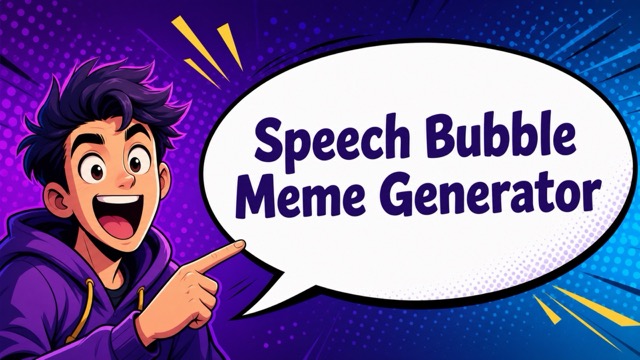
Speech Bubble Meme Generator
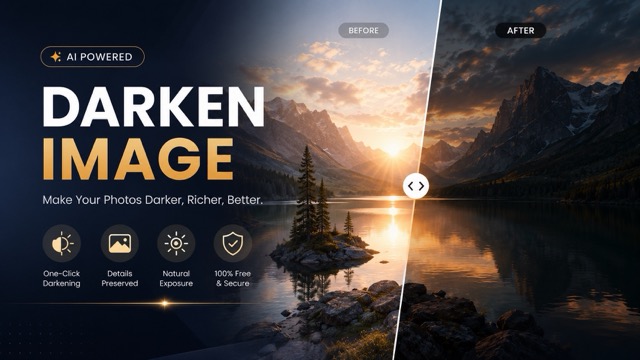
AI Image Darkener
AI Vignette Effect
AI Change Minecraft Skin
Remove Color From Image

Photo to Illustration

Photo to Coloring Page
Replace Object in Photo Online
Swap unwanted objects for new ones with a simple text instruction.
Replace Object in Photo Online when a photo has the right scene but the wrong item. Upload your image, describe what should be replaced and what should take its place, then generate the edit. AI Object Replacer and AI Image Replacer workflows help keep the replacement aligned with the original lighting, perspective, and composition.
How to Replace Object in Photo Online
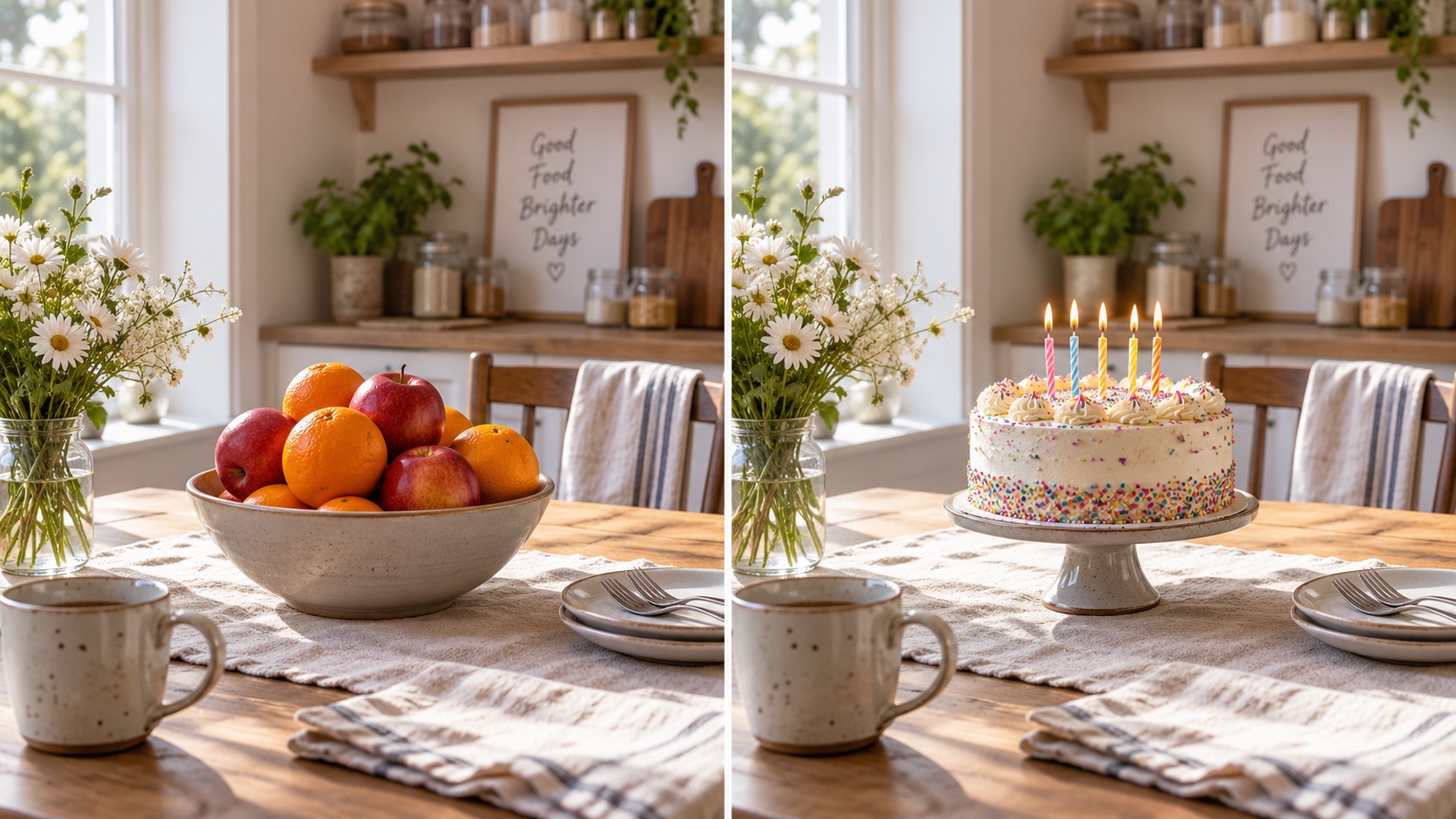
Replace Object in Photo Online follows three steps: upload a photo, describe what should replace what, and click Generate. There is no need to rebuild the entire image for one change. The AI Object Replacer focuses on the requested swap, while the AI Image Replacer uses scene context to keep the result believable. Replace Object in Photo Online works for furniture, accessories, props, decor, food, and everyday photo corrections.

Upload the Photo You Want to Edit
Start Replace Object in Photo Online by uploading the photo that contains the item you want to change. Choose a clear image where the target object is easy to see. You do not need to prepare a cutout or rebuild the scene. The uploaded photo provides the background, lighting, people, and composition that should remain as context. For better results, use Replace Object in Photo Online with an image that is not heavily blurred around the target object.

Describe What to Replace and What to Add
In the prompt box, write a direct instruction such as “replace the white mug with a glass vase” or “replace the floor lamp with a tall plant.” Replace Object in Photo Online works best when the original object and desired replacement are clearly named. The AI Object Replacer identifies what should change, while the AI Image Replacer uses the photo as context. Replace Object in Photo With AI can also follow details such as material, color, style, or size.

Click Generate and Review the New Photo
Click Generate after entering your instruction. Replace Object in Photo Online creates a revised image with the requested item replaced while unrelated areas stay as consistent as possible. Check the new object’s position, scale, lighting, shadows, and interaction with nearby elements. The AI Object Replacer handles the swap, and the AI Image Replacer helps the result fit the scene. If needed, run Replace Object in Photo Online again with a more specific description.
Why Use Replace Object in Photo Online?
Replace Object in Photo Online is for users who already have a useful image and only need one item changed. The AI Object Replacer targets the object named in the instruction, and the AI Image Replacer rebuilds the edited area in context. Use Replace Object in Photo Online for corrections, alternatives, scene updates, and creative experiments. Replace Object in Photo Online Free searches often reflect this need for a direct text-guided replacement workflow.
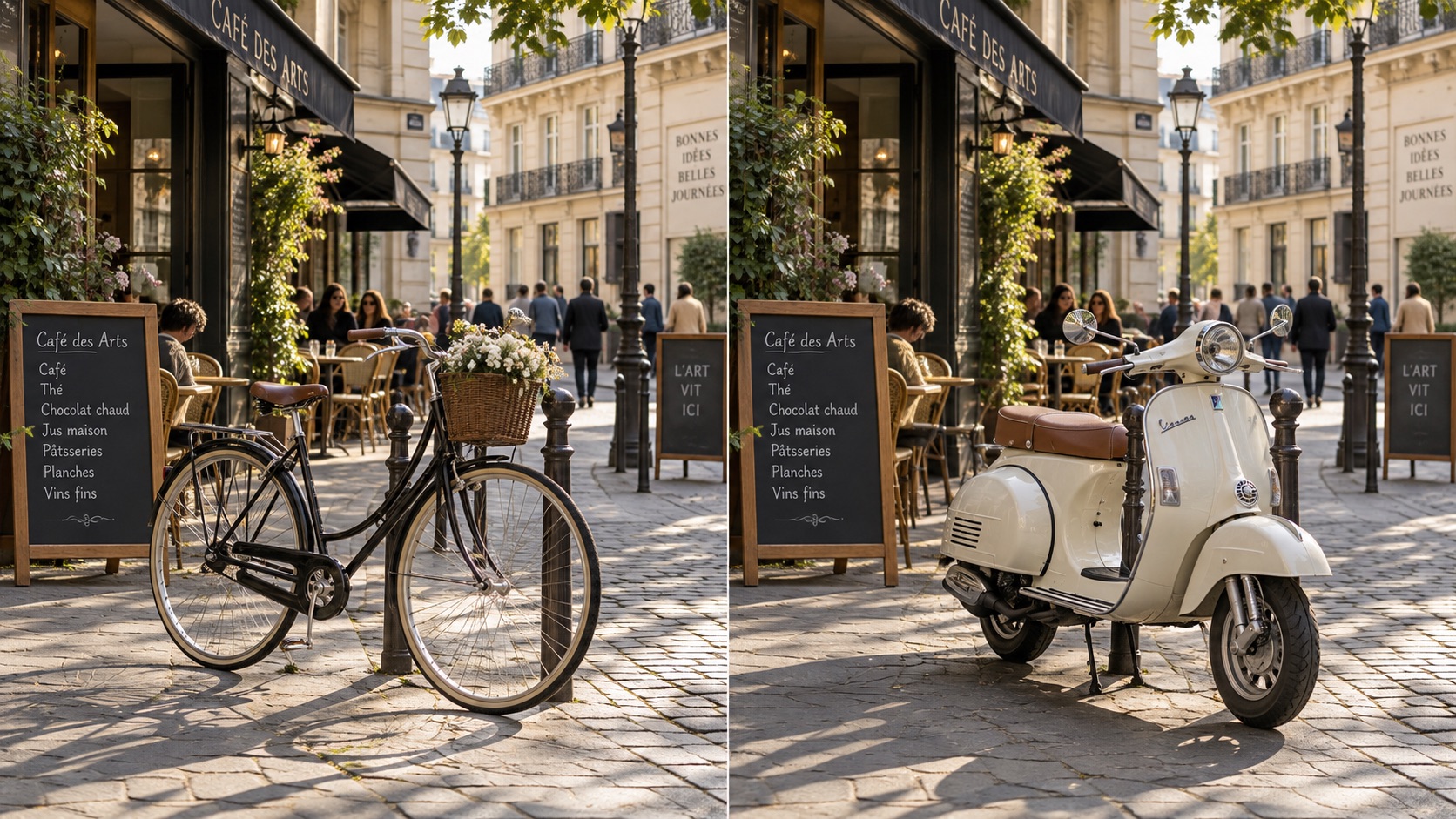
Fix the One Object That Makes a Good Photo Unusable
A photo can be almost right except for one distracting or outdated object. Replace Object in Photo Online lets you change that item instead of recreating the whole shot. Replace a chair, lamp, cup, sign, decoration, bag, or background prop while keeping the useful parts of the image. Replace Object in Photo Online is especially useful when retaking the scene would take more time than changing the object itself.
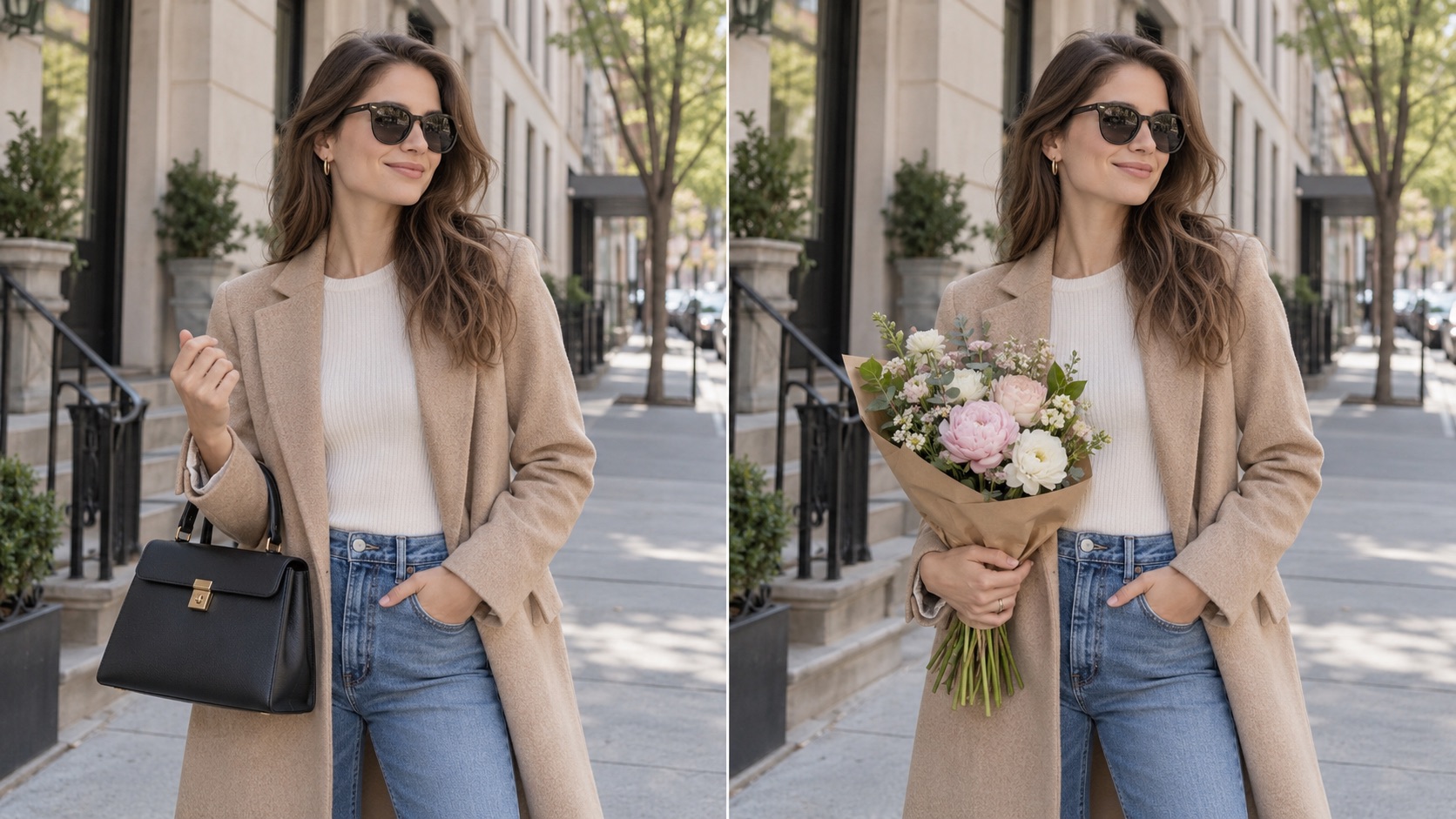
Test a Different Product, Prop, or Decor Choice
Use Replace Object in Photo Online to compare visual ideas before changing a real scene. Swap a sofa for another style, replace table decor, test different food, or change a lifestyle prop. The AI Object Replacer follows the requested swap, while the AI Image Replacer adapts the replacement to the surrounding perspective and light. Replace Object in Photo With AI for fast alternatives. Replace Object in Photo Online makes versions from one source photo easier to compare.
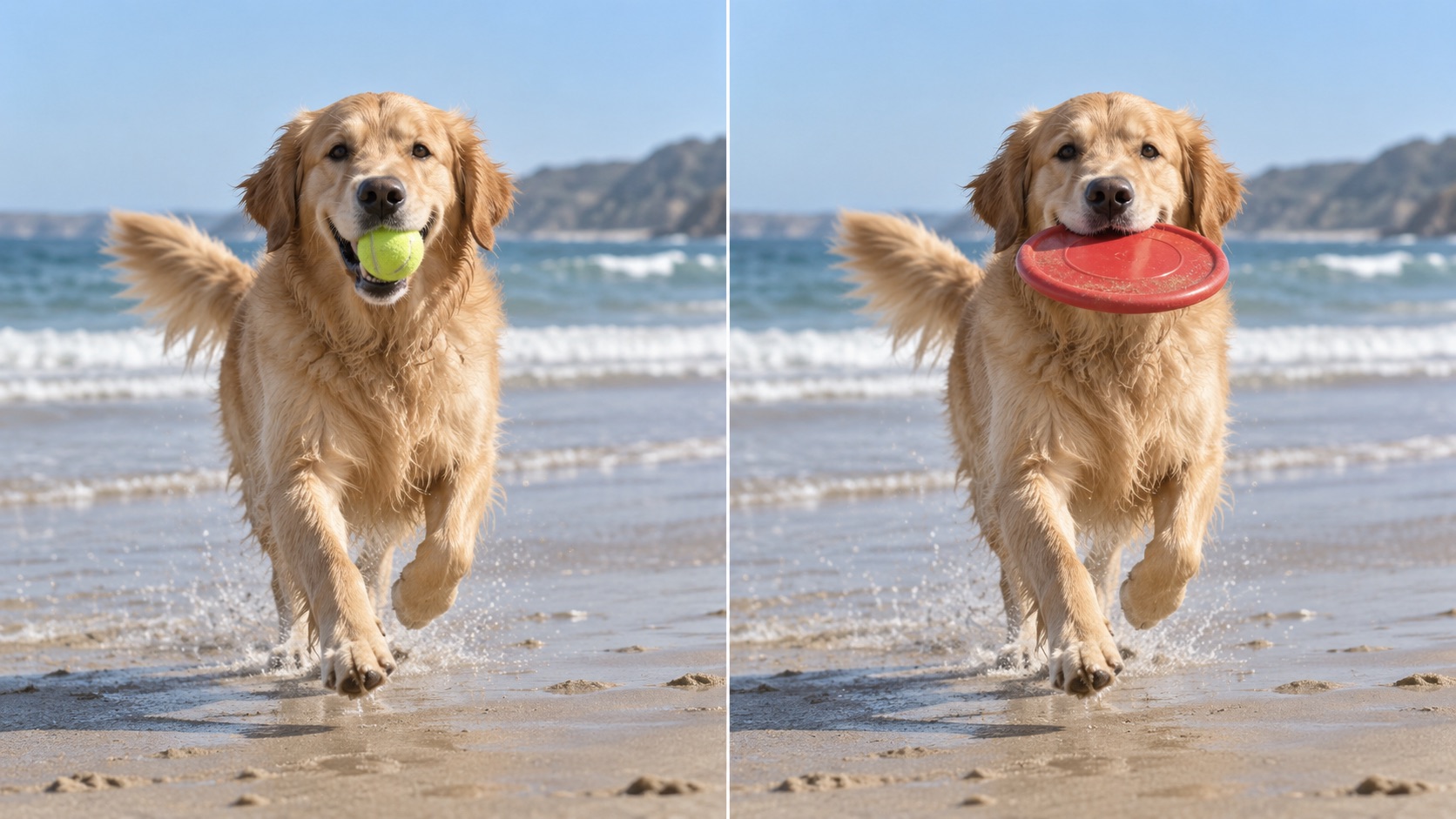
Keep the Scene While Changing the Meaning
Sometimes changing one object changes the purpose of the whole photo. Replace Object in Photo Online can turn a casual table scene into a celebration image or shift a room’s mood with different decor. The AI Object Replacer changes the specified element, while the AI Image Replacer helps preserve the original framing. Replace Object in Image Online when you want the source photo to remain recognizable. Replace Object in Photo Online keeps the edit focused.
Ways to Use Replace Object in Photo Online
Replace Object in Photo Online works across home photos, lifestyle images, product scenes, social content, and creative concepts. Use the AI Object Replacer for a clearly named object swap, while the AI Image Replacer helps keep the surrounding scene visually coherent. Replace Object in Photo Online supports corrections, previews, alternatives, and creative changes. Replace Object in Photo Online Free also matches users who want to test an idea from an existing image before a larger edit.

Home and Interior Photo Updates
Replace Object in Photo Online to preview a room with different furniture, lamps, wall decor, rugs, plants, or tabletop items. Instead of only imagining the change, create a visual version first. The AI Object Replacer follows a focused decor instruction, while the AI Image Replacer uses the room’s perspective and light as context. Replace Object in Image Online is useful for quick interior concepts. Replace Object in Photo Online also helps update older room photos when one visible item feels outdated.

Lifestyle and Social Photo Corrections
A lifestyle photo may contain a prop that no longer fits the message. Replace Object in Photo Online can swap cups, books, bags, flowers, accessories, signs, or food while keeping the person and setting. The AI Object Replacer handles the named swap, and the AI Image Replacer helps the new item fit the environment. Replace Object in Photo With AI for quick variations from one useful photo. Replace Object in Photo Online can save a shot that would otherwise need a reshoot.

Ecommerce and Product Scene Variations
Replace Object in Photo Online can create alternate scene concepts when a supporting prop needs to change. Swap a vase, plate, box, stand, cushion, or accessory without replacing every element in the composition. The AI Object Replacer keeps the instruction focused, while the AI Image Replacer rebuilds the changed area in context. Replace Object in Photo Online Free can help test simple ideas before new photography. Replace Object in Photo Online supports quick comparison across object choices.

Creative Object Swaps for Visual Ideas
Replace Object in Photo Online for playful edits as well as practical ones. Turn an umbrella into a bouquet, replace a desk lamp with a sculptural light, or swap an ordinary prop for something unexpected. Replace Object in Image Online when a concept starts from an existing photo rather than a blank canvas. Replace Object in Photo Online makes object-based experimentation easy to repeat without changing the entire scene.
What Users Say About Replace Object in Photo Online
Users choose Replace Object in Photo Online when they want one clear change without rebuilding an entire scene. The AI Object Replacer makes the swap easy to describe, while the AI Image Replacer helps the new object fit the original photo. Replace Object in Photo Online supports corrections, alternate concepts, and content variations. Replace Object in Photo Online Free is a common search for this prompt-based replacement workflow.
I used Replace Object in Photo Online on a living-room photo where one chair looked out of place. I described the chair I wanted instead, generated the edit, and the room still looked like the same space. The new chair aligned well with the floor and lighting. Replace Object in Photo Online was much faster than trying to rebuild the scene.
I used Replace Object in Photo Online on a living-room photo where one chair looked out of place. I described the chair I wanted instead, generated the edit, and the room still looked like the same space. The new chair aligned well with the floor and lighting. Replace Object in Photo Online was much faster than trying to rebuild the scene.
A product photo had the right composition but the wrong table prop. Replace Object in Photo Online let me swap that one object and keep everything else useful. The AI Object Replacer followed the instruction clearly, and the AI Image Replacer made the changed area feel connected to the original photo. I had searched Replace Object in Photo Online Free because I wanted this exact kind of simple replacement workflow.
A product photo had the right composition but the wrong table prop. Replace Object in Photo Online let me swap that one object and keep everything else useful. The AI Object Replacer followed the instruction clearly, and the AI Image Replacer made the changed area feel connected to the original photo. I had searched Replace Object in Photo Online Free because I wanted this exact kind of simple replacement workflow.
I wanted several versions of one social photo without reshooting it. Replace Object in Photo Online helped me change flowers, a cup, and small props in separate versions. The AI Object Replacer understood short instructions, while the AI Image Replacer kept the person and background consistent. Replace Object in Photo With AI made it easy to test ideas quickly. Replace Object in Photo Online gave me more use from one photo.
I wanted several versions of one social photo without reshooting it. Replace Object in Photo Online helped me change flowers, a cup, and small props in separate versions. The AI Object Replacer understood short instructions, while the AI Image Replacer kept the person and background consistent. Replace Object in Photo With AI made it easy to test ideas quickly. Replace Object in Photo Online gave me more use from one photo.
I use Replace Object in Photo Online when a scene is already strong but one item breaks the look. I can name the object, say what should replace it, and generate a new version. The AI Object Replacer keeps the request specific, and the AI Image Replacer helps with scene consistency. Replace Object in Image Online was useful for small corrections. Replace Object in Photo Online keeps me from over-editing the rest.
I use Replace Object in Photo Online when a scene is already strong but one item breaks the look. I can name the object, say what should replace it, and generate a new version. The AI Object Replacer keeps the request specific, and the AI Image Replacer helps with scene consistency. Replace Object in Image Online was useful for small corrections. Replace Object in Photo Online keeps me from over-editing the rest.




FAQs About Replace Object in Photo Online
Find quick answers about prompts, source images, object types, scene preservation, and replacement quality. Replace Object in Photo Online is built around a direct upload-and-instruct workflow, with the AI Object Replacer and AI Image Replacer focused on changing the requested object while keeping the rest of the image useful. AI Object Replacer and AI Image Replacer guidance stays focused on the requested substitution.
Upload a photo, describe the original object and the replacement, then click Generate. Replace Object in Photo Online uses that instruction to create an edited version while keeping unrelated areas as consistent as possible.
Be specific: name the object to replace and the new object you want. Add color, material, style, or size only when those details matter. Clear prompts help the AI Object Replacer and AI Image Replacer understand the swap.
Yes. Replace Object in Photo Online can handle furniture, decor, accessories, food, props, containers, signs, and many other visible items. Results depend on how clearly the source object appears in the photo. Replace Object in Photo Online is best when the target item is clearly visible.
Replace Object in Photo With AI focuses on the requested item and uses the surrounding image as context. The AI Image Replacer attempts to preserve unrelated subjects, composition, lighting, and background details.
Use a clear source photo and describe both sides of the swap. If the first result is not right, run Replace Object in Photo Online again with a more precise object name, style, material, position, or size. Replace Object in Photo Online also benefits from concise replacement wording.
Replace Object in Image Online changes a specified object into another object. Removing an object deletes it and fills the space instead. The AI Object Replacer is intended for substitution rather than simple cleanup.
Replace One Object and Keep the Photo You Already Like
Upload your image, describe the object you want to change, and generate a new version with Replace Object in Photo Online. The AI Object Replacer follows the requested swap, while the AI Image Replacer uses the original scene as context. Replace Object in Photo Online can turn one nearly-right photo into the version you actually need. Replace Object in Photo Online keeps the workflow direct.
