
AI Image Tools
Everything You Need to Edit Photos Faster
Open the PicEditor AI tools library for background removal, photo enhancement, object cleanup, face swap, upscaling, and more focused image workflows.

AI Portrait Retouching

AI Facial Expression Changer

AI Nose Piercing Filter

Replace Object in Photo Online

Add Object to Photo

Eyeliner Filter

AI Bust Down Filter

Image Splitter

Add White Background to Photo

Snapchat Text Remover

Realistic AI Skin Generator

Add speech bubble to photo

Change Photo Background

AI Clothes Wrinkle Remover

AI LinkedIn Profile Picture

GPT Transparent BG Image Editor

Image to Layers

3D Angle Editor
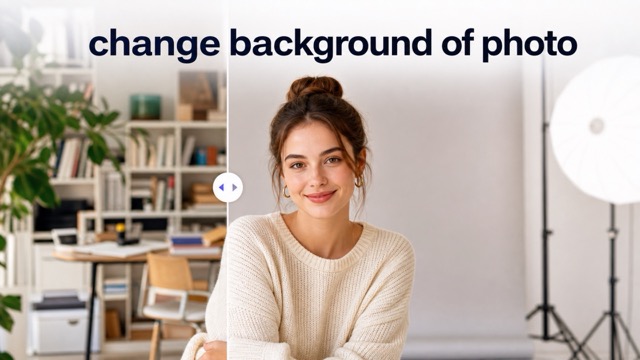
Change Background of Photo
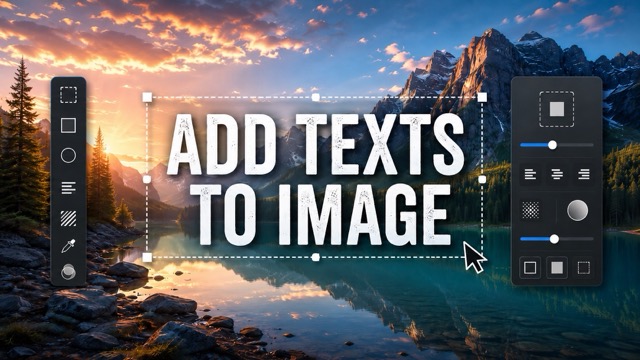
Add Text to Image
Speech Bubble Meme Generator
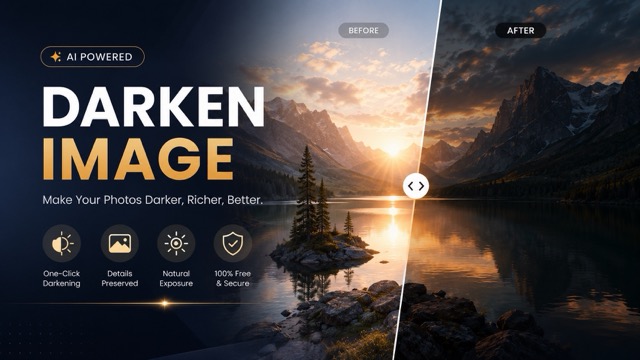
AI Image Darkener
Snatched Waist Editor Online with AI
Create a Defined Waistline in Your Photos
Refine your waistline with a Snatched Waist Editor designed for fast, natural-looking photo edits. Upload a full-body or waist-up image, click Generate, and let the AI Waist Slimmer create a more defined waist or hourglass-inspired silhouette while keeping the overall image balanced. It is useful for fashion photos, fitness portraits, social content, and personal styling ideas without complicated manual body reshaping.
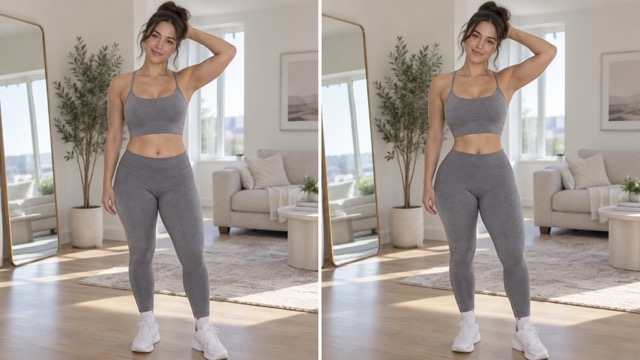
How to Use the Snatched Waist Editor
The Snatched Waist Editor simplifies waist editing into three steps. Upload a clear image, click Generate, and download the finished result. Photos with a visible waistline usually help the AI Waist Slimmer create a more balanced and natural-looking silhouette.

Upload Image
Upload a clear full-body, half-body, fashion, fitness, or lifestyle photo. Images with a visible waist give the Snatched Waist Editor more information about body shape, clothing, pose, and proportions.

Click Generate
Click Generate and let the AI Waist Slimmer create a more defined waistline while keeping the shoulders, hips, clothing, pose, and overall silhouette visually balanced.

Download
Once the Snatched Waist Editor finishes the transformation, download the edited image for fashion content, social media, personal styling, or creative projects.
Shape a More Defined Silhouette with AI
The Snatched Waist Editor creates waist edits with overall body proportions in mind. The AI Waist Slimmer considers the waist, hips, shoulders, torso, clothing, and pose together, helping the result look balanced rather than compressed. Use it for subtle waist refinement or a more noticeable hourglass-inspired silhouette.
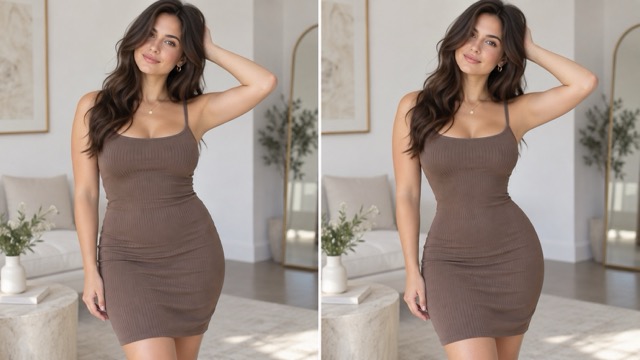
Create a Defined Waist Without Manual Reshaping
Traditional body reshaping can require liquify tools, masking, and repeated corrections. The Snatched Waist Editor simplifies the process by analyzing the body and surrounding image automatically. Upload a photo and click Generate to create a more defined waist without manually moving pixels or repairing clothing edges.
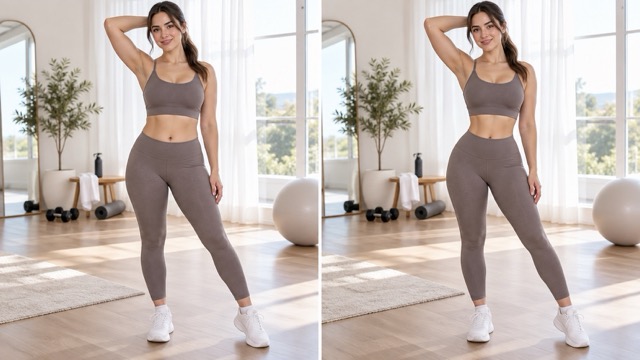
Create an Hourglass-Inspired Silhouette
The Snatched Waist Editor can emphasize the waist in relation to the hips and shoulders for a more defined hourglass-inspired shape. The AI Waist Slimmer keeps the transformation connected to the original pose and body proportions, making it useful for fashion, styling, and social media images.
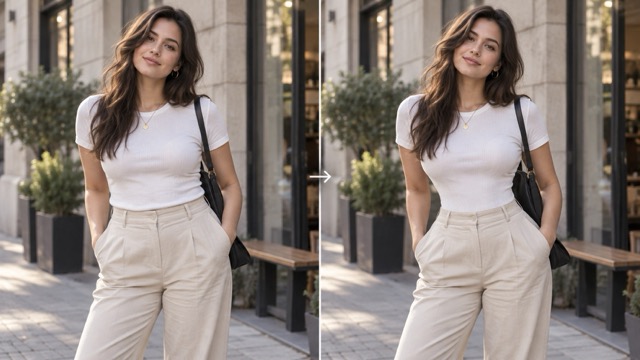
Keep Clothing and Pose Visually Consistent
The Snatched Waist Editor considers clothing edges, fitted seams, body position, and surrounding details while refining the waist. Clear photos and visible body contours usually produce the most natural results, especially for dresses, activewear, casual outfits, and fashion portraits.
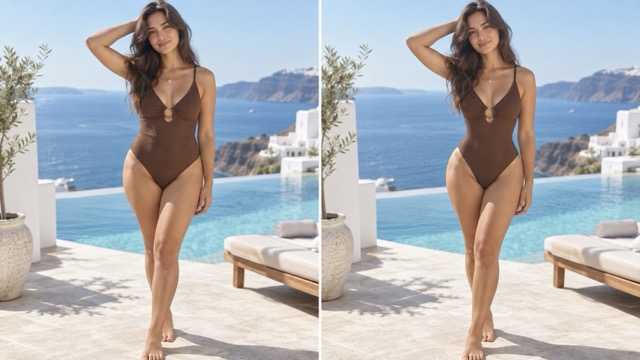
Experiment with Body Shape in Seconds
Use the Snatched Waist Editor when you want to explore a different silhouette without a complicated editing workflow. Upload the image, click Generate, and download the result. The AI Waist Slimmer works well for styling ideas, fashion concepts, fitness visuals, and personal photo edits.
Popular Uses for the Snatched Waist Editor
The Snatched Waist Editor helps refine body proportions in fashion, fitness, lifestyle, and social photos. Use the AI Waist Slimmer to create a more defined waistline while keeping the original pose, outfit, and visual style recognizable.
Fashion and Outfit Photos
Use the Snatched Waist Editor to see how a more defined waist changes the look of dresses, tops, activewear, and other outfits. It is useful for styling concepts, fashion mood boards, and polished outfit photos.
Social Media Images
Refine lifestyle and social photos with a more defined waist without using complicated body editing software. Upload the image, click Generate, and download a cleaner silhouette for your content.
Fitness and Progress Visuals
Use the Snatched Waist Editor for creative fitness concepts or before-and-after style visuals. The AI Waist Slimmer can show how a more defined waist changes the overall silhouette, but the result is a visual edit rather than a real physical prediction.

Creative Body Shape Experiments
Explore how different waist proportions change the appearance of a photo. The Snatched Waist Editor can support creative references, styling experiments, and personal projects while leaving the original image unchanged.
What Users Say About the Snatched Waist Editor
Users choose the Snatched Waist Editor because it makes waist editing simple and approachable. The AI Waist Slimmer provides a quick alternative to manual liquify tools for creating a more defined silhouette.
I wanted to see how one of my dresses would look with a more defined waist. The Snatched Waist Editor made the edit much easier than doing it manually.
I wanted to see how one of my dresses would look with a more defined waist. The Snatched Waist Editor made the edit much easier than doing it manually.
The AI Waist Slimmer saves me time when creating styling concepts. I can upload a photo, generate the result, and quickly see a different silhouette.
The AI Waist Slimmer saves me time when creating styling concepts. I can upload a photo, generate the result, and quickly see a different silhouette.
I like that the Snatched Waist Editor keeps the overall silhouette balanced. The result looks more natural than simply stretching the waist area.
I like that the Snatched Waist Editor keeps the overall silhouette balanced. The result looks more natural than simply stretching the waist area.
I used the AI Waist Slimmer for a fashion mood board and it helped me explore different proportions without manually reshaping every image.
I used the AI Waist Slimmer for a fashion mood board and it helped me explore different proportions without manually reshaping every image.
The Snatched Waist Editor is simple: upload the image, click Generate, and download the result. It is much faster for casual body edits.
The Snatched Waist Editor is simple: upload the image, click Generate, and download the result. It is much faster for casual body edits.
Snatched Waist Editor FAQ
Learn how the Snatched Waist Editor works, which images perform best, and what you can create with the AI Waist Slimmer.
A Snatched Waist Editor is an AI photo editing tool that creates a more defined waistline or hourglass-inspired silhouette. Upload an image and click Generate to let the AI Waist Slimmer refine the waist while considering clothing, pose, and overall body proportions.
The AI Waist Slimmer analyzes the waist in relation to the hips, shoulders, torso, clothing, and pose. It then generates a revised silhouette that aims to stay visually connected to the original image rather than simply compressing one area.
Clear full-body and waist-up images with a visible waistline usually work best. Good lighting and simple backgrounds can also help. Very loose clothing or poses that completely cover the waist may make the transformation less clear.
Yes. The Snatched Waist Editor can create an hourglass-inspired visual effect by defining the waist in relation to the surrounding silhouette. The result is an edited image, and the final appearance depends on the original pose, clothing, and camera angle.
No. The Snatched Waist Editor uses a simple three-step workflow: upload an image, click Generate, and download the result. No manual liquify tools or advanced editing experience are required.
Create a More Defined Waistline with AI
Upload your image, click Generate, and let the Snatched Waist Editor create a more defined and balanced silhouette. Download the finished result for fashion, social content, styling ideas, or personal projects.
