
AI Image Tools
Everything You Need to Edit Photos Faster
Open the PicEditor AI tools library for background removal, photo enhancement, object cleanup, face swap, upscaling, and more focused image workflows.

AI Portrait Retouching

Snatched Waist Editor

AI Facial Expression Changer

AI Texture Generator

AI Nose Piercing Filter

Replace Object in Photo Online

Add Object to Photo

Eyeliner Filter

AI Bust Down Filter

Image Splitter

Add White Background to Photo

Snapchat Text Remover

Realistic AI Skin Generator

Add speech bubble to photo

Change Photo Background

AI Clothes Wrinkle Remover

AI LinkedIn Profile Picture

GPT Transparent BG Image Editor

Image to Layers

3D Angle Editor

Change Background of Photo
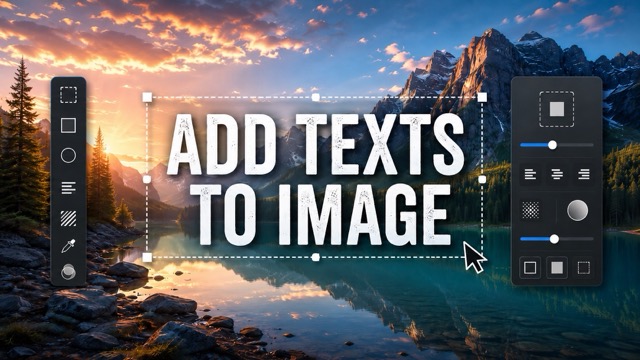
Add Text to Image
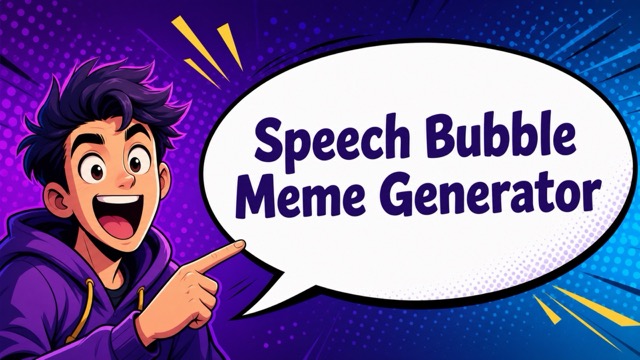
Speech Bubble Meme Generator
Ideogram 4.5 AI Image Generator and Editor
Create images, refine details, and keep your visual direction consistent
Ideogram 4.5 combines image creation with precise refinement. It helps preserve important visual details through successive edits, making revisions more practical for designers, marketers, and independent creators. Use Ideogram 4.5 to develop a rough idea into a more intentional image, reviewing the result after each adjustment.
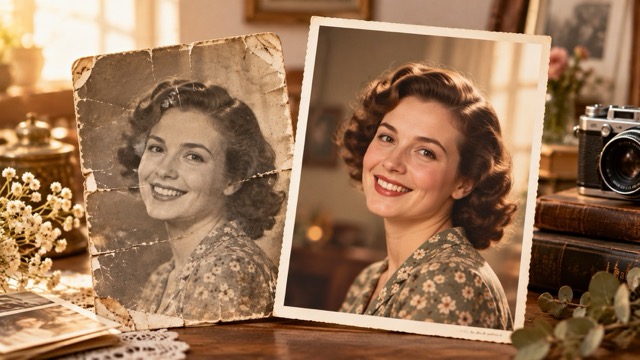
How to Use Ideogram 4.5 for Better Image Results
Begin with a clear objective, then make focused changes rather than requesting every improvement at once. With Ideogram 4.5, review typography, edges, lighting, and essential details before saving. Available editing controls depend on the interface through which you access the model. Keep the original image available for comparison.

Start With an Image or Prompt
Write a clear image prompt or select an existing picture if your interface supports editing. Specify subject, composition, text, and details to preserve. This gives Ideogram 4.5 a focused starting point.

Describe One Precise Change
Ask Ideogram 4.5 to adjust one element, such as a color, headline, or shadow. Limit the edit to the intended area when supported, then compare the revision with your original.

Review and Save Your Result
Inspect fine text, edges, faces, and distinctive details. Compare revisions, then save the result using the controls available in your interface. A final review helps catch unwanted changes.
What Makes Ideogram 4.5 Useful for Creative Editing?
Ideogram 4.5 emphasizes targeted color and lighting adjustments, readable text, product imagery, interiors, and photo restoration. These capabilities matter when most of an image already works. As an AI Image Editor, it supports controlled revisions rather than restarting an entire composition. The approach is valuable for creative teams that need several versions of one idea.

Make Targeted Edits Without Rebuilding Everything
Use Ideogram 4.5 to refine lighting, color, or a selected object while maintaining the composition. This AI Image Editor approach is useful when most of a photograph already works. Check small details after each revision, since no editing system guarantees perfect preservation.

Refine Words and Lettering Inside an Image
Ideogram 4.5 can generate readable lettering and support text changes in designs such as posters, menus, and packaging concepts. As an AI Image Editor, it helps you adjust a phrase without rebuilding the complete design. Always proofread text before publishing or printing.

Explore Color, Materials, and Product Photography
Explore product colors, material finishes, studio lighting, and alternative backgrounds with Ideogram 4.5. An AI Image Editor can make early campaign comparisons easier through consistent framing. Treat generated product imagery as concepts unless its details match verified specifications.

Develop Interiors, Concepts, and Restored Photos
Ideogram 4.5 can help explore room redesigns, architecture concepts, sketch-based images, and photo restoration. Retain a recognizable visual foundation while experimenting with selected changes. Identify conceptual renderings clearly, especially when presenting AI Image Editor work to clients.
Ideogram 4.5 Use Cases for Designers and Creators
Ideogram 4.5 supports visual workflows where key details should stay recognizable while other elements change. Marketers can revise campaign copy; designers can test product finishes or interiors; individuals can explore restoration. Review AI Image Editor outputs for accuracy, permissions, and context before publishing. Compare each version against the project brief and retain source files for future revisions.
Marketing and Social Campaign Design
Create poster concepts, update lettering, and test campaign variations with Ideogram 4.5. An AI Image Editor helps teams focus on specific revisions. Verify copy, rights, and brand details before launch.
Product Concepts and E-commerce Visuals
Use Ideogram 4.5 to compare finishes, colors, materials, and product backgrounds. Keep concept images distinct from authentic catalog photography, and verify commercial product details before use.
Interiors, Architecture, and Mood Boards
Explore alternative room palettes, furnishings, or lighting while preserving major spatial features. Ideogram 4.5 can support early mood boards and architectural concepts, not replace professional plans.

Photo Restoration and Personal Creativity
Experiment with gentle photo restoration, tonal corrections, or creative reframing. Ideogram 4.5 can help explore possibilities, but reconstructed details may not reflect historical reality.
Creative Workflow Examples for Ideogram 4.5
These five fictional sample personas illustrate possible uses of Ideogram 4.5; they are not verified customer testimonials. Replace them with genuine, permissioned feedback before publishing them as customer reviews. Each persona represents a different creative role and a different editing need, rather than reported product experience.
Sample persona, not a verified review: I would compare color variations while keeping the main composition recognizable. A focused editing workflow could make feedback clearer.
Sample persona, not a verified review: I would compare color variations while keeping the main composition recognizable. A focused editing workflow could make feedback clearer.
Sample persona, not a verified review: I would test changing a campaign headline without rebuilding the artwork, then proofread the final design before release.
Sample persona, not a verified review: I would test changing a campaign headline without rebuilding the artwork, then proofread the final design before release.
Sample persona, not a verified review: I would explore room styles while preserving the basic layout, using the results as mood-board ideas rather than renovation plans.
Sample persona, not a verified review: I would explore room styles while preserving the basic layout, using the results as mood-board ideas rather than renovation plans.
Sample persona, not a verified review: I would restore a family photo in small steps and compare each revision against the original before sharing it.
Sample persona, not a verified review: I would restore a family photo in small steps and compare each revision against the original before sharing it.
Sample persona, not a verified review: I would compare product color concepts with consistent framing, then check every detail against actual specifications.
Sample persona, not a verified review: I would compare product color concepts with consistent framing, then check every detail against actual specifications.




Frequently Asked Questions About Ideogram 4.5
These answers summarize documented Ideogram 4.5 capabilities and practical precautions. Third-party interfaces may expose different controls, so verify available editing options before relying on a particular workflow. Inspect results closely for misspelled text, unintended changes, and invented details, especially when work is intended for publication.
Ideogram 4.5 is an image generation and editing model. Published examples cover typography, lighting, color changes, product imagery, interiors, and photo restoration. As an AI Image Editor, it supports focused creative revisions. Specific features depend on the interface you use.
Ideogram 4.5 emphasizes targeted editing and visual consistency rather than only regenerating images. Its precise editing approach aims to preserve areas outside an intended change. The AI Image Editor still benefits from clear instructions and human review.
Yes. Text modification is among the documented Ideogram 4.5 examples, making it relevant to posters, menus, and packaging mockups. Check every word and layout detail before publishing; an AI Image Editor does not replace proofreading.
Consistency through multiple edits is a key focus of Ideogram 4.5. Clear instructions help preserve structure during color, lighting, and detail adjustments. Review every output, because results are not guaranteed to be identical to the source.
Photo restoration is a documented Ideogram 4.5 use case. It can help explore repairs and tonal improvements, but AI reconstruction may invent details. Treat restored images as edited interpretations when historical accuracy matters.
Start Creating and Refining With Ideogram 4.5
Refine a promising image without starting over. Ideogram 4.5 supports precise creative iteration, while careful review helps you choose the version that best communicates your idea. Experiment with typography, lighting, product concepts, or personal projects while preserving what matters most.
