
AI Image Tools
Everything You Need to Edit Photos Faster
Open the PicEditor AI tools library for background removal, photo enhancement, object cleanup, face swap, upscaling, and more focused image workflows.
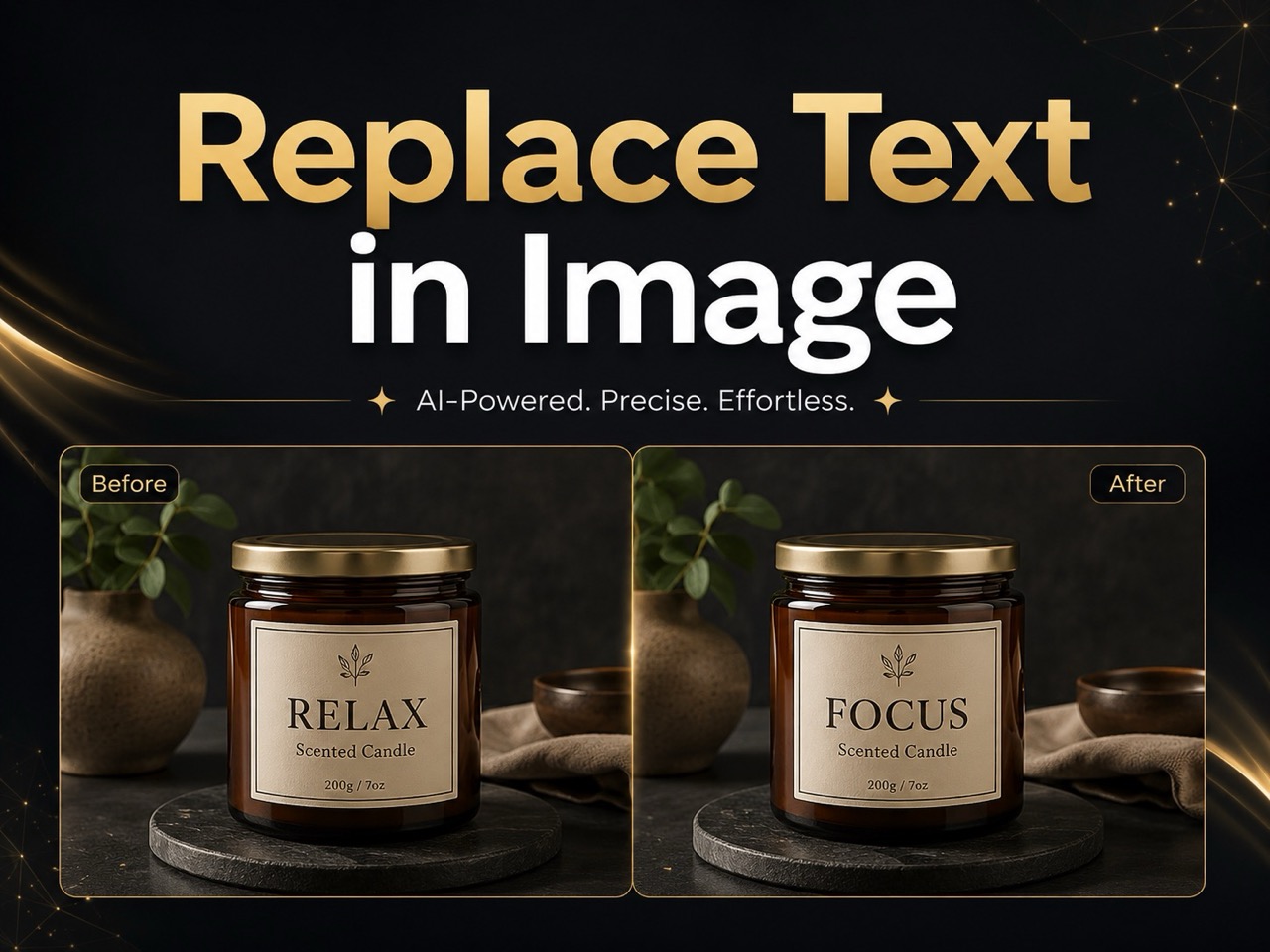
Replace Text in Image
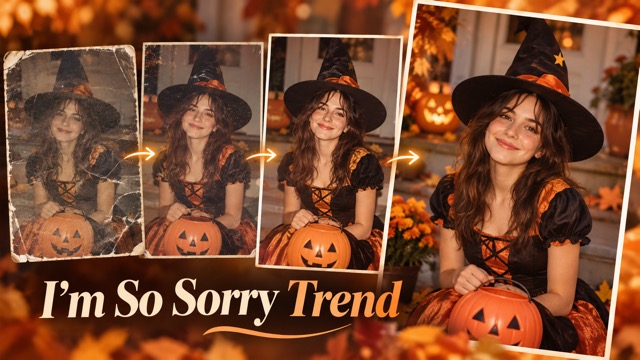
I'm So Sorry Trend AI Photo Editor
AI Halloween Generator
Corpse Bride AI Filter
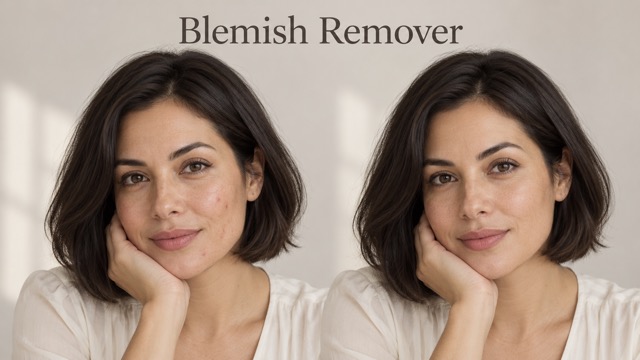
AI Blemish Remover
FLUX 3 Image Klein

Ideogram 4.5

AI Portrait Retouching

Snatched Waist Editor

AI Facial Expression Changer

AI Texture Generator

AI Nose Piercing Filter

Replace Object in Photo Online

Add Object to Photo

Eyeliner Filter

Image Splitter

Add White Background to Photo

Snapchat Text Remover

Realistic AI Skin Generator

Add speech bubble to photo

Change Photo Background

AI Clothes Wrinkle Remover

AI LinkedIn Profile Picture
Bust Down Filter: Create Viral Iced-Out Photos with AI
Turn Any Portrait Into a Diamond-Dripped Bust Down Look Online
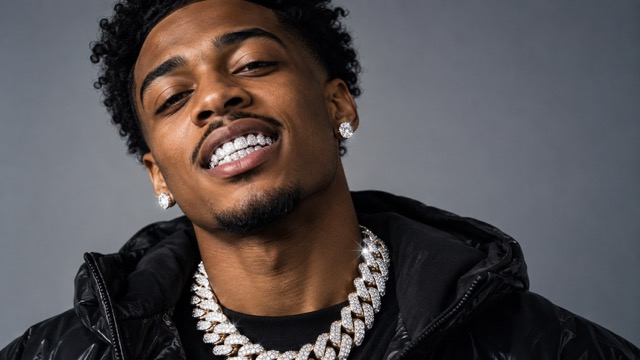
Turn any portrait into a bold iced-out look with the Bust Down Filter. Add diamond grillz, sparkling chains, luxury rings, and bust-down watches while keeping the original face, pose, and personality recognizable. The Bust Down AI Filter works for selfies, portraits, meme edits, and hip-hop inspired visuals. Upload a clear image, describe the jewelry style, and create a polished result without manually masking teeth, wrists, fingers, or necklaces. Control the shine, metal tone, jewelry scale, and overall mood, from subtle grillz to a full diamond set.
How to Use the Bust Down Filter
Creating an iced-out portrait should feel simple. The Bust Down Filter workflow has three steps: upload a clear photo, choose the jewelry style, and generate the result. The Bust Down AI Filter works best when the face and key areas are visible, helping place grillz, chains, rings, and watches naturally. Start subtle or request a full transformation for a stronger meme-ready look.

Upload a Clear Portrait
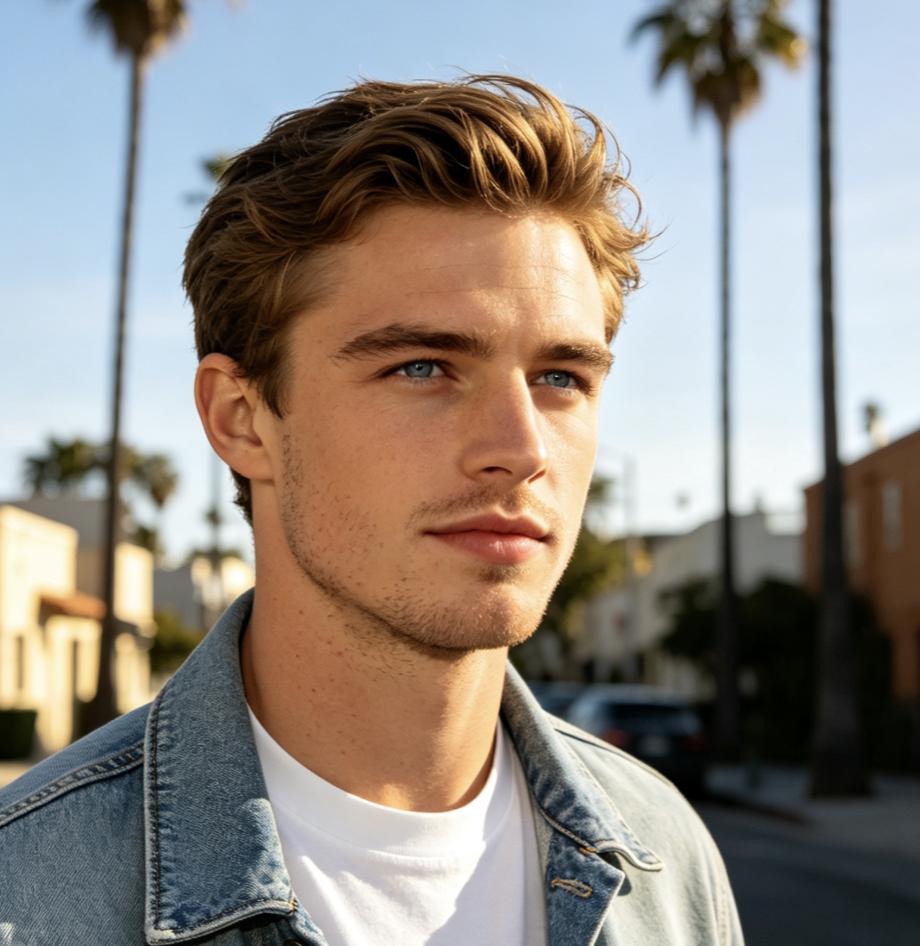
Start the Bust Down Filter with a selfie, portrait, couple photo, or lifestyle image where the face is clear. Good lighting gives the Bust Down AI Filter more visual detail to work with. For grillz, keep the mouth visible; for rings or watches, include the hands or wrists. A clear source helps the effect fit the original photo instead of forcing jewelry into hidden or cropped areas, improving the final placement.

Choose Your Iced-Out Style
Choose how far you want the Bust Down Filter to go. Request diamond grillz, a Cuban chain, an iced-out watch, gemstone rings, or a full luxury set. With the Bust Down AI Filter, specify white gold, yellow gold, silver tones, oversized gems, subtle stones, or a retro hip-hop mood for a more intentional result.

Generate and Refine the Result
Generate the image and check the teeth, neck, hands, reflections, and shadows. If the look feels too heavy, ask the Bust Down AI Filter for smaller stones, fewer accessories, or softer reflections. For a stronger meme aesthetic, request brighter highlights, direct flash, or a nostalgic camcorder finish to push the result toward a viral look.
What You Can Create with a Bust Down Filter
The Bust Down Filter goes beyond a diamond-teeth effect. Build different levels of iced-out styling while keeping the source image recognizable. The Bust Down AI Filter can focus on one accessory or coordinate several pieces for a consistent look. Create subtle jewelry edits, dramatic social posts, or full hip-hop-inspired transformations while preserving the original photo.

Add Realistic Diamond Grillz
Make the smile the focus with a Bust Down Filter that adds diamond grillz while preserving the mouth shape and expression. Choose small pavé stones, larger gem settings, white-gold shine, or an exaggerated iced-out finish. The Bust Down AI Filter can use visible teeth and existing lighting as references, making the grillz feel more natural without adding other unnecessary accessories.
Create an Iced-Out Chain Look
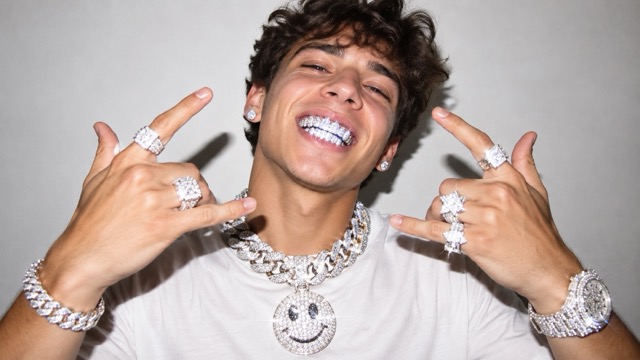
Use the Bust Down Filter to add a Cuban chain, layered necklace, pendant, or full diamond neckpiece. The Bust Down AI Filter can align jewelry with the neck, shoulders, camera angle, and lighting instead of placing a flat accessory over the image. Request a clean editorial style or a heavier statement chain. Chest-up portraits work especially well when the neckline is visible and there is enough room for natural jewelry scale.
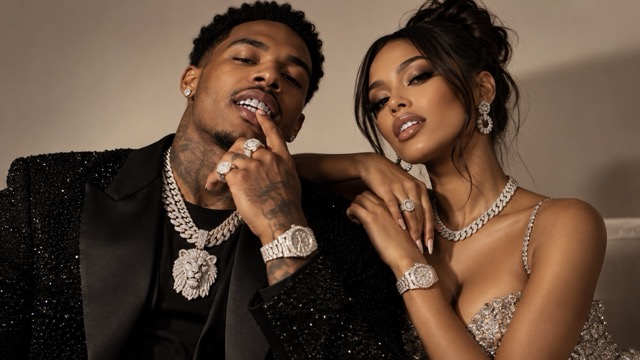
Build a Full Bust Down Jewelry Set
For maximum impact, use the Bust Down Filter to combine diamond grillz, rings, chains, bracelets, and an iced-out watch. The Bust Down AI Filter can coordinate metal tone, gemstone brightness, reflections, and accessory scale across the image. Choose this approach for bold meme posts, celebration images, music-inspired concepts, or dramatic before-and-after content.
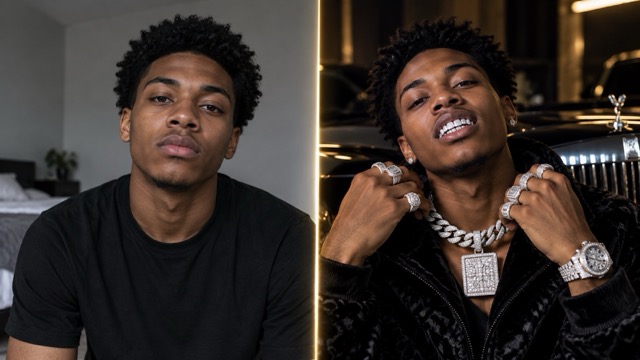
Control the Mood, Shine, and Finish
The same Bust Down Filter can create very different looks depending on the prompt. Ask for studio lighting, direct flash, moody street light, warm gold reflections, cool silver highlights, or a retro finish. The Bust Down AI Filter lets you choose whether the image feels photoreal, glossy, playful, or cinematic. Controlling the environment and jewelry helps the effect match the original portrait more naturally.
Ways to Use the Bust Down Filter
A Bust Down Filter works for personalized memes, creative portraits, and attention-grabbing transformations. The Bust Down AI Filter lets you adapt jewelry and mood to the subject instead of forcing every photo into one preset. Move from a clean luxury portrait to an exaggerated meme while keeping the original image recognizable.
Bust Down Meme Photos
Turn an ordinary portrait into a shareable Bust Down Filter meme with exaggerated jewelry, sparkle, flash, or retro video texture. The Bust Down AI Filter can keep the face recognizable while making the styling intentionally over-the-top. Use it for reaction images, profile posts, group chats, and playful trend-based social content.
Social Media Portraits
Create scroll-stopping profile images and posts with the Bust Down Filter. Choose a clean luxury look or a brighter style for short-form content. The Bust Down AI Filter can adjust jewelry so the transformation stays readable on mobile, with strong contrast around the face and accessories.
Music and Hip-Hop Inspired Artwork
Use the Bust Down Filter for concept art, artist moodboards, track visuals, or hip-hop-inspired portraits. The AI Bust Down Filter can add coordinated grillz, chains, rings, and watches while preserving identity, making it useful for quick exploration without manual compositing.

Friends, Couples, and Group Edits
Apply the Bust Down Filter to multiple people for playful group transformations. Ask the Bust Down AI Filter to give each subject different accessories while keeping metal tone and lighting consistent. Use group edits for birthdays, friendship photos, couple memes, or creator content. Start with a clear photo where subjects are not heavily overlapping.
What Creators Say About the Bust Down Filter
Creators use the Bust Down Filter for social posts, meme edits, and personal style concepts. These examples show how the Bust Down AI Filter supports everything from minimal grillz to complete iced-out transformations.
I wanted a dramatic effect without changing my face. The Bust Down Filter let me focus on grillz and a chain, then refine the shine when the first version felt too strong. The AI effect gave me a simple way to test the trend without manual jewelry edits.
I wanted a dramatic effect without changing my face. The Bust Down Filter let me focus on grillz and a chain, then refine the shine when the first version felt too strong. The AI effect gave me a simple way to test the trend without manual jewelry edits.
The Bust Down Filter worked well for a music-inspired portrait where the jewelry needed to feel like part of the photo. I described the chain, watch, and lighting together, and the AI effect gave the concept a more unified direction.
The Bust Down Filter worked well for a music-inspired portrait where the jewelry needed to feel like part of the photo. I described the chain, watch, and lighting together, and the AI effect gave the concept a more unified direction.
I used the Bust Down Filter for a funny group image. I could ask for different jewelry on each person instead of repeating one effect. The AI effect made the result feel more custom while keeping everyone recognizable.
I used the Bust Down Filter for a funny group image. I could ask for different jewelry on each person instead of repeating one effect. The AI effect made the result feel more custom while keeping everyone recognizable.
I liked that the Bust Down Filter could stay subtle. I only wanted small diamond grillz and a clean silver chain. The AI effect responded well when I described the size and finish clearly, so the portrait still felt natural.
I liked that the Bust Down Filter could stay subtle. I only wanted small diamond grillz and a clean silver chain. The AI effect responded well when I described the size and finish clearly, so the portrait still felt natural.
For a before-and-after post, the Bust Down Filter created an obvious transformation without a complicated workflow. I used the Bust Down AI Filter to push the second version further with stronger flash and more jewelry, which made the comparison more striking.
For a before-and-after post, the Bust Down Filter created an obvious transformation without a complicated workflow. I used the Bust Down AI Filter to push the second version further with stronger flash and more jewelry, which made the comparison more striking.


Bust Down Filter FAQ
Learn how the Bust Down Filter works, which photos perform best, and how to get controlled results from the Bust Down AI Filter. These answers cover preparation, prompting, and refinement for iced-out portraits.
A Bust Down Filter is an AI-powered image effect that adds iced-out styling such as diamond grillz, chains, rings, bracelets, and luxury watches to a photo. An AI Bust Down Filter can use the source image as a reference for placement, pose, perspective, lighting, and reflections instead of treating jewelry as a flat sticker. Use the effect for subtle edits or a full meme-style transformation.
Use a clear, well-lit image with the face visible and enough space around areas you want to edit. For diamond teeth, keep the mouth visible; for rings or a watch, show the hands or wrists. The Bust Down AI Filter has more information when relevant areas are not blurred or cropped. A strong source photo helps the Bust Down Filter create cleaner placement and scale.
Yes. The Bust Down Filter does not need to apply a full jewelry set. Request diamond grillz only and describe the stone size, metal color, brightness, or realism you want. The Bust Down AI Filter can focus on the teeth while leaving clothing and other accessories unchanged, which is useful when you want the trend without an extreme transformation. This keeps the Bust Down Filter focused on one visible detail.
Start with a sharp portrait and describe metal color, gemstone size, reflections, shadows, accessory position, and shine. Ask the Bust Down AI Filter to preserve the original face, expression, pose, skin tone, and lighting direction. If the first Bust Down Filter result feels oversized or too bright, reduce the number of accessories and request more natural reflections.
Yes. The Bust Down Filter works for meme transformations, reaction images, profile pictures, celebration posts, and trend-based social content. Use the Bust Down AI Filter for a polished portrait or push it toward a more exaggerated look with oversized grillz, heavier chains, direct flash, motion blur, or nostalgic video texture. Adjust the effect to match the tone of your content.
Create Your Bust Down Look
Ready to try the trend on your own photo? Use the Bust Down Filter for anything from subtle diamond grillz to a complete iced-out transformation with chains, rings, and a statement watch. The Bust Down AI Filter gives you control over jewelry style, scale, shine, and mood while keeping the original portrait central. Upload a clear photo, describe the look you want, and refine the Bust Down Filter until it matches your idea.
