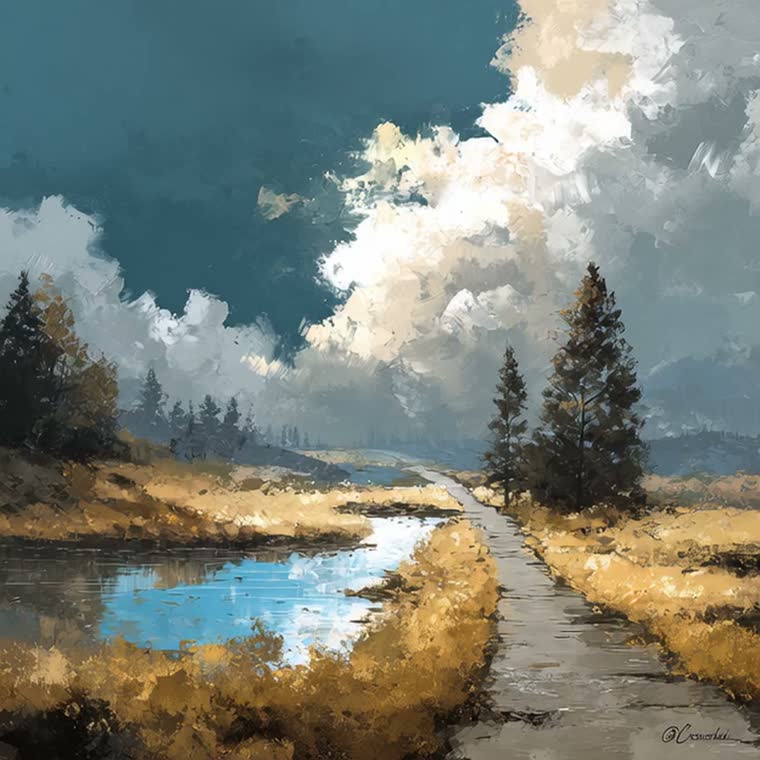
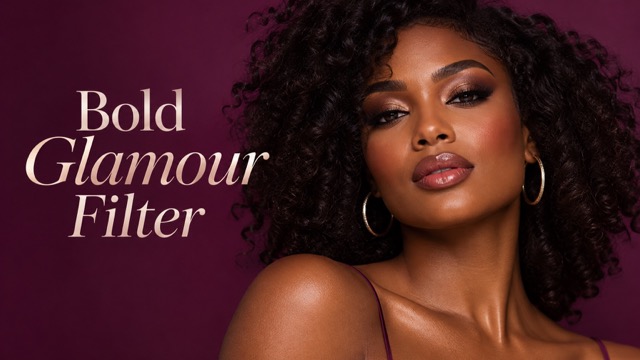
Upload a portrait and explore a bold makeup look with defined brows, smoky eyes, sculpted cheeks, and polished lips.
AI Image Tools
Everything You Need to Edit Photos Faster
Open the PicEditor AI tools library for background removal, photo enhancement, object cleanup, face swap, upscaling, and more focused image workflows.
Replace Text in Image
Photo Booth With Friend
Waist Heart Trend
Romantic Couple Spotlight
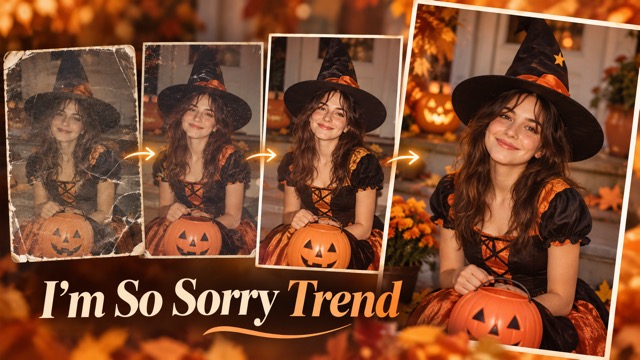
I'm So Sorry Trend AI Photo Editor
AI Halloween Generator
Corpse Bride AI Filter
AI Blemish Remover
FLUX 3 Image Klein

Ideogram 4.5
AI Portrait Retouching
Snatched Waist Editor
AI Facial Expression Changer

AI Texture Generator
AI Nose Piercing Filter
Replace Object in Photo Online
Add Object to Photo
Eyeliner Filter
AI Bust Down Filter

Image Splitter

Add White Background to Photo
Snapchat Text Remover
Realistic AI Skin Generator
Bold Glamour Filter For A Full Makeup Look
Explore Bold Glamour Filter Makeup On Your Photo
Give your favorite selfie a more dramatic makeup finish with the bold glamour filter. Upload a portrait to explore defined brows, smoky eyes, sculpted cheeks, and polished lips in one coordinated look. PicEditor creates a photo edit inspired by the glamour aesthetic, with your original portrait guiding the result. Try it for a beauty mood board, a social profile refresh, or a new take on an everyday photograph.
How To Use The Bold Glamour Filter
Start with a clear portrait and let the bold glamour filter guide your edit. There is no need to draw eyeliner, paint lip color, or write a detailed beauty prompt.

Upload Your Photo
Choose one clear portrait with your face easy to see. A front view or gentle three-quarter angle gives the makeup room to follow your features. Use even lighting, keep hair away from your eyes, and avoid strong filters on the original.

Click Generate
Click Generate to apply the bold glamour filter to your photo. The edit combines fuller brows, defined eyes, cheek contour, and polished lips. Wait for generation to finish, then inspect the face and makeup details before choosing your result.

Download Your Photo
Open the finished portrait and check the eyes, lip edges, and overall resemblance at a comfortable viewing size. Download the version you like for your own project. Keep the original image too, so you can compare the makeup direction later.
Bold Glamour Filter Features For A Complete Makeup Look
The bold glamour filter combines several makeup cues into a single portrait treatment. Each detail contributes to the overall look, from the shape of the brows to the balance between cheek highlights and lip color. Start with a portrait you already like and use the result to explore a more expressive beauty direction.
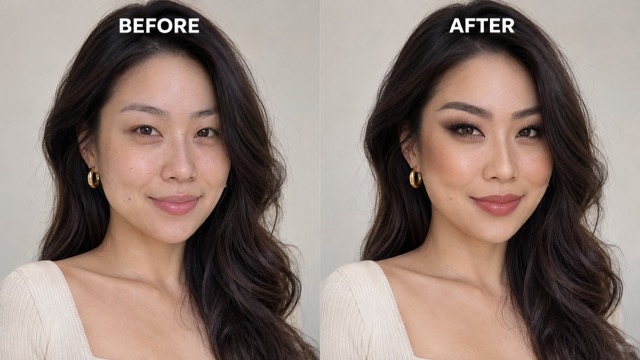
Bold Glamour Filter For Full Face Makeup
A striking beauty portrait depends on how the details work together. The bold glamour filter pairs stronger brows and smoky eyes with sculpted cheeks and a polished lip finish, giving the whole face a clear makeup direction. You can explore the combined effect from one uploaded image instead of assembling separate cosmetic edits. Use it to explore full glamour before choosing individual products or techniques.
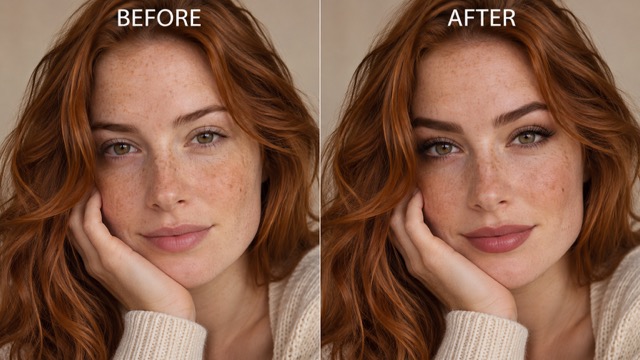
Bold Glamour Filter For Defined Eyes And Brows
Fuller-looking brows and softly smoky eye makeup give the portrait a stronger focal point. The bold glamour filter combines shaped brows, blended shadow, defined liner, and lash detail guided by your source portrait. A well-lit photo with both eyes visible helps make those details easier to interpret. Use the finished image to judge how a bolder eye area balances your hairstyle, expression, and the rest of the makeup.
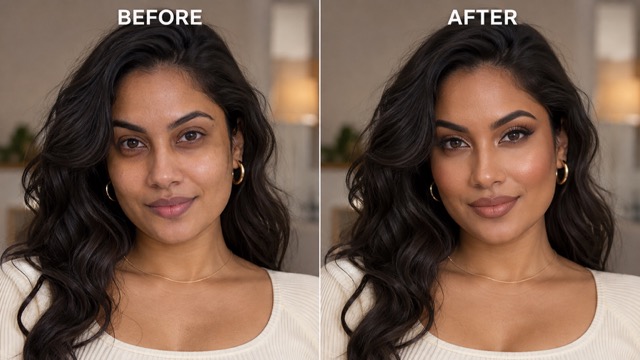
Bold Glamour Filter For Sculpted Cheeks And Lips
The bold glamour filter uses contour, blush, and highlights to create a sculpted makeup look. A defined satin lip adds another focal point without needing a separate lipstick edit. The intended result is a coordinated cosmetic treatment that works with the portrait's existing complexion and lighting. Compare the generated photo with your original to see how cheek definition and lip emphasis change the overall mood of the image.
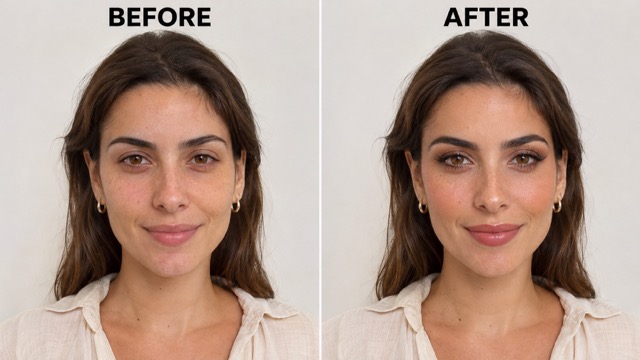
A Bold Glamour Filter Guided By Your Portrait
Your uploaded photo guides the bold glamour filter, supplying the person, expression, hairstyle, and composition. The makeup direction asks to retain those recognizable details while changing the cosmetic finish. That makes a familiar selfie a useful reference for exploring a different look. AI generation can still change fine details, so review each result before using it. Clear lighting and an unobstructed face give the edit a more informative starting point.
Bold Glamour Filter Ideas For Your Next Project
A glamour portrait can serve as a personal style experiment or a visual reference for creative work. Choose a source photo that fits the project, then decide which makeup details are worth carrying forward. These are practical ways to use the finished image beyond simply trying a filter.

Beauty Content And Social Posts
Beauty creators can use the bold glamour filter to introduce a makeup idea, plan a thumbnail, or build a before-and-after post with their original photo. The coordinated look gives the post a clear focus: brows, eyes, contour, and lips working together. Present it as a digital beauty edit when discussing the result with your audience.

Makeup Inspiration Before An Event
If you are planning a party outfit or an evening look, try a portrait with a similar hairstyle and neckline. Use your bold glamour filter result as a conversation starter with a makeup artist or as a reference for your own practice. It can help communicate the mood you want without treating a generated image as a product shade match.

Portrait And Profile Refreshes
Try the bold glamour filter for an expressive profile picture based on a familiar selfie. Begin with a photo whose framing and expression already work well, then review how the makeup changes its character. Choose an edit that still feels like you, and check the smaller crop you plan to use before sharing it.

Beauty Mood Boards And Creative Briefs
Makeup artists, photographers, and creative students can include a bold glamour filter portrait in an early visual brief. The image gives collaborators something concrete to discuss, such as brow strength, eye definition, or the balance of contour and lip color. Pair it with written notes about the details you want to recreate during a real shoot.
Creative Perspectives On The Bold Glamour Filter
The fictional examples below illustrate how different creators might evaluate a glamour photo edit. They are sample perspectives, not verified customer reviews. Each focuses on a practical use for a finished portrait.
I like a makeup reference that shows the whole face together. Seeing the eyes, cheeks, and lips in one look makes it easier to explain the direction I have in mind.
I like a makeup reference that shows the whole face together. Seeing the eyes, cheeks, and lips in one look makes it easier to explain the direction I have in mind.
A familiar selfie is a useful starting point for a beauty concept. The contrast between the original and the glamour look gives my content a clear visual story to build around.
A familiar selfie is a useful starting point for a beauty concept. The contrast between the original and the glamour look gives my content a clear visual story to build around.
I want a profile photo with a little more drama while keeping a recognizable expression. A coordinated makeup edit is a helpful way to explore that balance before choosing a picture.
I want a profile photo with a little more drama while keeping a recognizable expression. A coordinated makeup edit is a helpful way to explore that balance before choosing a picture.
The most useful part of a makeup mood board is having specific details to discuss. A complete portrait helps me compare the brow shape, eye emphasis, and lip finish together.
The most useful part of a makeup mood board is having specific details to discuss. A complete portrait helps me compare the brow shape, eye emphasis, and lip finish together.
I enjoy testing a bold beauty idea without first buying products for every step. A photo reference helps me decide which elements I actually want to try with my own makeup.
I enjoy testing a bold beauty idea without first buying products for every step. A photo reference helps me decide which elements I actually want to try with my own makeup.
For a creative brief, I need more than the word glamorous. A portrait with a consistent makeup direction makes the discussion about styling and lighting much more concrete for everyone.
For a creative brief, I need more than the word glamorous. A portrait with a consistent makeup direction makes the discussion about styling and lighting much more concrete for everyone.


Bold Glamour Filter Questions
Here are the essentials for choosing a photo, understanding the makeup direction, and reviewing your result. This page is built around a single portrait and a preset glamour treatment, so getting started does not require a custom prompt or a multi-image setup.
It creates a glamour-inspired photo edit from an uploaded portrait. The preset combines defined brows, smoky eye makeup, cheek contour, highlights, and a polished lip finish. The aim is a coordinated full makeup look, with the source photo guiding the person's appearance, pose, and composition.
No. PicEditor creates a still-image makeup edit inspired by the bold glamour aesthetic. It is a separate photo workflow, not TikTok's live camera effect. Upload an existing portrait here to explore a similar beauty direction; the generated result will not necessarily match the TikTok effect.
Use one sharp portrait with a clearly visible face and reasonably even lighting. A front view or a gentle angle is a useful starting point. Avoid sunglasses, hair covering the eyes, heavy shadows, and strong existing filters, because those details can make the intended makeup harder to apply coherently.
No custom prompt is needed for this page. The preset supplies the makeup direction after you upload your photo, and the workflow does not include separate style selectors. If you want to explore the look on another expression or angle, start again with a different source portrait.
The edit is instructed to keep your identity, expression, hairstyle, complexion, and composition while adding makeup. AI results can still alter small facial details. Review the eyes, lips, face shape, and skin texture against your original, and choose a result whose appearance feels appropriate for your intended use.
Yes, the image can help communicate a general beauty direction, such as stronger brows or more dramatic eyes. Use it as visual inspiration when planning a look or discussing ideas with a makeup artist. It does not predict how a particular cosmetic product or shade will appear on your skin.
Try The Bold Glamour Filter On Your Own Photo
Start with a portrait you love and explore the bold glamour filter. Upload one image, generate your makeup edit, and review the details before downloading your favorite result. Turn your next beauty idea into a visual reference you can compare with the original.