
Try On New Hairstyles with AI Hairstyle Changer
Move from a portrait and a written idea to a hairstyle visualization.
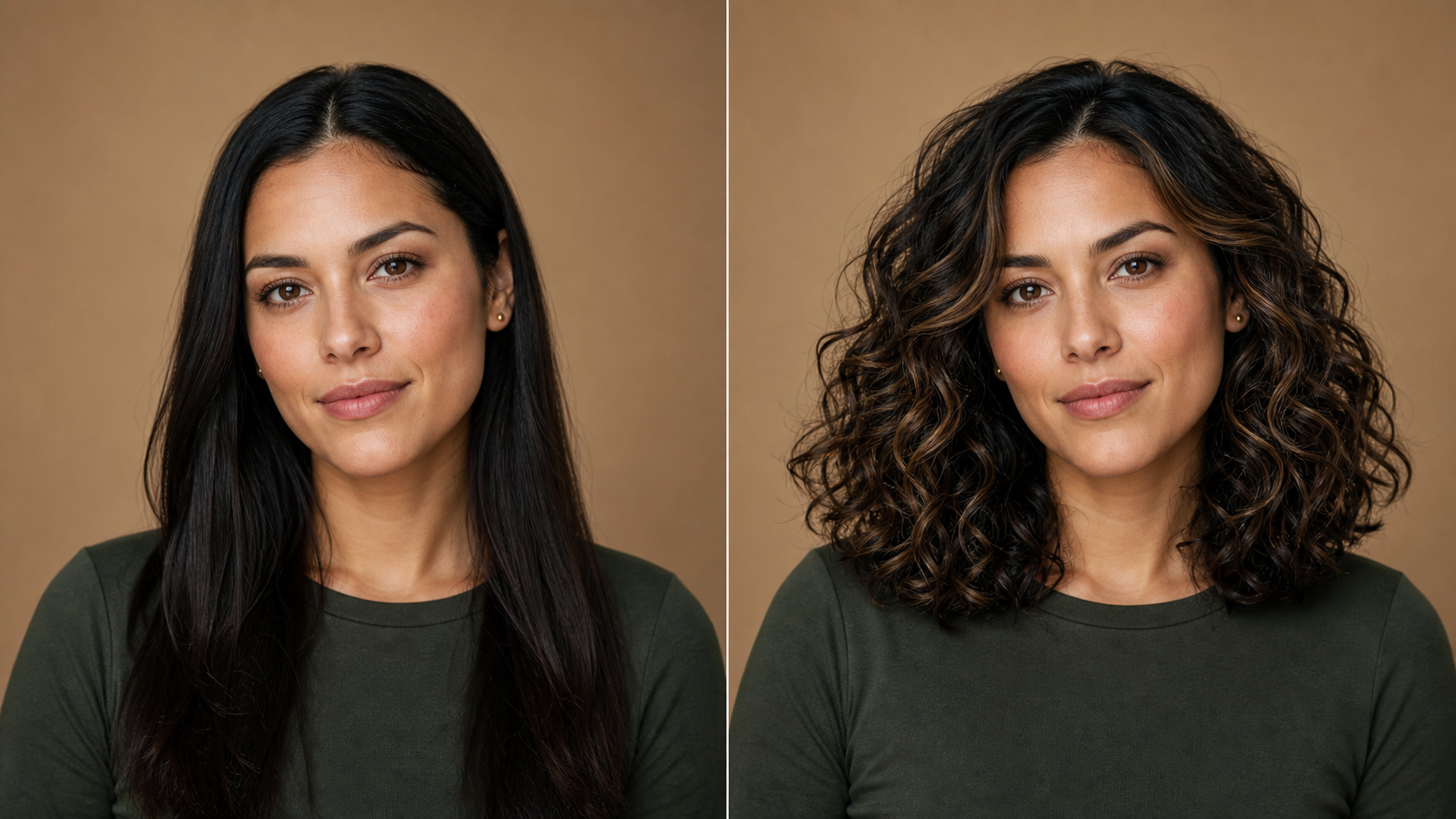
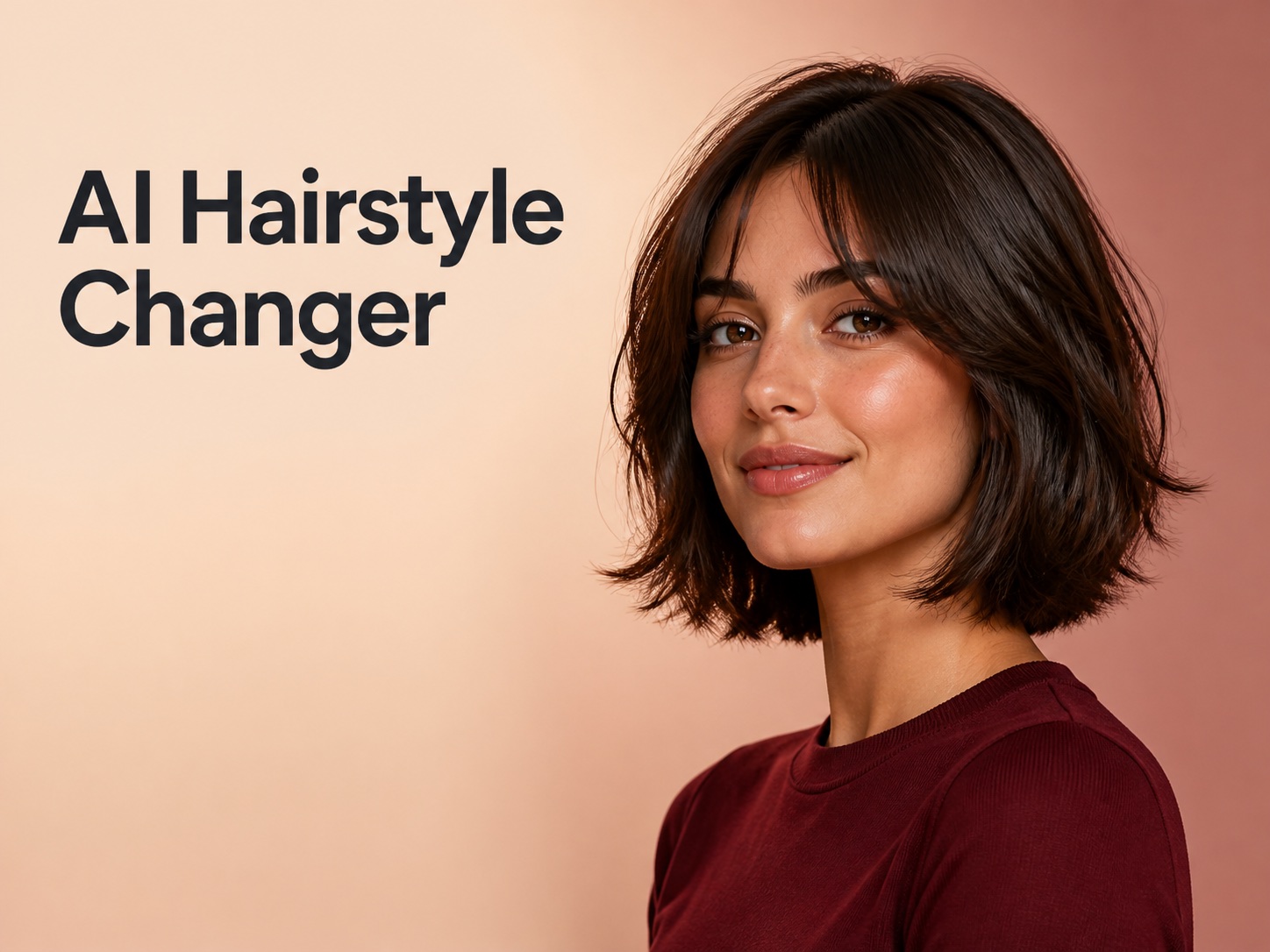
AI Hairstyle Changer connects a familiar portrait with precise hairstyle direction. Describe the cut, texture, length, fringe, parting, volume, or color you want to explore. AI Hairstyle Changer turns those choices into one generated concept you can compare and refine.
AI Image Tools
Everything You Need to Edit Photos Faster
Open the PicEditor AI tools library for background removal, photo enhancement, object cleanup, face swap, upscaling, and more focused image workflows.

Ideogram 4.5

AI Portrait Retouching

Snatched Waist Editor

AI Facial Expression Changer

AI Texture Generator

AI Nose Piercing Filter

Replace Object in Photo Online

Add Object to Photo

Eyeliner Filter

AI Bust Down Filter

Image Splitter

Add White Background to Photo

Snapchat Text Remover

Realistic AI Skin Generator

Add speech bubble to photo

Change Photo Background

AI Clothes Wrinkle Remover

AI LinkedIn Profile Picture

GPT Transparent BG Image Editor

Image to Layers

3D Angle Editor

Change Background of Photo
Add Text to Image
Speech Bubble Meme Generator
Preview a Look Made for You with AI Hairstyle Changer
Use AI Hairstyle Changer to turn your idea into a personalized hairstyle preview.
Use AI Hairstyle Changer to try on a new hairstyle before making a real-world change. The tool edits an uploaded portrait from your description, helping you compare cuts, textures, lengths, colors, bangs, and other face-framing details on a familiar image.
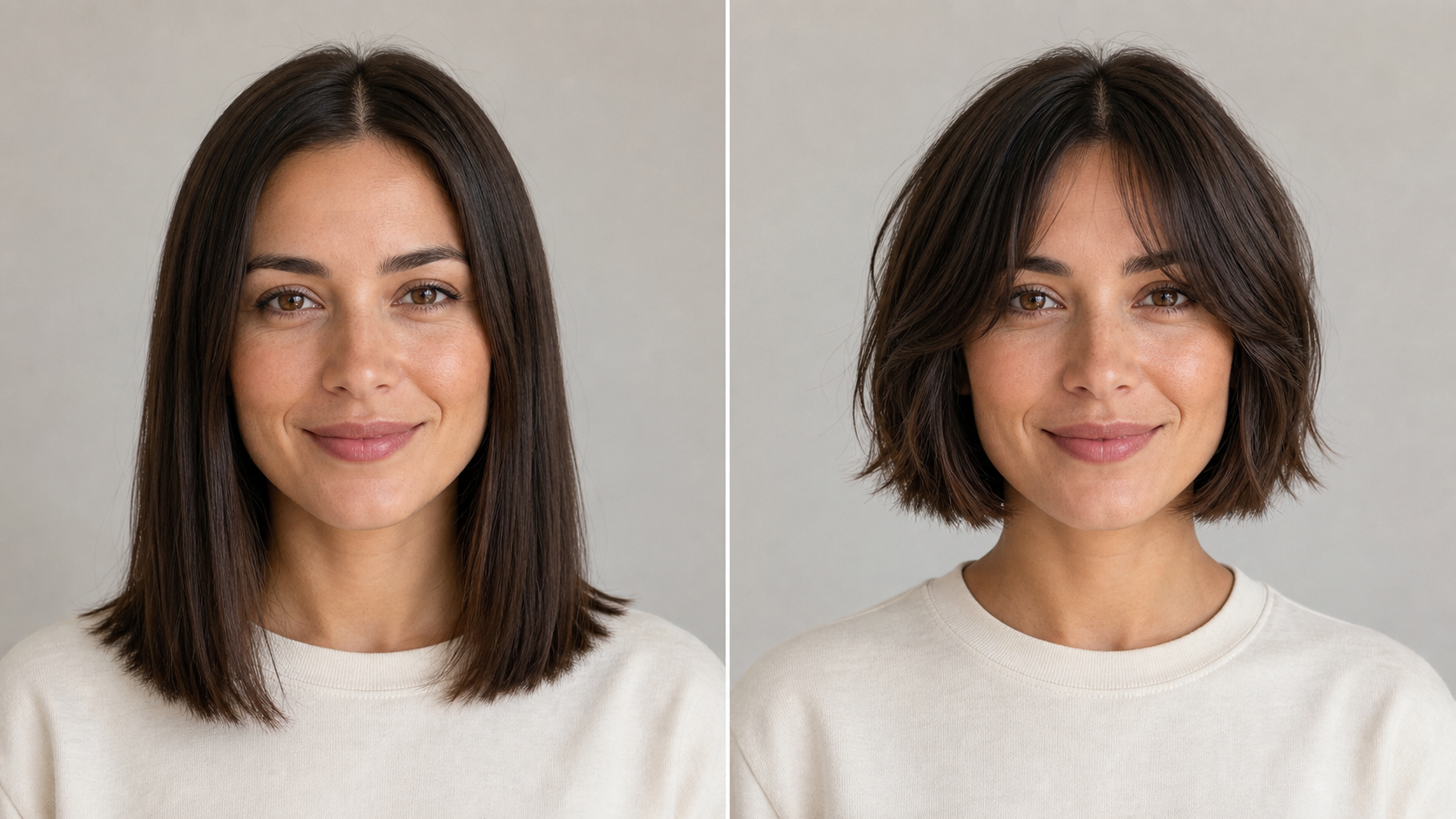
How to Use AI Hairstyle Changer
The AI Hairstyle Changer workflow stays focused: upload a readable portrait, describe the hairstyle you want, then generate and compare the result. Each new prompt gives you another way to try on a new hairstyle visually.
Upload a Clear Portrait
Start AI Hairstyle Changer with a well-lit portrait where your face and hairline are easy to see. A front-facing or gently angled headshot gives the model useful context. Keep the hair unobstructed and choose a simple background when possible. AI Hairstyle Changer can then focus on the requested hair edit while keeping the recognizable face, expression, clothing, pose, framing, and scene consistent.

Describe the Hairstyle
Tell AI Hairstyle Changer what should change: length, layers, bangs, parting, texture, volume, taper, or color. Instead of writing only “short hair,” describe a chin-length layered bob with curtain bangs or a textured crop with tapered sides. AI Hairstyle Changer treats the prompt as direction for the edited portrait. Keep each request focused and combine details only when they belong to one look.

Generate and Refine
Generate with AI Hairstyle Changer, then inspect the result beside the original portrait. Look at the hairline, silhouette, fringe placement, face framing, texture, and color balance. If the direction is close but not right, revise one detail and generate again. AI Hairstyle Changer makes those iterations visible, so you can try on a new hairstyle, compare distinct options, and keep the strongest result as a reference for your next prompt or a later conversation.
AI Hairstyle Changer Features
AI Hairstyle Changer lets you explore length, texture, face-framing structure, and color through prompt-guided portrait edits. Each feature supports a clearer comparison, making it easier to try on a new hairstyle and refine one visual decision at a time.
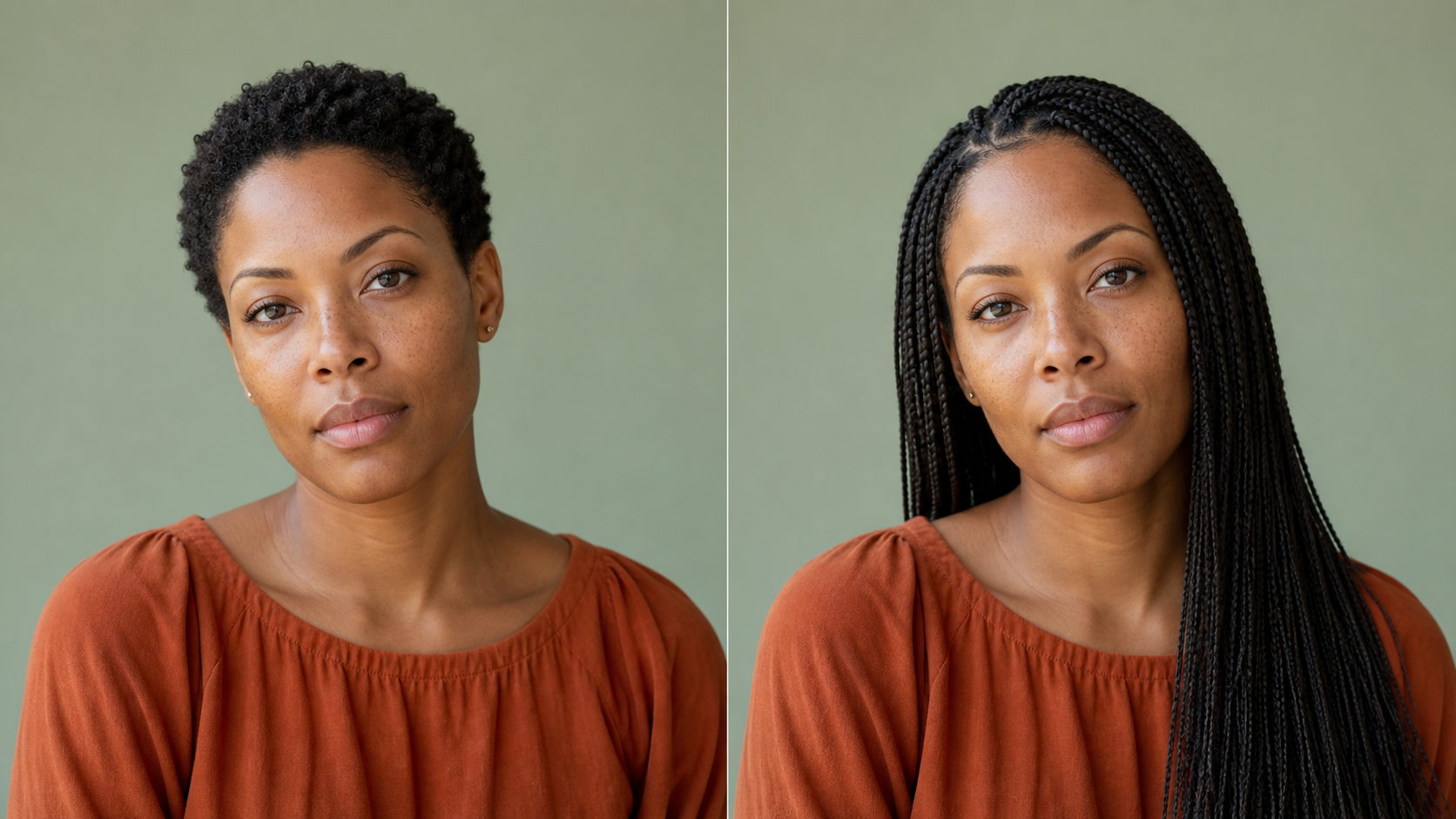
Compare Short, Medium, and Long Hair
Use AI Hairstyle Changer when the biggest question is length. Ask for a pixie, chin-length bob, shoulder-grazing layers, or long hair, then examine how the outline relates to your face and shoulders. AI Hairstyle Changer turns that language into a portrait you can compare. You can try on a new hairstyle at several lengths while keeping the image familiar.
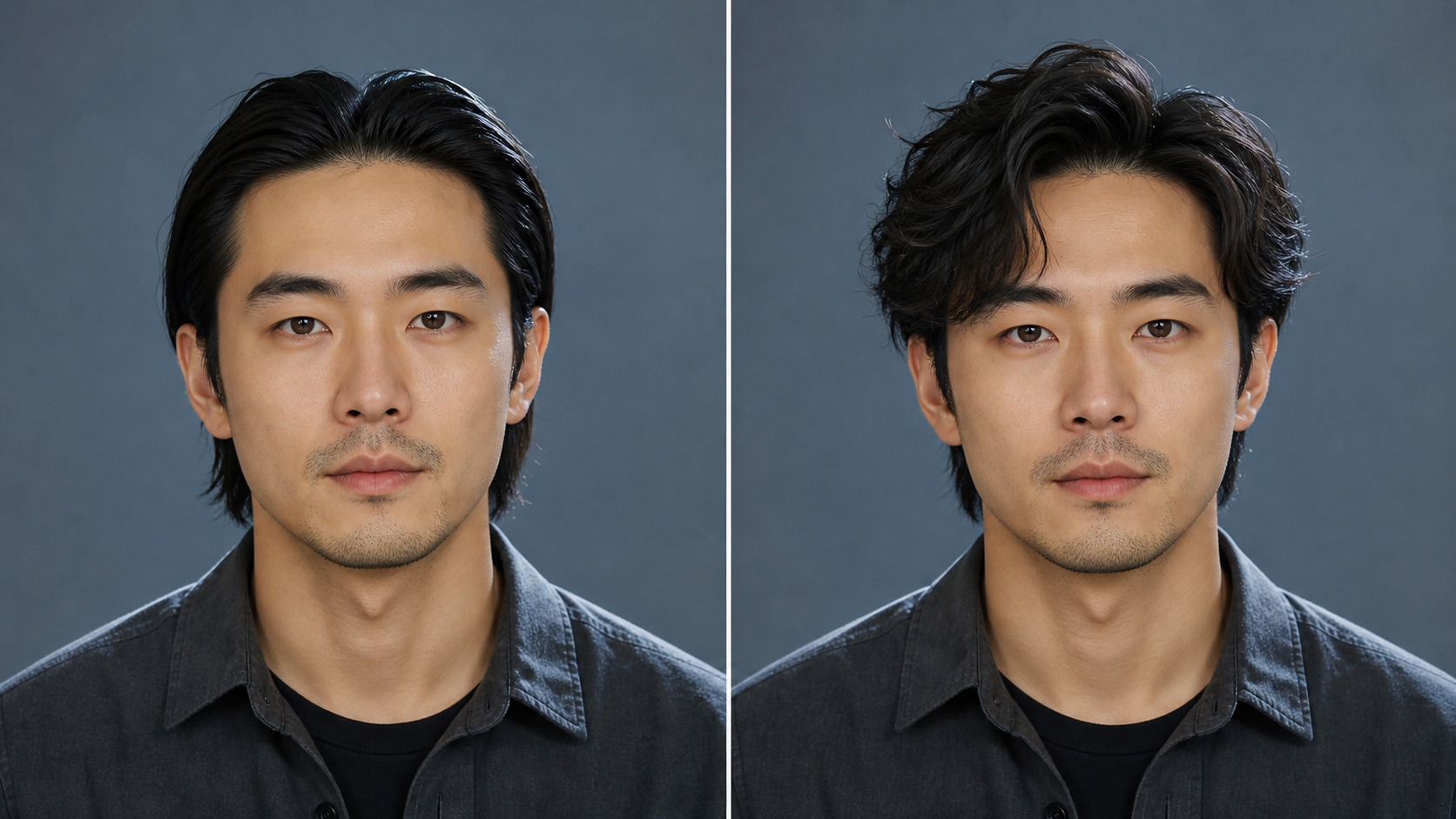
Explore Texture, Bangs, Layers, and Partings
Structural details determine whether a hairstyle feels balanced. Ask AI Hairstyle Changer for straight strands, loose waves, defined curls, curtain bangs, a side fringe, a center part, tapered sides, or blended layers. AI Hairstyle Changer interprets those elements with volume and shape, giving you a portrait for comparison. This lets you try on a new hairstyle with attention to details that are difficult to picture.
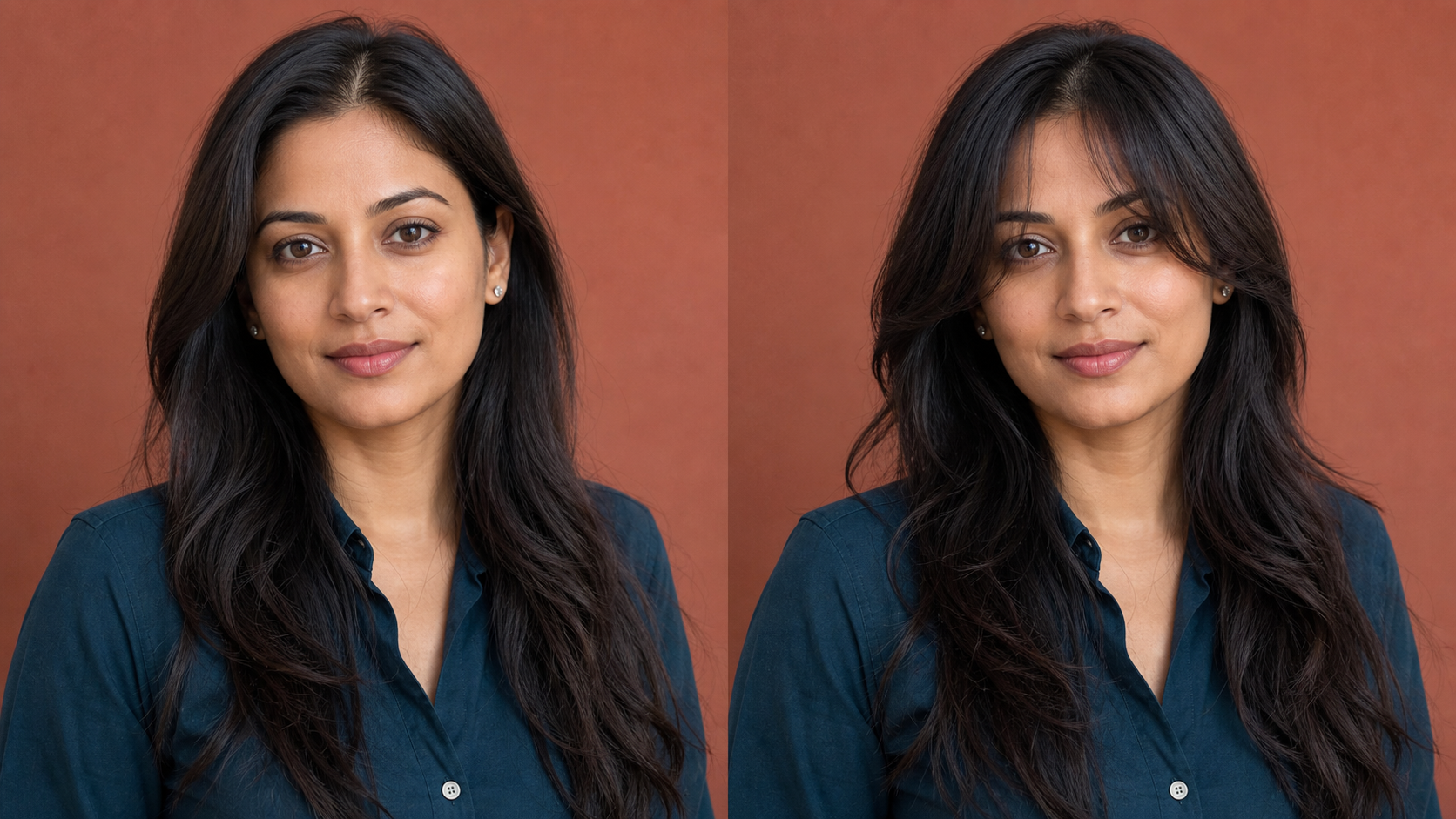
Visualize a Haircut and Color Together
Describe the cut and color together when you want to judge them as one concept. AI Hairstyle Changer can apply a layered bob with copper highlights, a dark cropped style, or another combination to your portrait. AI Hairstyle Changer presents both choices in one direction instead of unrelated inspiration images. You can try on a new hairstyle and color, then decide whether to keep the structure, revise the shade, or separate the ideas.
Practical Ways to Use AI Hairstyle Changer
AI Hairstyle Changer supports personal style planning, visual references for salon conversations, and portrait concept development. Every use begins with a source image and written direction, keeping each generated result connected to a specific decision you want to evaluate.

Planning a Significant Haircut
A major haircut is easier to discuss with a picture instead of a vague idea. Use AI Hairstyle Changer to try on a new hairstyle at a different length, then compare its silhouette with your current look. AI Hairstyle Changer can help identify the jawline, fringe, layers, or volume. Treat the result as a planning reference, because real density, growth pattern, and styling affect how a cut behaves.

Turning Inspiration into a Preview
A hairstyle can look compelling in an inspiration photo yet feel different on your features. Describe the important elements rather than asking AI Hairstyle Changer to reproduce someone else’s portrait. AI Hairstyle Changer translates those elements into a visualization tied to your image, keeping the experiment centered on a familiar face.

Preparing a Clearer Stylist Conversation
Use an AI Hairstyle Changer result as a starting point when explaining the direction you like. It can show the silhouette, fringe, layers, texture, or color better than screenshots. AI Hairstyle Changer helps you try on a new hairstyle and notice which details matter before an appointment. Show the stylist what appeals to you, explain what you would change, and ask how the concept translates to your hair.

Developing Portrait Concepts
Creators can use AI Hairstyle Changer to explore how hair changes a portrait character. Describe a cut, texture, era, or color direction that supports the character’s personality and mood. AI Hairstyle Changer produces an edited portrait without rebuilding the concept from scratch. You can try on a new hairstyle for the character, compare silhouettes, and refine the strongest direction before developing clothing or scene details.
How People Use AI Hairstyle Changer
These first-person scenarios show how AI Hairstyle Changer can support hairstyle planning, creative exploration, and clearer conversations.
I wanted to try on a new hairstyle before cutting my long hair into a bob, but reference photos never showed how that length might frame my face. AI Hairstyle Changer gave me a portrait to react to. I adjusted the prompt from blunt to softly layered, and the second version made my stylist conversation more specific.
I wanted to try on a new hairstyle before cutting my long hair into a bob, but reference photos never showed how that length might frame my face. AI Hairstyle Changer gave me a portrait to react to. I adjusted the prompt from blunt to softly layered, and the second version made my stylist conversation more specific.
With AI Hairstyle Changer, I described a low taper with a textured top and saw the proportions together. The result did not replace professional advice, but it helped me identify what I liked and explain the shape more clearly. I also used AI Hairstyle Changer for a version with less volume, which made the comparison more useful than showing several different reference models.
With AI Hairstyle Changer, I described a low taper with a textured top and saw the proportions together. The result did not replace professional advice, but it helped me identify what I liked and explain the shape more clearly. I also used AI Hairstyle Changer for a version with less volume, which made the comparison more useful than showing several different reference models.
I was considering curtain bangs but could not picture where they should sit around my cheekbones. AI Hairstyle Changer let me compare a softer fringe with a heavier version from the same photo. Seeing both directions helped me describe the difference instead of treating all bangs as one look.
I was considering curtain bangs but could not picture where they should sit around my cheekbones. AI Hairstyle Changer let me compare a softer fringe with a heavier version from the same photo. Seeing both directions helped me describe the difference instead of treating all bangs as one look.
For a character portrait, I needed to test whether loose curls or a cropped style matched the concept. AI Hairstyle Changer kept the face and composition recognizable while I changed the hair through focused prompts. That made it easier to choose a silhouette before refining the wardrobe and background.
For a character portrait, I needed to test whether loose curls or a cropped style matched the concept. AI Hairstyle Changer kept the face and composition recognizable while I changed the hair through focused prompts. That made it easier to choose a silhouette before refining the wardrobe and background.
I used AI Hairstyle Changer to compare my natural dark color with a copper-toned shoulder-length cut. What helped most was revising one part of the description at a time. I changed the intensity, kept the layers, and generated another version. AI Hairstyle Changer gave me a reference that captured the direction better than unrelated photos.
I used AI Hairstyle Changer to compare my natural dark color with a copper-toned shoulder-length cut. What helped most was revising one part of the description at a time. I changed the intensity, kept the layers, and generated another version. AI Hairstyle Changer gave me a reference that captured the direction better than unrelated photos.
AI Hairstyle Changer helped me separate two decisions I had been blending together: overall length and face-framing layers. I generated one version for each, then combined only the elements that worked. The process felt less like picking a preset and more like developing a visual brief. I could try on a new hairstyle, compare the outline with my current cut, and review the result calmly.
AI Hairstyle Changer helped me separate two decisions I had been blending together: overall length and face-framing layers. I generated one version for each, then combined only the elements that worked. The process felt less like picking a preset and more like developing a visual brief. I could try on a new hairstyle, compare the outline with my current cut, and review the result calmly.




FAQs About AI Hairstyle Changer
Find concise guidance on preparing a source portrait, writing a useful hairstyle prompt, comparing generated concepts, and using AI Hairstyle Changer results thoughtfully when exploring a personal look or discussing an idea with a stylist.
AI Hairstyle Changer is a prompt-guided image tool for hairstyle visualization. Upload a portrait and describe the cut, length, texture, color, bangs, parting, or other details you want to see. A model generates an edited portrait based on that direction while aiming to keep the wider image recognizable. Use the result to compare ideas and refine your description. It is a visual concept rather than a guarantee of how a real haircut, texture treatment, or color service will behave.
Choose a clear portrait with even lighting, a visible face, and an unobstructed view of the current hairline. A front-facing or gently angled headshot makes the original and generated result easier to compare. Avoid motion blur, hands covering the hair, crowded backgrounds, or extreme shadows. AI Hairstyle Changer has more useful visual context when the subject, expression, hair boundary, clothing, and framing are easy to read, because the intended change can remain focused on the hairstyle.
Include the details that define the look: approximate length, texture, volume, layers, bangs, parting, taper, and color when relevant. Instead of asking AI Hairstyle Changer for “short hair,” describe a textured pixie with longer top layers and soft side-swept bangs. Focused language gives the model clearer visual direction. If several details compete, simplify the prompt and test them separately so each generated portrait provides a meaningful comparison rather than an overloaded interpretation.
Yes. Put the cut and color in one coherent description when you want to judge them as a combined concept. For example, ask AI Hairstyle Changer for a shoulder-length layered bob with warm copper highlights or a cropped curly style in deep brown. If the result feels unclear, separate the variables. Keep the cut while revising the color, or keep the shade while changing the layers, so each new generation answers one specific visual question.
Generated previews are creative visualizations, not measurements or professional haircut guarantees. A real result depends on hair density, growth pattern, natural texture, condition, styling, and the technique used by a stylist. Use AI Hairstyle Changer to narrow your direction and communicate the parts you like. Then ask a qualified stylist how the proposed length, shape, maintenance, texture, and color process would translate to your actual hair before committing to a significant change.
Use concrete hairstyle vocabulary and revise only the part that missed your intention. If the hair is too long, state an endpoint such as jaw, shoulder, or collarbone. If the shape is wrong, clarify the layers, parting, fringe, taper, or volume. AI Hairstyle Changer works from both the source portrait and written direction, so small deliberate changes make each new result easier to evaluate and reduce confusion about which wording changed the visual outcome.
Preview Your Next Hairstyle
Upload a clear portrait and use AI Hairstyle Changer to try on a new hairstyle through a personal preview. Compare it with your source, then let AI Hairstyle Changer refine one detail at a time and preserve the strongest direction.
