
AI Image Tools
Everything You Need to Edit Photos Faster
Open the PicEditor AI tools library for background removal, photo enhancement, object cleanup, face swap, upscaling, and more focused image workflows.
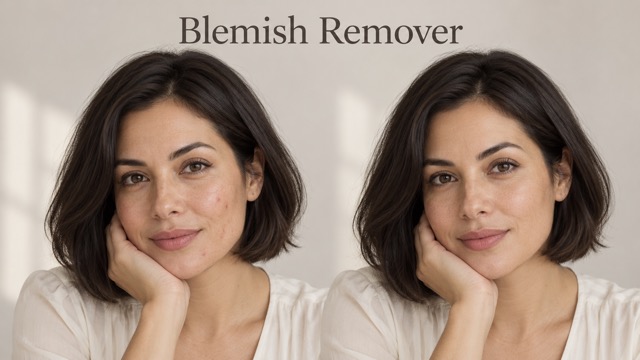
AI Blemish Remover
FLUX 3 Image Klein
Ideogram 4.5

AI Portrait Retouching

Snatched Waist Editor

AI Facial Expression Changer

AI Texture Generator

AI Nose Piercing Filter

Replace Object in Photo Online

Add Object to Photo

Eyeliner Filter

AI Bust Down Filter

Image Splitter

Add White Background to Photo

Snapchat Text Remover

Realistic AI Skin Generator

Add speech bubble to photo

Change Photo Background

AI Clothes Wrinkle Remover

AI LinkedIn Profile Picture

GPT Transparent BG Image Editor

Image to Layers

3D Angle Editor
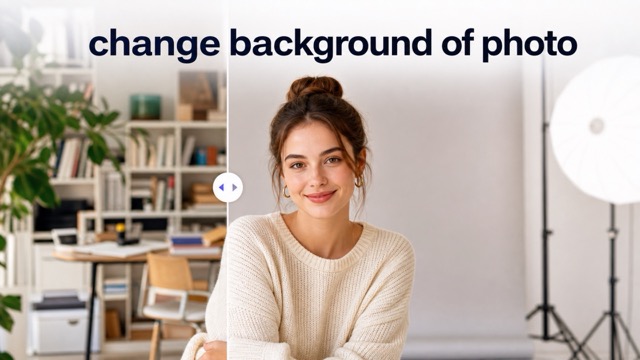
Change Background of Photo
Minecraft Skin Changer: Turn Any Photo into Block-Style Character Art
Change Minecraft Skin from Any Image in One Click
Use our Minecraft skin changer to transform portraits, pets, outfits, game avatars, and creative images into bold block-style character art. Upload a clear picture, choose your output size, and let AI change Minecraft skin details while keeping recognizable colors, clothing, facial features, and personality. The Minecraft skin changer makes it easy to turn a photo into block-style skin art without drawing every pixel by hand. Create profile pictures, social posts, game-inspired artwork, and character concepts online with a fast, simple workflow. The Minecraft skin changer is built for quick creative experimentation.
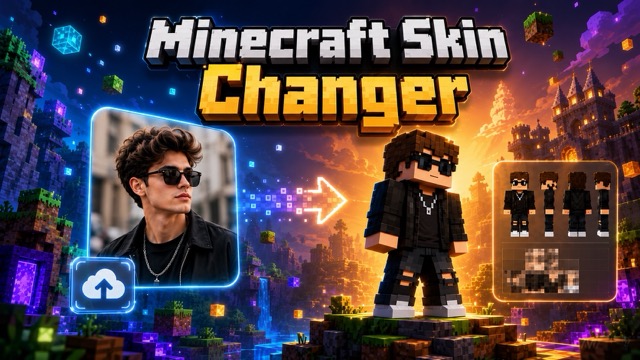
How to Use the Minecraft Skin Changer
The Minecraft skin changer uses a simple image-to-image process. You can change Minecraft skin style in three steps and turn a photo into Minecraft-style artwork with no manual pixel editing. Use the Minecraft skin changer whenever you want to change Minecraft skin visuals quickly.

Upload Your Photo
Choose a clear portrait, full-body photo, pet image, outfit shot, or character picture. A sharp source image helps the Minecraft skin changer identify the subject and preserve important visual details when you change Minecraft skin style.

Select the Image Size
Pick the output ratio that fits your project. The Minecraft skin changer can create square avatars, landscape graphics, or portrait artwork, so you can convert photo to Minecraft skin for different platforms and layouts.

Generate Your Block Character
Click generate and let AI change Minecraft skin details automatically. The Minecraft skin changer rebuilds the image with blocky shapes, pixel-inspired surfaces, simplified facial features, and recognizable colors. Download the result and use it as game-inspired artwork.
Create More with the Minecraft Skin Changer
More than a basic filter, the Minecraft skin changer helps you change Minecraft skin style while preserving the identity and mood of the original image. Use it to create Minecraft-style photo transformations for personal avatars, group concepts, pets, fashion ideas, and creative campaigns. The Minecraft skin changer can also change Minecraft skin styling across multiple visual themes.
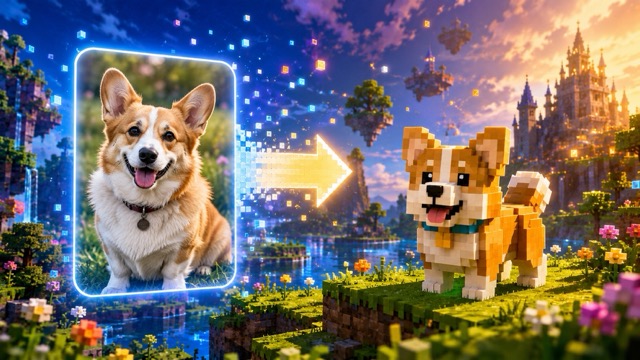
Keep the Person Recognizable
The Minecraft skin changer studies the face, hairstyle, clothing, pose, and color palette before creating the block-style result. When you change Minecraft skin from a portrait, the output keeps the most recognizable traits instead of producing a random character. This makes it easier to convert photo to Minecraft skin for profile images, gifts, and personal artwork.
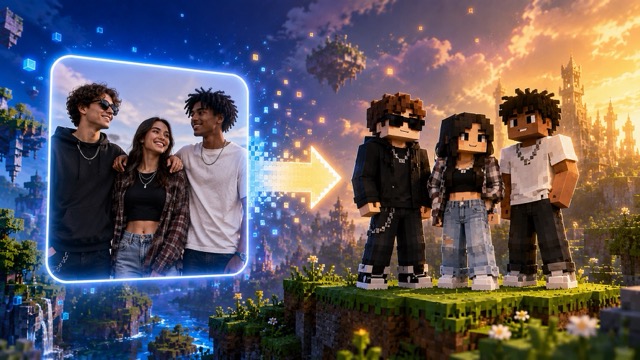
Transform Outfits into Block Fashion
Upload a streetwear look, office outfit, costume, or fantasy clothing concept. The Minecraft skin changer converts fabrics, accessories, and colors into clean block-style details. You can change Minecraft skin aesthetics while keeping the outfit easy to recognize, then convert photo to Minecraft skin for fashion boards, character planning, or social content.
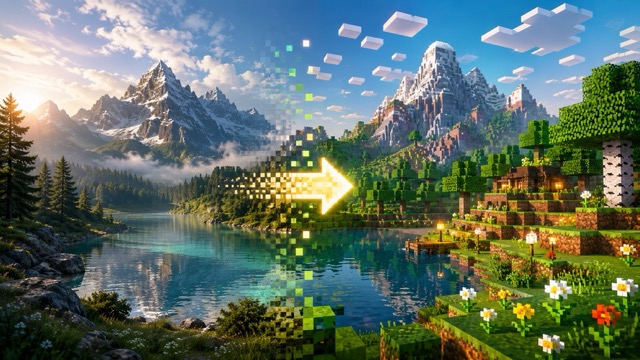
Turn Pets into Block Companions
The Minecraft skin changer is not limited to human portraits. Upload a dog, cat, rabbit, or other pet photo and change Minecraft skin style into a playful block companion. The AI keeps coat colors, markings, ears, and expression cues, helping you convert photo to Minecraft skin for stickers, avatars, and custom pet art.
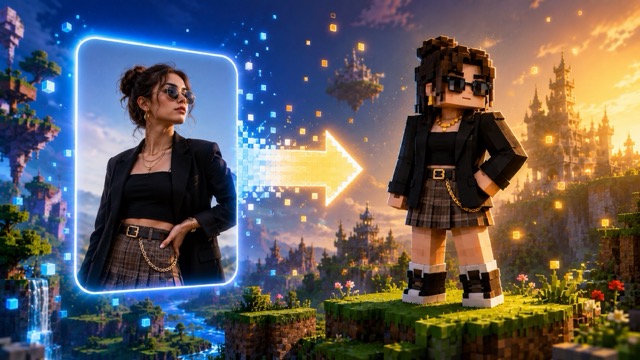
Build Matching Group Characters
Create a coordinated set for friends, couples, families, or teams. Run each image through the Minecraft skin changer and use similar framing for a consistent collection. You can change Minecraft skin styling across several photos, match the visual direction, and convert photo to Minecraft skin for group posters, party graphics, or shared profile images.
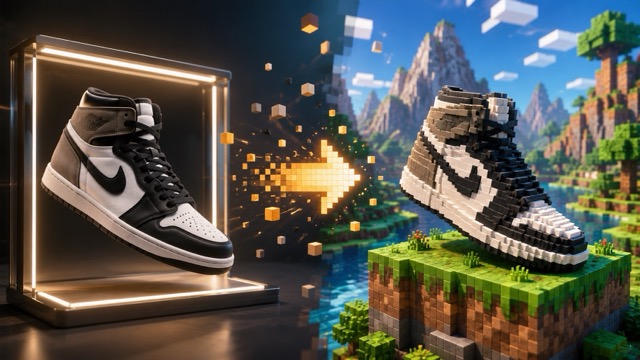
Explore Character Ideas Faster
Use the Minecraft skin changer as a visual concept tool. Upload sketches, generated characters, cosplay photos, or mood-board images, then change Minecraft skin style to test how each design looks in a block-based world. It is a fast way to convert photo to Minecraft skin before refining a final character direction.
Minecraft Skin Changer FAQ
Learn how the Minecraft skin changer works, what images produce the best results, and how to change Minecraft skin style for different creative needs.
A Minecraft skin changer is an AI image-to-image tool that transforms an uploaded picture into block-style character artwork. It analyzes the subject, colors, clothing, face, and composition, then rebuilds them with pixel-inspired forms. You can use the Minecraft skin changer to convert photo to Minecraft skin without manually drawing a grid.
Upload a clear image, choose the output size, and click generate. The Minecraft skin changer processes the photo and creates a block-style version automatically. For stronger results, change Minecraft skin from an image with good lighting, a visible subject, and limited background clutter.
Yes. The Minecraft skin changer works online and requires no traditional design software. You can convert photo to Minecraft skin directly in your browser, review the generated image, and create another version with a different source photo or crop.
The Minecraft skin changer aims to preserve recognizable features such as hairstyle, face shape, skin tone, glasses, and clothing colors. Because the style is intentionally simplified, small details may become blocky. Use a front-facing, well-lit image when you change Minecraft skin style and want stronger identity consistency.
Yes. Full-body images work well when the person is clearly visible from head to toe. The Minecraft skin changer can simplify the complete outfit, shoes, pose, and accessories. A clean background helps the tool convert photo to Minecraft skin with a clearer silhouette.
Yes. You can upload pets, toys, vehicles, products, or fantasy objects. The Minecraft skin changer interprets their main shapes and colors in a block-style visual language. This gives you more ways to change Minecraft skin aesthetics beyond standard portraits.
Use a sharp image with balanced lighting, visible details, and a subject that is not heavily cropped. The Minecraft skin changer performs better when the face and clothing are easy to distinguish. High-quality source images also help when you convert photo to Minecraft skin for larger outputs.
The Minecraft skin changer creates Minecraft-inspired character artwork from a photo. The generated result may not automatically match a technical in-game skin template. Use it for avatars, concepts, posts, and references, or adapt the artwork separately if you need a specific game-ready layout.
Try another crop, change the image size, upload a cleaner photo, or use a source image with a different pose. Each new generation gives the Minecraft skin changer a fresh interpretation. You can change Minecraft skin style repeatedly until the character, outfit, and background feel right.
Why Creators Choose Our Minecraft Skin Changer
Users choose the Minecraft skin changer to change Minecraft skin style quickly, preserve recognizable details, and convert photo to Minecraft skin for personal and professional creative projects.
I used the Minecraft skin changer for a profile picture and the hairstyle, jacket, and glasses still looked like me. It was much faster than trying to change Minecraft skin details pixel by pixel.
I used the Minecraft skin changer for a profile picture and the hairstyle, jacket, and glasses still looked like me. It was much faster than trying to change Minecraft skin details pixel by pixel.
Our design club used the Minecraft skin changer to create matching character portraits. We could convert photo to Minecraft skin for every member and still keep each person visually distinct.
Our design club used the Minecraft skin changer to create matching character portraits. We could convert photo to Minecraft skin for every member and still keep each person visually distinct.
The Minecraft skin changer gave my fashion photos a fun new direction. I can change Minecraft skin style while keeping the outfit colors and accessories recognizable.
The Minecraft skin changer gave my fashion photos a fun new direction. I can change Minecraft skin style while keeping the outfit colors and accessories recognizable.
I wanted block-style artwork of my dog, and the Minecraft skin changer captured the coat markings surprisingly well. It made it easy to convert photo to Minecraft skin for a custom avatar.
I wanted block-style artwork of my dog, and the Minecraft skin changer captured the coat markings surprisingly well. It made it easy to convert photo to Minecraft skin for a custom avatar.
The Minecraft skin changer is useful for rapid character concepts. I upload a sketch, change Minecraft skin aesthetics, and compare several block-based directions before choosing one.
The Minecraft skin changer is useful for rapid character concepts. I upload a sketch, change Minecraft skin aesthetics, and compare several block-based directions before choosing one.
For social campaigns, the Minecraft skin changer helps us create themed visuals without rebuilding every subject from scratch. We can convert photo to Minecraft skin and produce a consistent set quickly.
For social campaigns, the Minecraft skin changer helps us create themed visuals without rebuilding every subject from scratch. We can convert photo to Minecraft skin and produce a consistent set quickly.



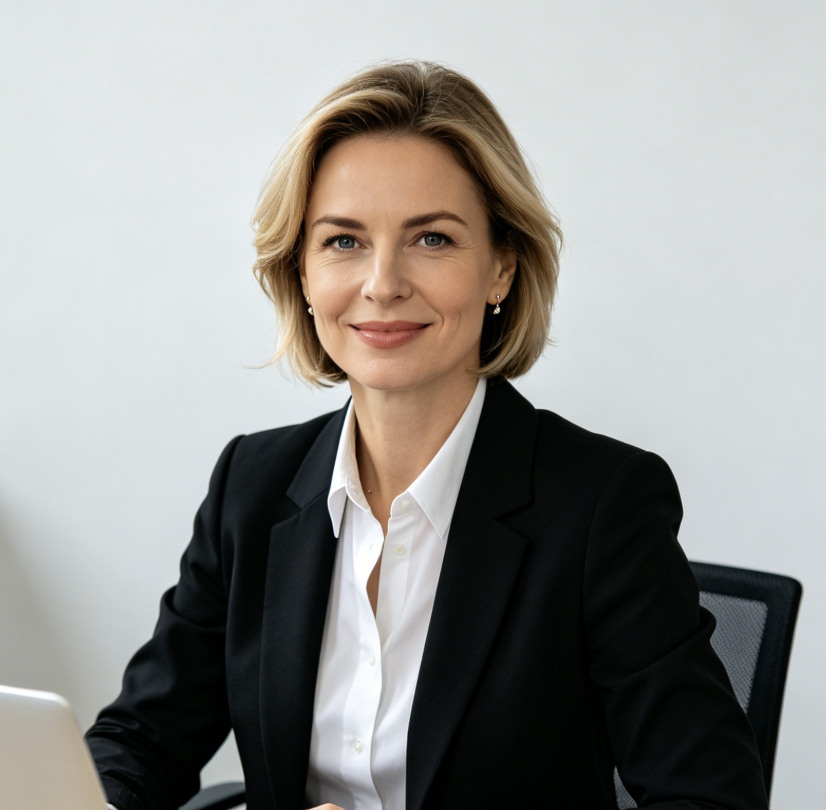
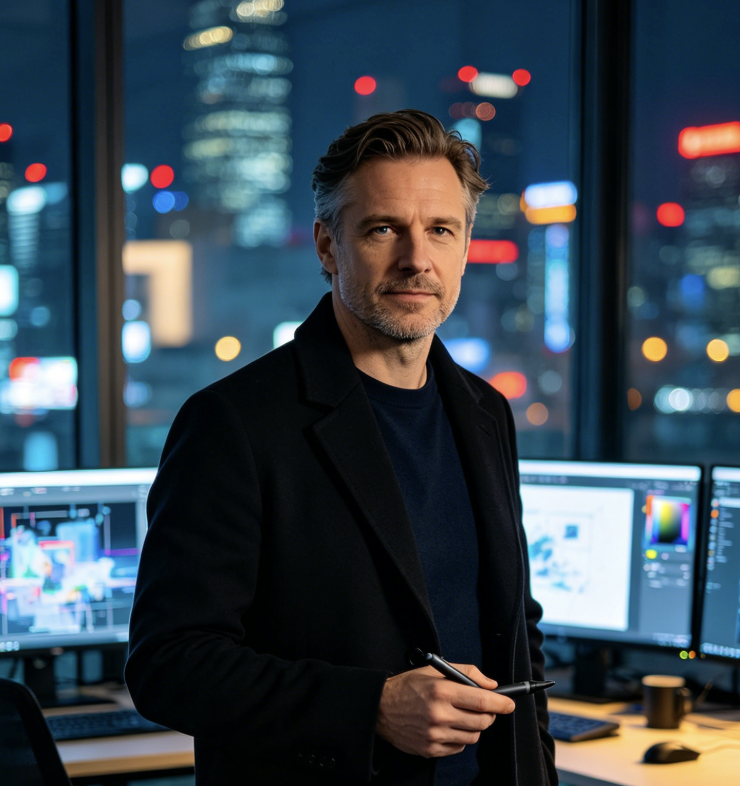
Popular Ways to Use the Minecraft Skin Changer
The Minecraft skin changer supports personal avatars, social content, event graphics, gifts, and early-stage design exploration. Choose a photo, change Minecraft skin style, and convert photo to Minecraft skin for the format you need. With the Minecraft skin changer, you can change Minecraft skin ideas for almost any content format.

Profile Pictures
Use the Minecraft skin changer to create a recognizable block-style avatar for gaming communities, forums, and social profiles. Change Minecraft skin style from a clear headshot for the strongest face details.

Social Media Posts
Convert photo to Minecraft skin for themed posts, before-and-after content, trends, and creative announcements. The Minecraft skin changer gives ordinary photos a bold visual hook.

Couple and Friend Art
Run two or more portraits through the Minecraft skin changer to create matching block characters. Change Minecraft skin styling with similar crops and sizes for a coordinated set.

Birthday and Party Graphics
Use the Minecraft skin changer for invitations, posters, cake references, party screens, and personalized decorations. Convert photo to Minecraft skin to make the guest of honor the main character.

Character Concept Boards
Upload sketches or costume references and let the Minecraft skin changer create quick visual directions. Change Minecraft skin aesthetics to compare colors, silhouettes, and accessories.

Custom Gifts
Convert photo to Minecraft skin for printable cards, framed art, stickers, and personalized keepsakes. The Minecraft skin changer turns familiar people or pets into playful block-style artwork.
Create with the Minecraft Skin Changer Today
Upload your favorite image and let the Minecraft skin changer turn it into distinctive block-style character art. Change Minecraft skin details in one click, preserve the subject's recognizable look, and convert photo to Minecraft skin for avatars, posts, gifts, and creative concepts. Open the Minecraft skin changer and change Minecraft skin style whenever inspiration strikes.
