
AI Image Tools
Everything You Need to Edit Photos Faster
Open the PicEditor AI tools library for background removal, photo enhancement, object cleanup, face swap, upscaling, and more focused image workflows.
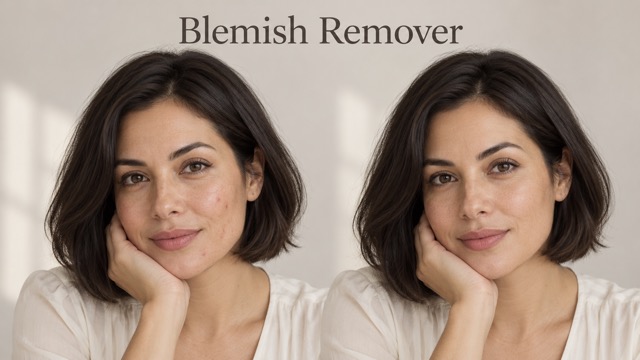
AI Blemish Remover
FLUX 3 Image Klein
Ideogram 4.5

AI Portrait Retouching

Snatched Waist Editor

AI Facial Expression Changer

AI Texture Generator

AI Nose Piercing Filter

Replace Object in Photo Online

Add Object to Photo

Eyeliner Filter

AI Bust Down Filter

Image Splitter

Add White Background to Photo

Snapchat Text Remover

Realistic AI Skin Generator

Add speech bubble to photo

Change Photo Background

AI Clothes Wrinkle Remover

AI LinkedIn Profile Picture

GPT Transparent BG Image Editor

Image to Layers

3D Angle Editor

Change Background of Photo
Photo to Line Art for Clean Line Drawings
Use Photo to Line Art to convert photos into clean outline artwork.
Photo to Line Art turns an uploaded image into refined black-and-white line artwork while preserving the main shape, pose, and composition. Use Photo to Line Art when a photo needs clearer outlines for creative planning, drawing references, printable art, or visual concepts. Photo to Line Art keeps the source image central.
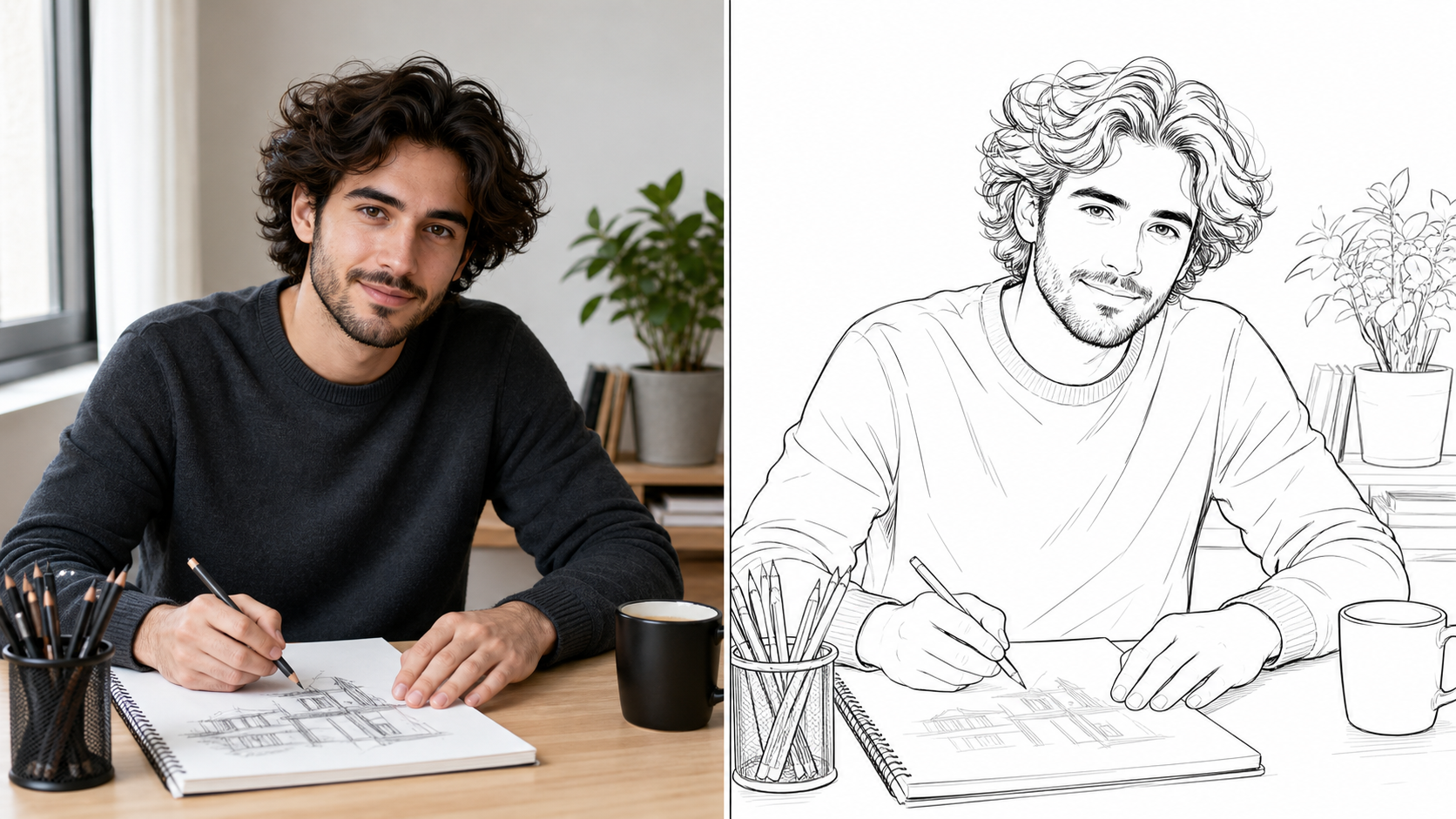
How to Use Photo to Line Art
Photo to Line Art follows a simple source-based workflow: upload a clear image, let the model translate visible structure into linework, then review the drawing for creative use.

Upload for Photo to Line Art
Start Photo to Line Art with a source image that has a clear subject, readable lighting, and visible edges. The Image to Line Drawing workflow uses the uploaded photo as the visual anchor, so faces, pets, products, interiors, and landscapes can become cleaner outline artwork without rebuilding the scene from scratch. Photo to Line Art works best when the important shapes are not hidden by blur or heavy clutter.

Let the AI Interpret Edges
After upload, Photo to Line Art studies contours, shadows, texture changes, and object boundaries before simplifying them into linework. AI Line Generator should keep the original composition understandable while reducing noise that would make the drawing feel crowded. Photo to Line Art is useful when you want a result that feels drawn, not merely desaturated or posterized. Photo to Line Art also keeps the edit explainable in a before-and-after view.

Review the Line Art Result
Compare the original image with the generated outline version, then use the result in your creative workflow. Photo to Line Art can support coloring pages, art references, storyboards, classroom visuals, mood boards, and design drafts. The Image to Line Art Generator keeps the process focused on a recognizable subject and a cleaner drawing-ready finish.
Features of Photo to Line Art
Photo to Line Art combines source-photo preservation with clean outline conversion. Photo to Line Art helps portraits, objects, pets, and scenes become drawing-ready visuals with stronger contours and less distracting detail.
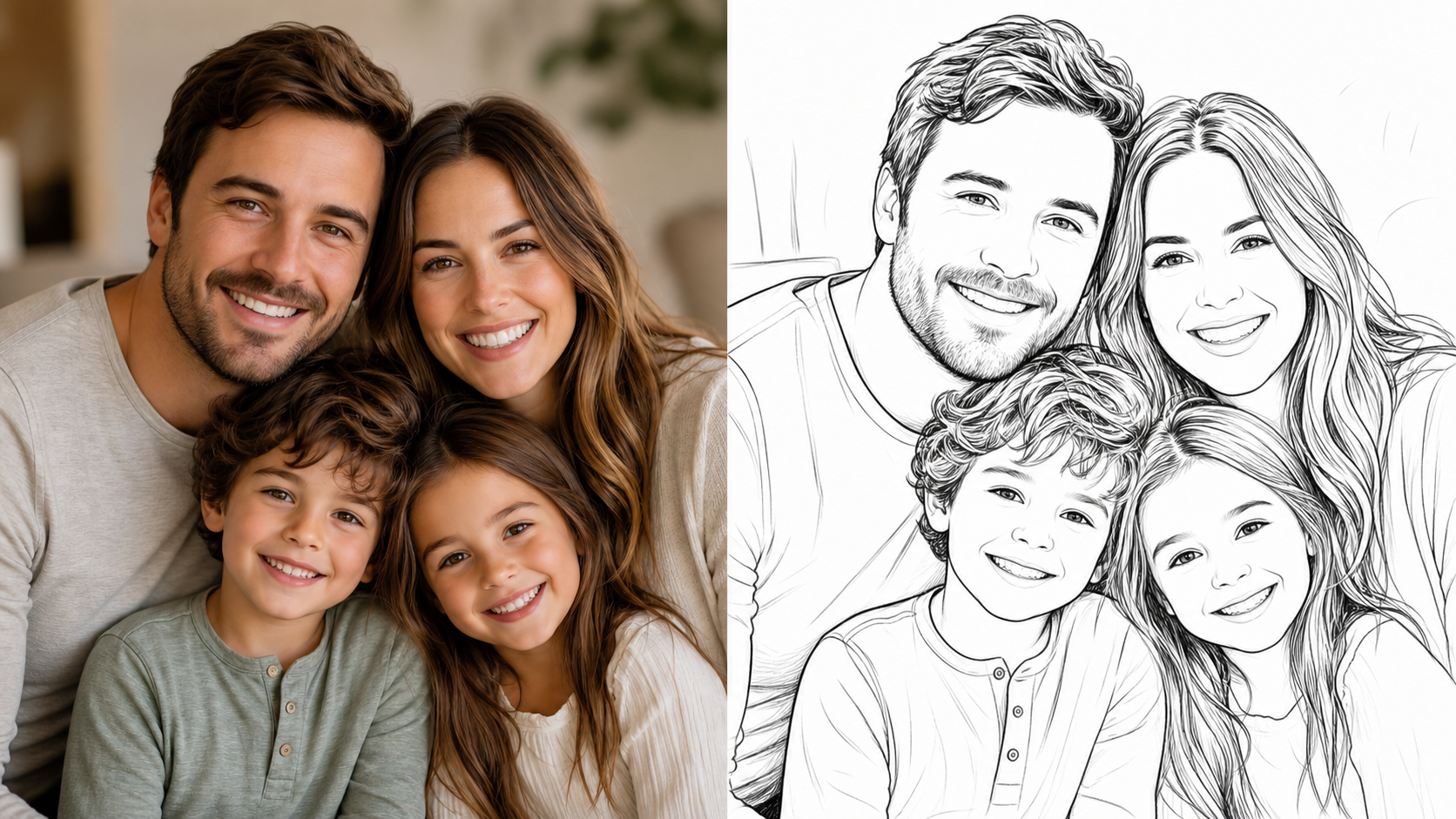
Photo to Line Art for Portraits
- Photo to Line Art can reinterpret selfies, headshots, family images, and profile photos as clean outline drawings while keeping the person recognizable.
- The model should preserve face shape, hair silhouette, expression, clothing edges, and camera angle instead of inventing a new identity.
- Use Photo to Line Drawing when a portrait needs a calmer hand-drawn base for coloring, illustration planning, profile concepts, or keepsake artwork.
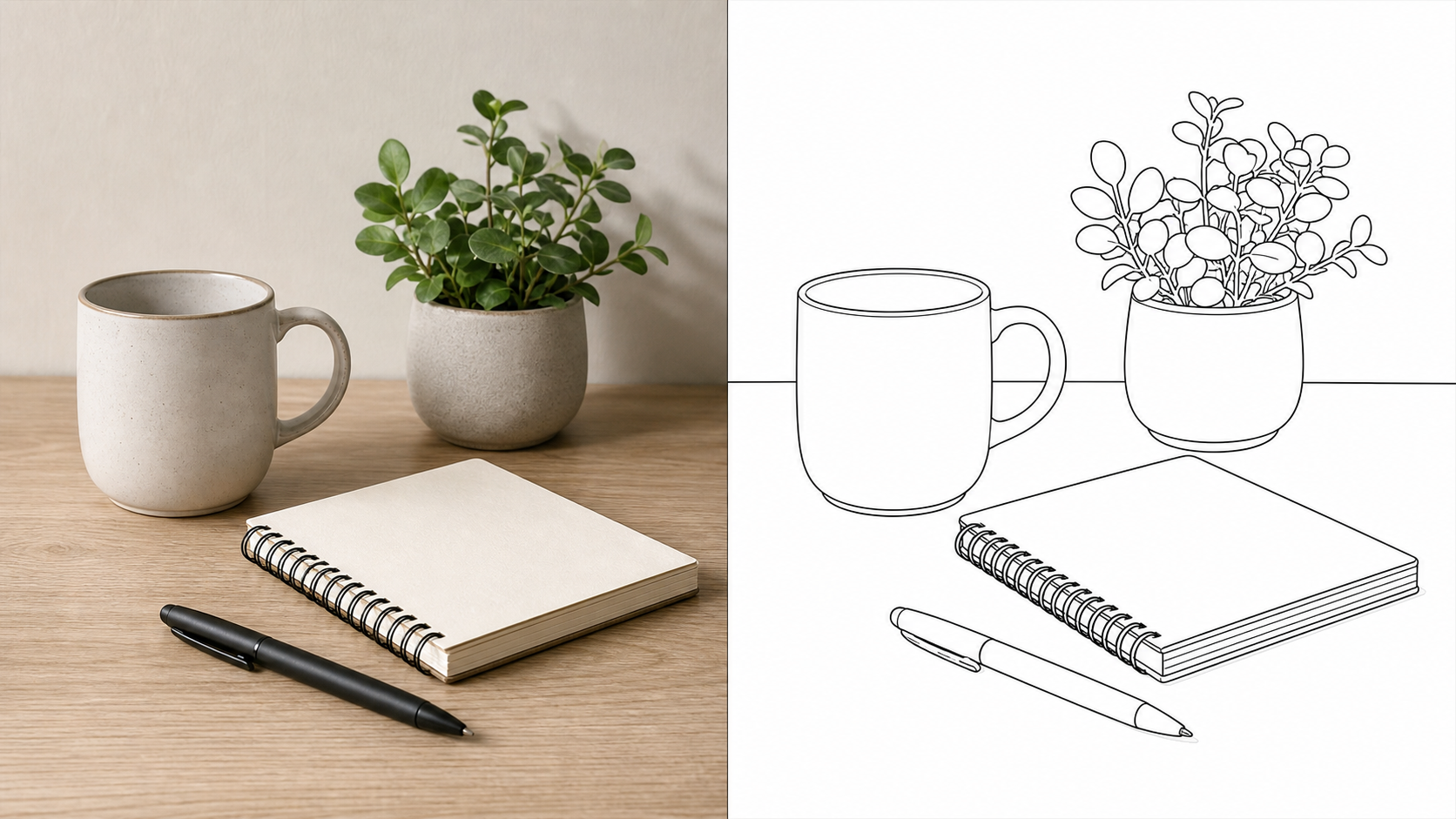
Photo to Line Art for Products and Objects
- Photo to Line Art can simplify product photos, handmade items, accessories, furniture, food, and packaging into sharper contour artwork.
- The Image to Line Art Generator should emphasize silhouettes, corners, folds, labels as shapes, and surface breaks without copying every photographic texture.
- Use Image to Line Drawing when an object needs a clearer visual structure for concept review, instruction material, packaging exploration, or craft references.
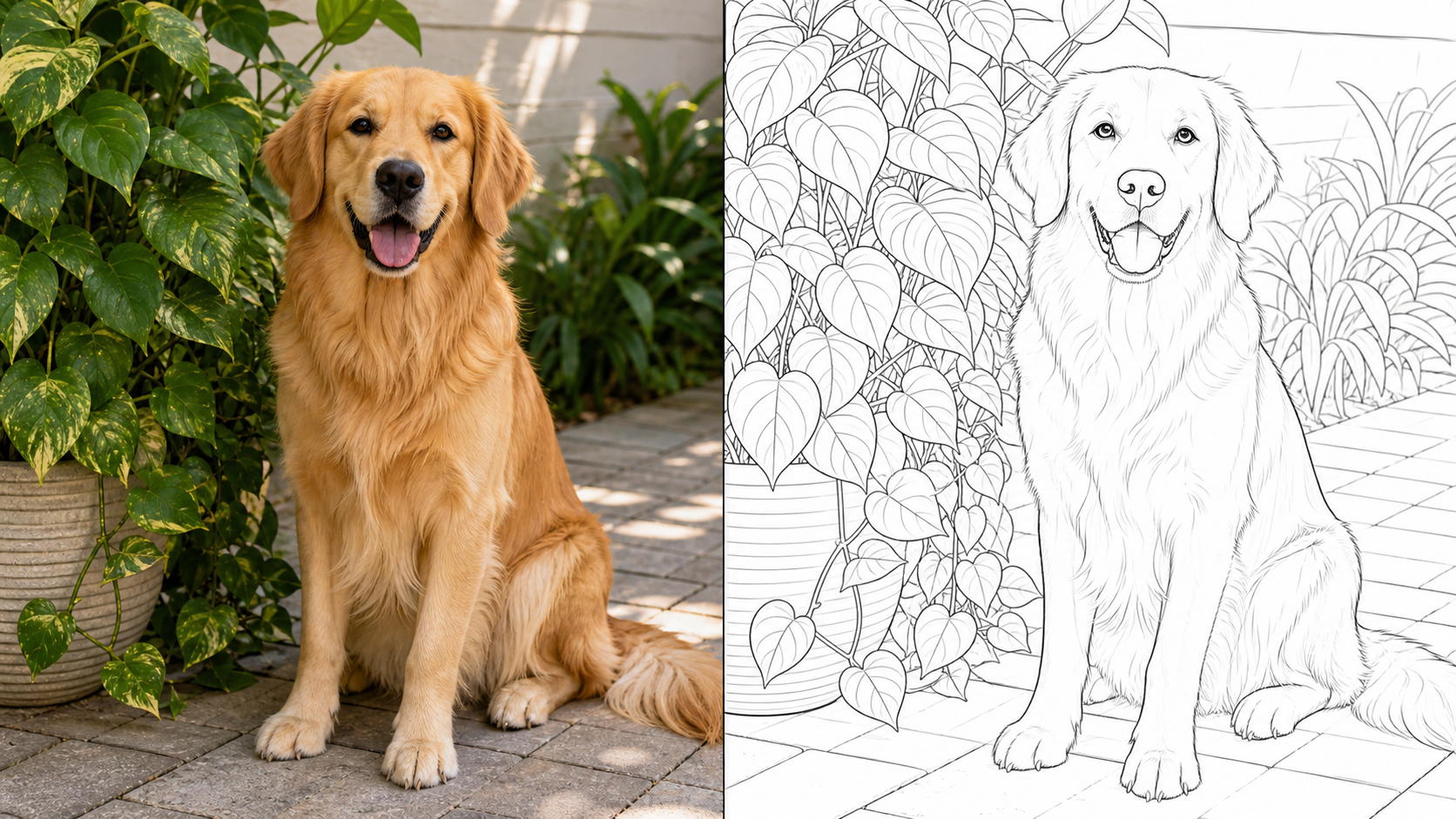
Photo to Line Art for Pets and Nature
- Photo to Line Art works for pets, flowers, leaves, insects, garden scenes, and simple landscapes when the source photo has readable forms.
- The AI Line Generator can reduce busy textures into confident outlines while keeping paws, ears, stems, branches, horizons, and other identifying details clear.
- Use Photo to Line Art when a nature image needs an approachable drawing style for learning, creative study, or printable visual material.
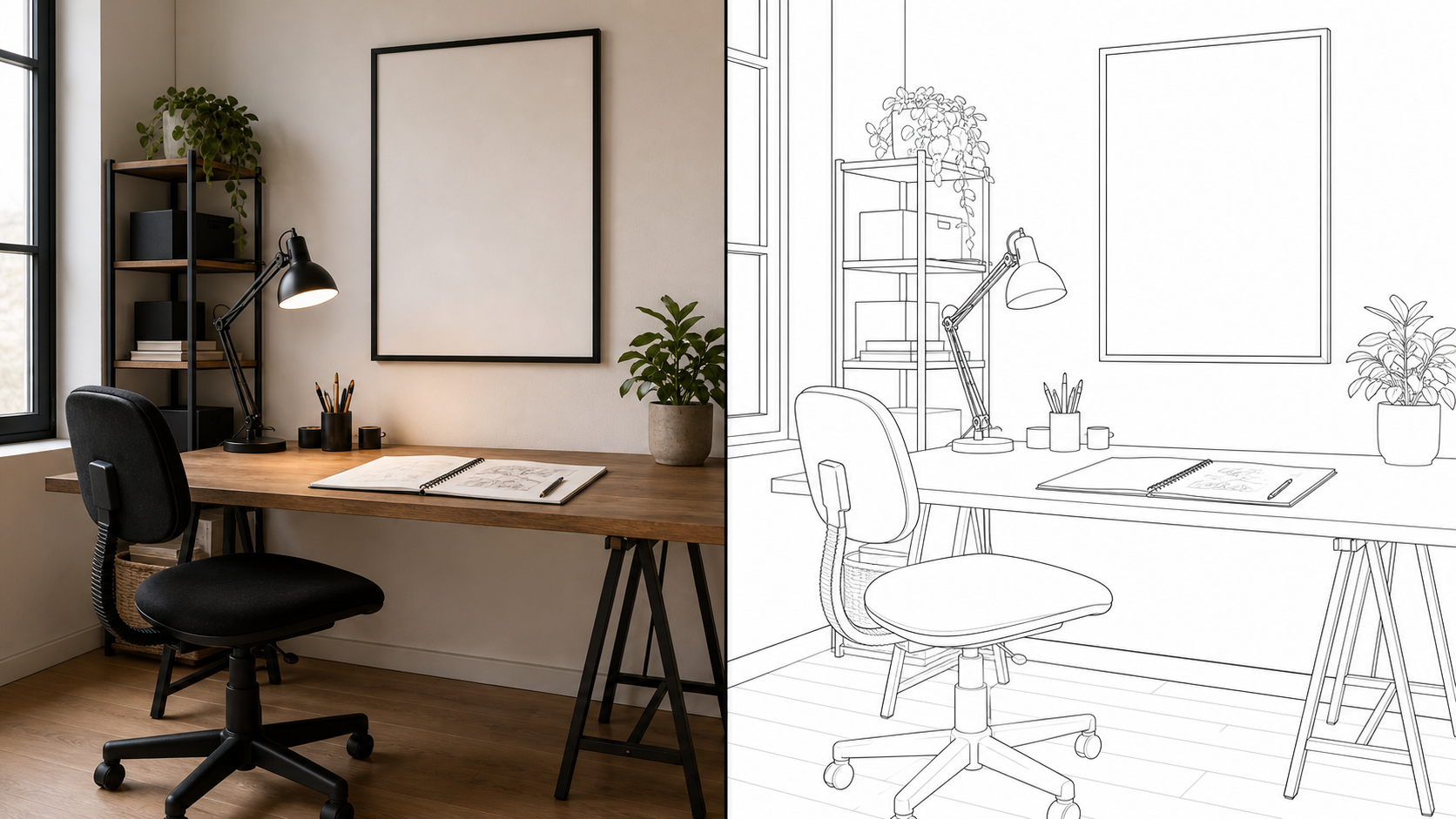
Photo to Line Art for Creative Drafts
- Photo to Line Art helps designers, teachers, artists, and creators turn existing references into simpler visual drafts before manual work begins.
- The Image to Line Art Generator can clarify layout, gesture, scale, and contour so teams can discuss the image without being distracted by color or photographic noise.
- Use Photo to Line Art as a practical bridge between a real image and an editable creative direction.
Why Choose Photo to Line Art
Photo to Line Art is practical for users who want recognizable photo-based drawings without manual tracing. It focuses on clean contours, useful simplification, and source-image continuity.

Create Custom Coloring References
Photo to Line Art can turn familiar photos into outline images that are easier to color, annotate, or adapt. A parent, teacher, or creator can begin with a real pet, object, room, or landmark, then create a drawing-style base that feels more personal than a generic template. Photo to Line Art keeps the subject tied to the uploaded image while making the result simpler to reuse.
Build Cleaner Drawing Studies
Artists often study form by separating contour from color and texture. Photo to Line Drawing can help expose the visible structure of a face, hand, product, flower, or building before deeper sketch practice begins. Photo to Line Art should not replace observation, but it can give beginners and instructors a cleaner reference for discussing proportion, edge flow, and shape hierarchy.

Prepare Visuals for Classroom Material
Teachers can use Photo to Line Art to simplify photos of animals, plants, tools, maps, landmarks, or science objects into outline visuals. The Image to Line Drawing result can make forms easier to label, compare, and discuss because students focus on shape rather than color distraction. Photo to Line Art is especially helpful when lesson material needs a custom subject from a real image.

Turn Product Photos into Simple Concepts
Product teams can use Photo to Line Art to strip a photo down to proportion, silhouette, and construction lines. The Image to Line Art Generator can support early packaging notes, instruction previews, product concept boards, and visual feedback sessions. By reducing color and lighting complexity, Photo to Line Art makes it easier to evaluate shape and layout before a polished design pass.
Make Personal Keepsake Artwork
Family moments, pet portraits, travel snapshots, and home photos can feel more intentional after a clean drawing treatment. Photo to Line Art can preserve the memory's subject and composition while turning the image into a quieter outline piece. The AI Line Generator is useful when someone wants a personalized art base without manually tracing every contour from the source photo. Photo to Line Art gives that keepsake a clearer starting point.
Explore Minimal Visual Directions
A busy photograph can hide the strongest composition. Photo to Line Art helps creators test whether an image still works when reduced to edges, subject rhythm, and negative space. Image to Line Drawing can support posters, thumbnails, editorial concepts, mood boards, and storyboard frames where clean structure matters more than photographic realism. Photo to Line Art makes that simplified direction easier to judge.
What Creators Say About Photo to Line Art
Creators use Photo to Line Art for portraits, teaching materials, product planning, pet artwork, and storyboards. Photo to Line Art gives familiar photos a cleaner drawing-ready form.
Photo to Line Art helped me turn family photos into outline references for a custom coloring project. The faces still felt familiar, but the extra color and background noise were simplified enough for me to work from.
Photo to Line Art helped me turn family photos into outline references for a custom coloring project. The faces still felt familiar, but the extra color and background noise were simplified enough for me to work from.
I used the Image to Line Art Generator for product concept notes. It gave our team a cleaner way to talk about curves, edges, and proportions without debating lighting or surface color in the original photo.
I used the Image to Line Art Generator for product concept notes. It gave our team a cleaner way to talk about curves, edges, and proportions without debating lighting or surface color in the original photo.
Photo to Line Drawing made my classroom visuals easier to explain. I could start with photos from a lesson, convert them into outlines, and ask students to label shapes, details, and differences.
Photo to Line Drawing made my classroom visuals easier to explain. I could start with photos from a lesson, convert them into outlines, and ask students to label shapes, details, and differences.
Photo to Line Art is useful when I need quick storyboard references from location photos. Photo to Line Art keeps the camera angle and main scene structure, but removes enough detail to make the frame easier to plan.
Photo to Line Art is useful when I need quick storyboard references from location photos. Photo to Line Art keeps the camera angle and main scene structure, but removes enough detail to make the frame easier to plan.
The AI Line Generator gave my pet portrait commissions a better starting point. I still edit the final piece by hand, but Photo to Line Art saves time on the first contour pass.
The AI Line Generator gave my pet portrait commissions a better starting point. I still edit the final piece by hand, but Photo to Line Art saves time on the first contour pass.
Image to Line Drawing helped us test a minimalist poster direction from existing photography. The result made the strongest shapes obvious, which sped up our design review before moving into layout.
Image to Line Drawing helped us test a minimalist poster direction from existing photography. The result made the strongest shapes obvious, which sped up our design review before moving into layout.




FAQs About Photo to Line Art
These answers explain how Photo to Line Art transforms uploaded images, what inputs work best, and how creators can use clean line drawings in practical workflows.
Photo to Line Art is an image transformation workflow that converts an uploaded photo into line-based artwork. Instead of asking you to draw manually, it uses the source image as the foundation and translates visible edges, shapes, and important details into cleaner outlines. The goal is to preserve the subject and composition while making the result feel suitable for creative use, study, or visual planning.
Photo to Line Art works best with images that have a clear subject, readable contrast, and enough visible structure for the model to interpret. Portraits, pets, products, flowers, buildings, food, rooms, and landscapes can all work well. Very dark, blurry, tiny, or cluttered photos may still convert, but the final linework can lose detail or create extra marks in busy areas.
Image to Line Art Generator should keep the original subject recognizable by preserving the broad silhouette, pose, composition, and important visual cues. It will simplify color, texture, and shadows into lines, so it should not be expected to reproduce every photographic detail. For the best result, start with an image where the main subject is easy to separate from the background.
Photo to Line Art is useful for coloring references, classroom worksheets, creative drafts, product concept notes, pet artwork, simple posters, storyboards, craft planning, and drawing practice. Because the workflow begins with an uploaded photo, it is especially helpful when you want the final drawing to stay connected to a real person, object, place, or scene instead of a generic generated subject.
An AI Line Generator can create cleaner outlines from a photo faster than manual tracing, but it is still an interpretation. It may simplify small textures, merge minor details, or emphasize edges differently than a human illustrator would. Treat the output as a strong starting point for creative work. For important projects, review the linework and refine it in your usual editing or drawing process.
To improve Photo to Line Art results, choose a source photo with one clear subject, balanced lighting, and visible edges. Cropping around the important area can help the model focus on the right shapes. Avoid screenshots with tiny details, heavy blur, strong shadows, or backgrounds that compete with the subject. A cleaner source image usually produces a cleaner outline drawing.
Yes. The Image to Line Drawing workflow can help with learning because it separates contour and structure from color. Students can compare the original photo with the line version, then discuss proportion, edge priority, negative space, and simplification. It should support observation rather than replace practice. The best learning value comes from reviewing why certain lines were kept or removed.
Use Photo to Line Art when a normal image feels too detailed but a blank drawing would take too long to create. Photo to Line Art is helpful for early ideation, teaching, reference preparation, personalized art, and design discussions. The tool gives you a simplified visual base tied to the uploaded photo, so you can move from real-world image to cleaner creative direction with less manual setup.
Create Clean Line Art from a Photo
Upload an image and use Photo to Line Art to create a clean outline version that keeps the original subject readable for art, teaching, planning, or design work. Photo to Line Art gives your photo a focused drawing-ready finish.
