
AI Image Tools
Everything You Need to Edit Photos Faster
Open the PicEditor AI tools library for background removal, photo enhancement, object cleanup, face swap, upscaling, and more focused image workflows.
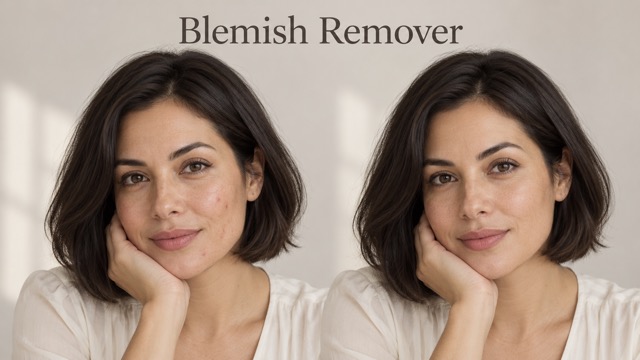
AI Blemish Remover
FLUX 3 Image Klein
Ideogram 4.5

AI Portrait Retouching

Snatched Waist Editor

AI Facial Expression Changer

AI Texture Generator

AI Nose Piercing Filter

Replace Object in Photo Online

Add Object to Photo

Eyeliner Filter

AI Bust Down Filter

Image Splitter

Add White Background to Photo

Snapchat Text Remover

Realistic AI Skin Generator

Add speech bubble to photo

Change Photo Background

AI Clothes Wrinkle Remover

AI LinkedIn Profile Picture

GPT Transparent BG Image Editor

Image to Layers

3D Angle Editor
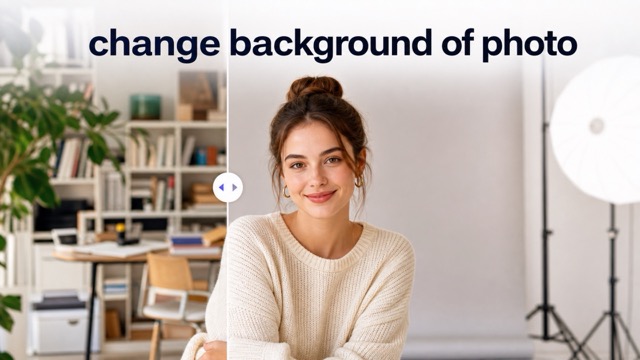
Change Background of Photo
Photo to Pixel Art Converter for Retro Images
Turn an uploaded picture into crisp pixel artwork with Photo to Pixel Art.
Photo to Pixel Art helps creators rework ordinary uploads into deliberate pixel compositions. Use Photo to Pixel Art when you want a portrait, product shot, sketch, or landscape translated into blocky color, simplified detail, and a nostalgic game-inspired finish.
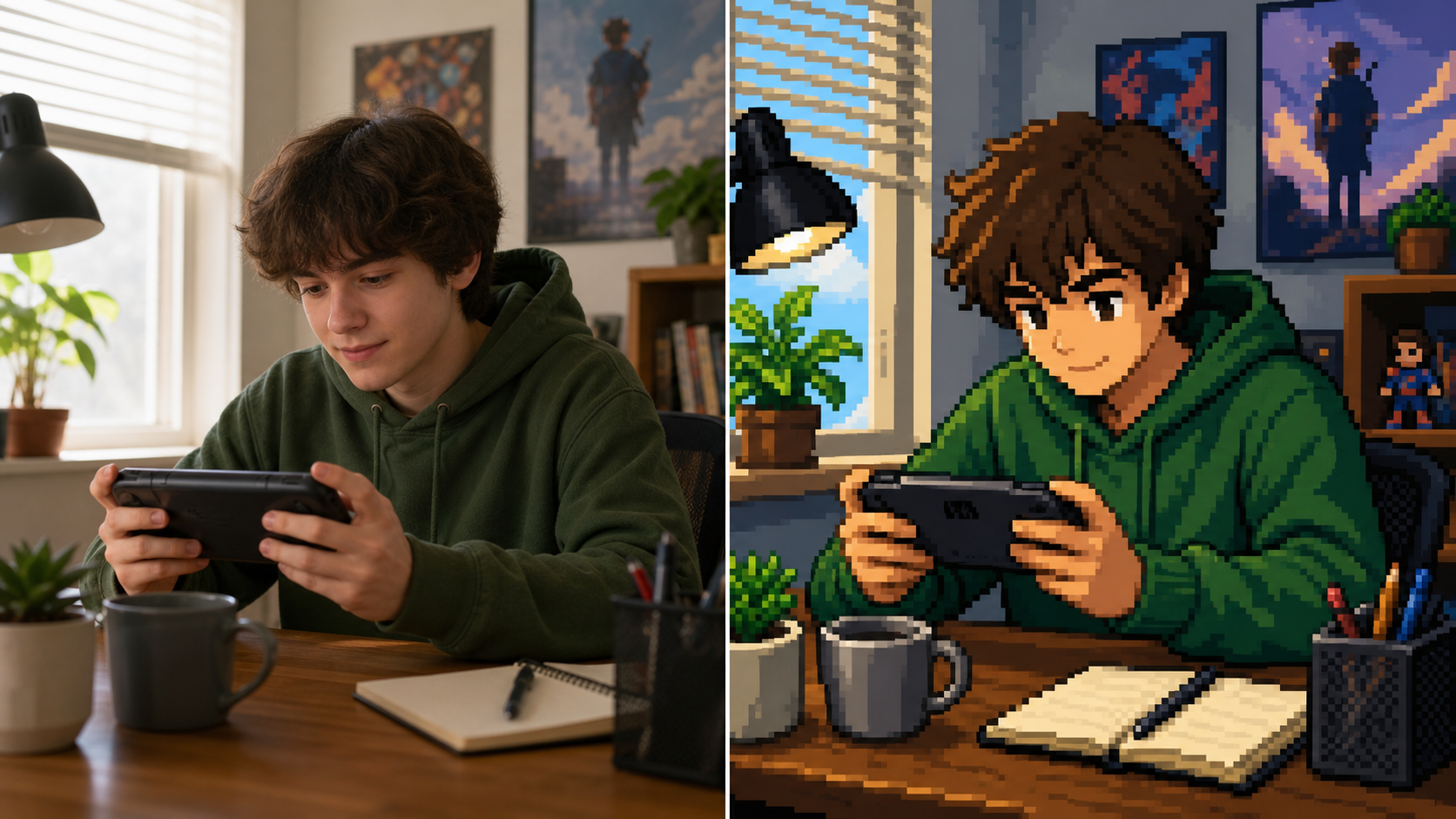
How to Use Photo to Pixel Art
The workflow is simple: upload a source image, generate a stylized result, then download the pixel artwork. Photo to Pixel Art keeps the process focused on visual transformation rather than complex design setup.

Upload Your Source Image
Start Photo to Pixel Art with a clear photo, illustration, product image, or scene reference. The better the subject reads in the original upload, the easier it is for the Image to Pixel Art process to preserve the main shape.

Generate the Pixel Version
Run Photo to Pixel Art and let the AI Pixel Art Generator reinterpret edges, color groups, lighting, and texture into a cleaner grid. The goal is not blur or a simple mosaic, but a readable retro image with intentional color choices.

Review and Download
Inspect the result from Photo to Pixel Art before using it in a profile, moodboard, game concept, sticker idea, or social post. A strong Pixel Art Converter output should keep the subject recognizable while making the style feel handmade.
Photo to Pixel Art Features
Photo to Pixel Art is designed around image transformation: preserve the subject, simplify detail, and produce a readable retro result. The AI Pixel Art Generator helps turn real-world references into cleaner pixel-friendly artwork.
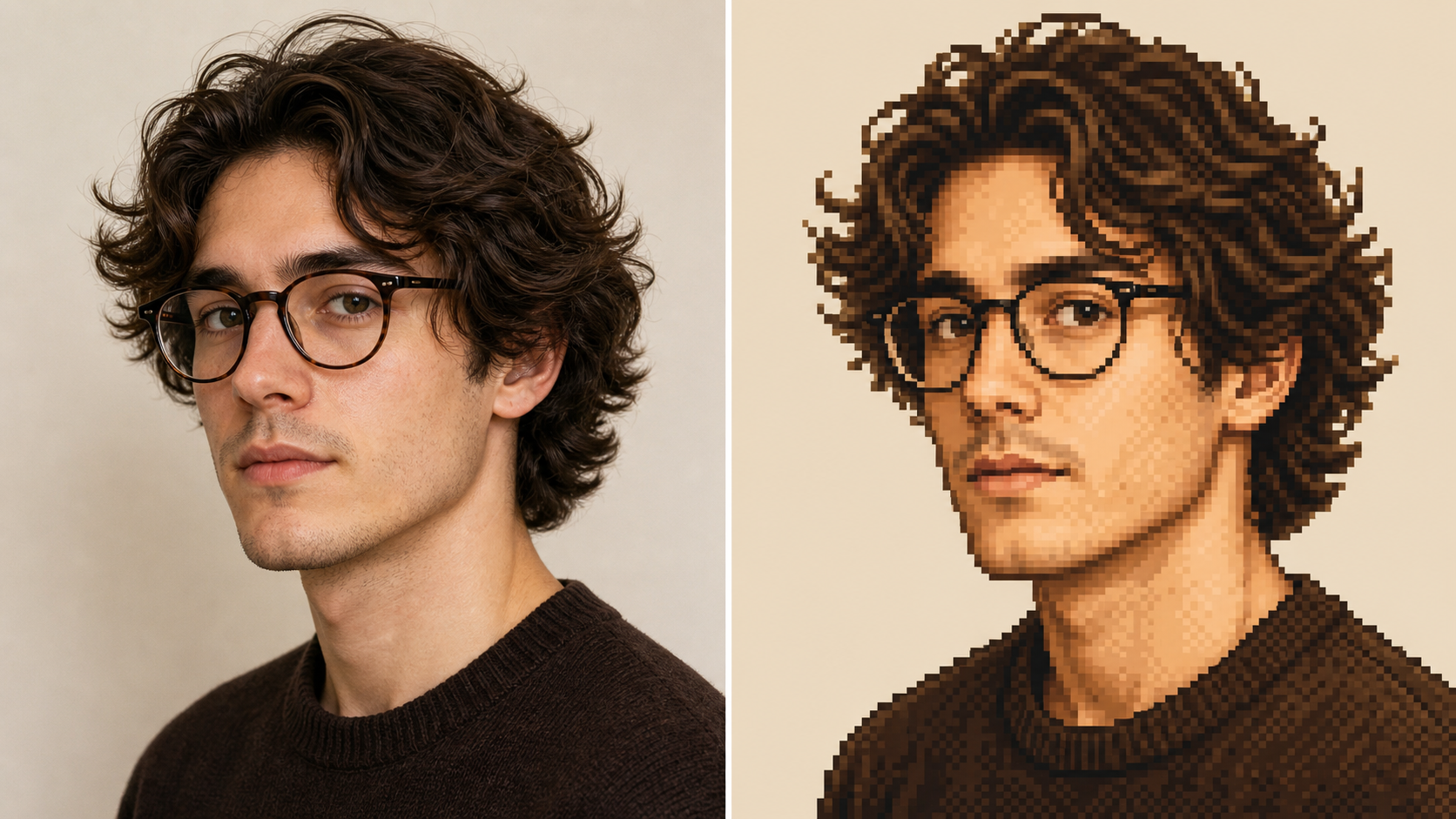
Create Retro Avatars from Real Portraits
- Photo to Pixel Art can turn a selfie, headshot, or character reference into a compact portrait with simplified shading and expressive edges.
- The AI Pixel Art Generator should keep identity cues like hairstyle, pose, glasses, and face direction while translating soft gradients into clear blocks of color.
- Use Photo to Pixel Art for profile pictures, community icons, streamer branding drafts, and character concepts that need charm without losing the original person's visual structure.
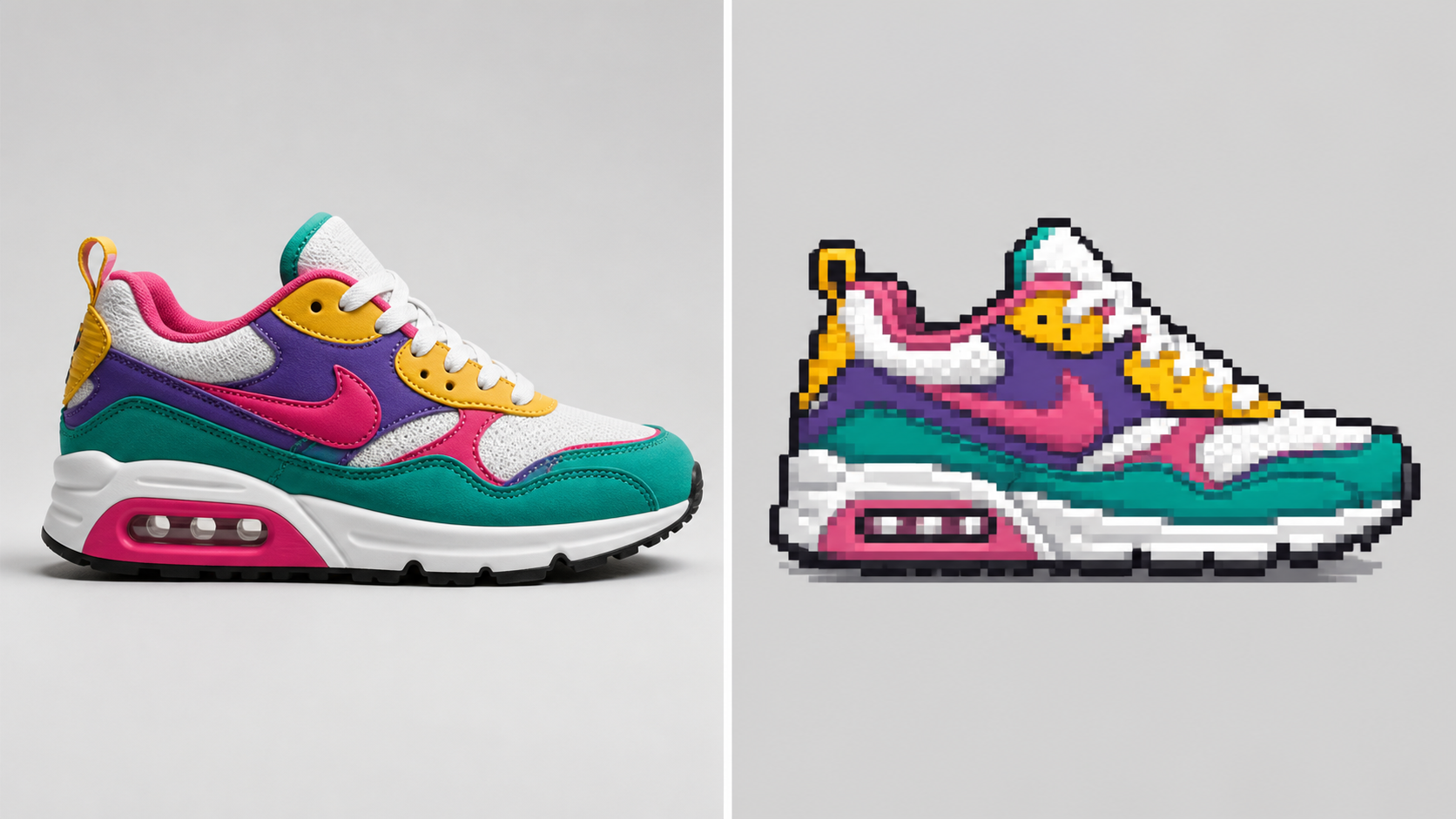
Turn Product Shots into Pixel Icons
- Photo to Pixel Art is useful when a product, prop, tool, or collectible needs a stylized icon for a catalog, sticker sheet, or concept board.
- A strong Pixel Art Converter keeps the silhouette, dominant materials, and important edges readable while removing visual clutter that would distract at small sizes.
- Use Image to Pixel Art for mugs, sneakers, cosmetics, packaging, toys, and tabletop items when the final image should feel playful but still tied to the source photo.
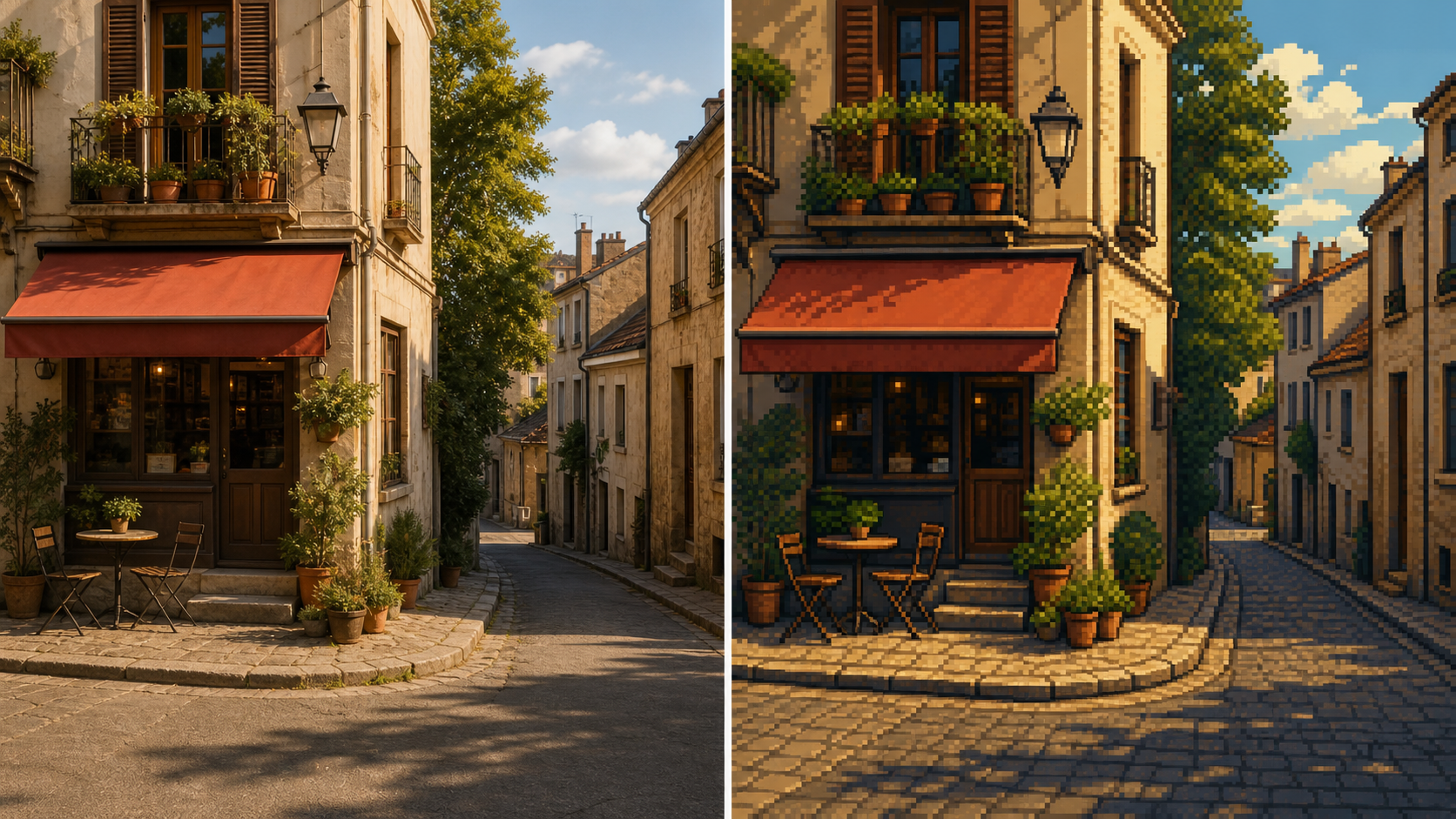
Build Game-Style Scene Concepts
- Photo to Pixel Art helps environment artists and hobby builders test how a real street, room, garden, mountain, or skyline might read as a retro game backdrop.
- The AI Pixel Art Generator should simplify distant details, group colors, and keep major light direction visible so the scene remains legible.
- Try Photo to Pixel Art for mood studies, level references, tabletop maps, and storyboards before spending time on manual sprite or tile work.
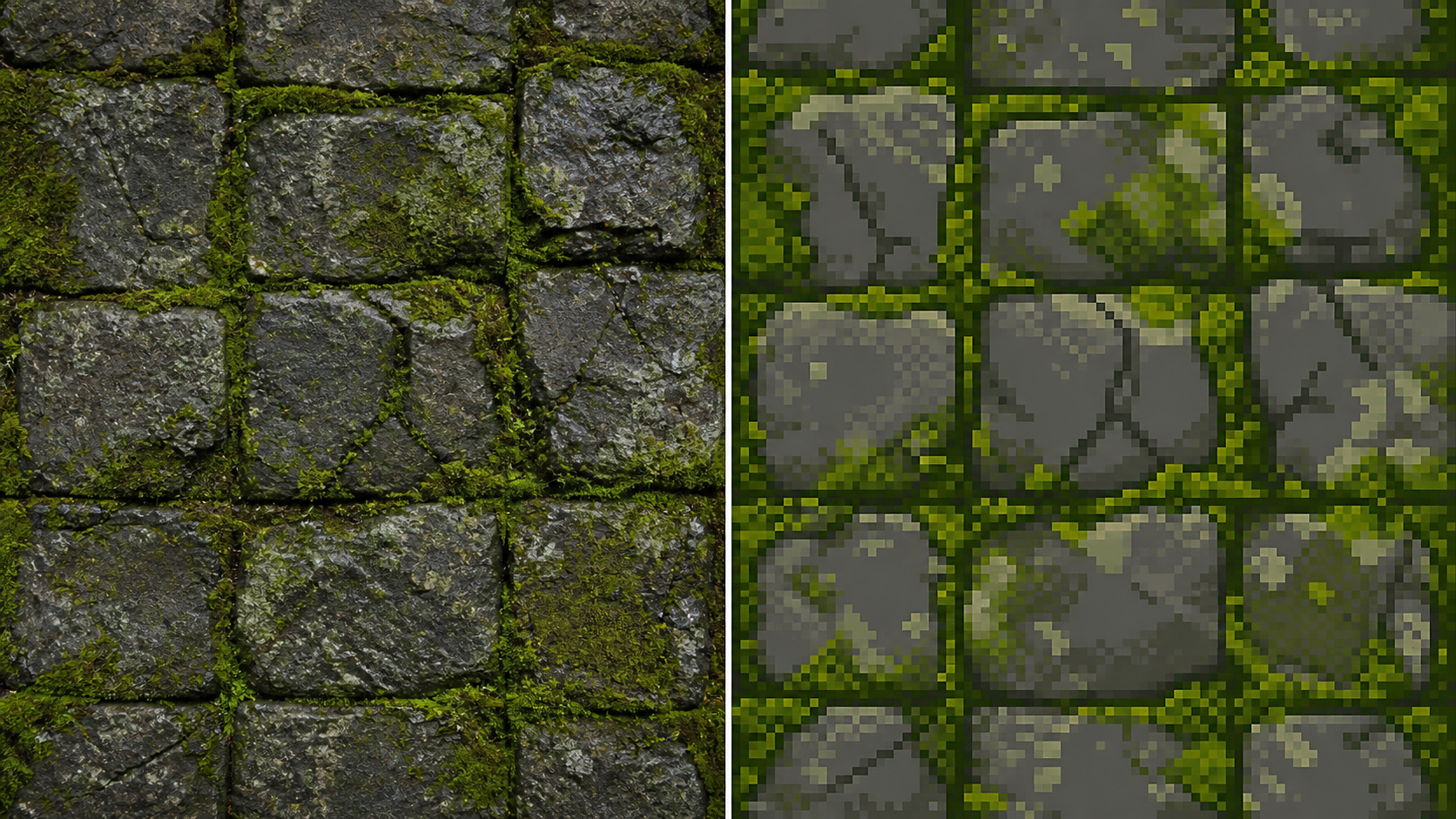
Explore Texture and Pattern References
- Photo to Pixel Art can reinterpret stone, fabric, food, leaves, clouds, and other textured photos into small visual studies for creative direction.
- The Pixel Art Converter should keep contrast and repeating structure while reducing noisy detail into cleaner clusters that feel suitable for a tile, badge, or background accent.
- Use Image to Pixel Art when you want fast style exploration before deciding whether a texture deserves hand cleanup in a dedicated pixel editor.
Why Choose Photo to Pixel Art
Photo to Pixel Art fits creators who want a clear image-to-style workflow. It supports rapid visual exploration for avatars, products, scene references, icons, and playful brand concepts without requiring manual pixel drawing first.

Profile Pictures and Community Avatars
Use Photo to Pixel Art when a normal portrait feels too plain for a gaming profile, forum identity, or creator page. Photo to Pixel Art can produce a friendly retro avatar that keeps the pose and personality of the upload while changing the visual language. It is also useful when a group needs matching visual style across many members without commissioning individual portraits first.

Game Jam Concept Art
During a fast prototype, Photo to Pixel Art can help test whether a prop, enemy, room, or landscape idea works in a pixel direction. The Image to Pixel Art result becomes a reference for decisions, not a replacement for final art direction. The draft can guide palette mood, scale decisions, and which parts deserve careful redraw later during early review.

Sticker, Badge, and Icon Ideas
Photo to Pixel Art is a practical starting point for small graphics that need bold shapes. Run a product photo, pet portrait, or object reference through the Pixel Art Converter, then use the output as a draft for sticker sheets and icon sets. It helps teams compare several visual treatments before choosing which small graphics should move into production later.

Social Posts with a Retro Mood
Photo to Pixel Art gives ordinary travel photos, food shots, desk setups, and event images a more distinctive look. The AI Pixel Art Generator can turn familiar content into something that feels nostalgic while still connected to the original moment. The effect works well for campaigns that need recognizable source material with a more playful visual tone for lightweight publishing.
Visual Research for Pixel Artists
Manual pixel artists can use Photo to Pixel Art as a fast study tool. A generated result may reveal which shapes, color groups, and value breaks matter most before the artist redraws the piece with their own technique and taste. It can also expose composition problems early, such as weak contrast or subjects that disappear at small scale during planning.

Brand Experiments and Campaign Concepts
Photo to Pixel Art can help teams explore a retro treatment for products, mascots, creator portraits, or campaign imagery. The output from an AI Pixel Art Generator gives stakeholders a quick visual direction before commissioning polished campaign assets. These quick drafts make creative reviews more concrete because everyone can react to the same transformed source image before budget and production time are assigned.
What Creators Say About Photo to Pixel Art
Creators use Photo to Pixel Art for early art direction, personal avatars, campaign drafts, and game-inspired experiments. These sample stories reflect practical workflows rather than copied claims from any reference page.
Photo to Pixel Art gave our community event portraits a consistent retro look without making everyone look generic. The results still showed hairstyles, glasses, and poses, which made the avatars feel personal instead of like random game characters.
Photo to Pixel Art gave our community event portraits a consistent retro look without making everyone look generic. The results still showed hairstyles, glasses, and poses, which made the avatars feel personal instead of like random game characters.
I used Photo to Pixel Art during a weekend prototype to explore props and small background scenes. It helped me see which shapes were worth keeping before I moved into hand cleanup and sprite layout.
I used Photo to Pixel Art during a weekend prototype to explore props and small background scenes. It helped me see which shapes were worth keeping before I moved into hand cleanup and sprite layout.
The AI Pixel Art Generator was most useful for mood boards. I could upload product photos, compare the converted versions, and quickly decide which items had strong silhouettes for a small pixel-style campaign.
The AI Pixel Art Generator was most useful for mood boards. I could upload product photos, compare the converted versions, and quickly decide which items had strong silhouettes for a small pixel-style campaign.
Photo to Pixel Art made my travel photos feel like scenes from an old handheld game. The best part was that the mountains and buildings stayed recognizable, even after the style became much simpler.
Photo to Pixel Art made my travel photos feel like scenes from an old handheld game. The best part was that the mountains and buildings stayed recognizable, even after the style became much simpler.
I needed a Pixel Art Converter for sticker ideas, not final production files. This gave me fast visual drafts that were easy to discuss with my illustrator and refine into finished artwork.
I needed a Pixel Art Converter for sticker ideas, not final production files. This gave me fast visual drafts that were easy to discuss with my illustrator and refine into finished artwork.
Image to Pixel Art helped me explain a retro interface direction to a client. Instead of talking abstractly about nostalgia, I showed their own product photos translated into a clearer pixel style.
Image to Pixel Art helped me explain a retro interface direction to a client. Instead of talking abstractly about nostalgia, I showed their own product photos translated into a clearer pixel style.



FAQs About Photo to Pixel Art
These answers explain how Photo to Pixel Art fits into a practical image-editing workflow, what source images work best, and how to use AI Pixel Art Generator results responsibly.
Photo to Pixel Art is an image transformation tool that takes an uploaded photo or illustration and restyles it as pixel artwork. Instead of only enlarging square blocks, Photo to Pixel Art should preserve the subject, simplify detail, group colors, and create a result that feels intentional enough for avatars, concepts, posts, and visual experiments. Photo to Pixel Art works best as a style pass, not a manual pixel tutorial.
Use a source image with a clear subject, readable lighting, and enough contrast between the main object and the background. Photo to Pixel Art usually works better when the subject is not hidden by clutter. Portraits, products, pets, vehicles, rooms, buildings, and simple landscapes can all give the Pixel Art Converter enough structure to reinterpret. For best results, Photo to Pixel Art should receive the cleanest crop you have.
Photo to Pixel Art is meant to create a stylized result, not a mathematically exact replica of the source. The AI Pixel Art Generator should keep important identity cues, pose, composition, and major color relationships, while simplifying texture and detail. Expect a creative pixel interpretation that stays recognizable, not a forensic copy of every small feature. Photo to Pixel Art works best when recognition matters more than exact texture.
Yes, Photo to Pixel Art is well suited for early game-art thinking. You can upload a character reference, object photo, room image, or outdoor scene and use the result as a style study. For production game assets, treat the Image to Pixel Art output as a starting reference that may need hand cleanup. Photo to Pixel Art helps you compare directions before drawing production-ready tiles.
A basic mosaic filter usually divides the original image into large square chunks and averages the colors. Photo to Pixel Art aims for a more designed result. The Pixel Art Converter should make choices about silhouettes, edges, color grouping, and visual rhythm so the finished image feels closer to intentional pixel artwork than a blurred block effect. Photo to Pixel Art uses style interpretation rather than simple square averaging.
Photo to Pixel Art can create strong drafts for icons, badges, stickers, and profile graphics, especially when the uploaded subject has a bold silhouette. For commercial production, review the output carefully, confirm you have rights to the source image, and refine details as needed. The AI Pixel Art Generator is best treated as a creative workflow tool. Photo to Pixel Art is especially useful before paying for final illustration.
If the output feels too busy, start with a simpler crop and make the subject larger in the frame before running Photo to Pixel Art again. Busy backgrounds, low contrast, and tiny subjects can make pixel-style results harder to read. A clean crop gives the Pixel Art Converter more visual room to emphasize the main form. Rerunning Photo to Pixel Art with a stronger crop often improves clarity.
Start Your Photo to Pixel Art Conversion
Upload a clear image and use Photo to Pixel Art to explore a cleaner retro direction. The AI Pixel Art Generator can turn portraits, products, scenes, and textures into pixel-inspired drafts.
