
AI Image Tools
Everything You Need to Edit Photos Faster
Open the PicEditor AI tools library for background removal, photo enhancement, object cleanup, face swap, upscaling, and more focused image workflows.
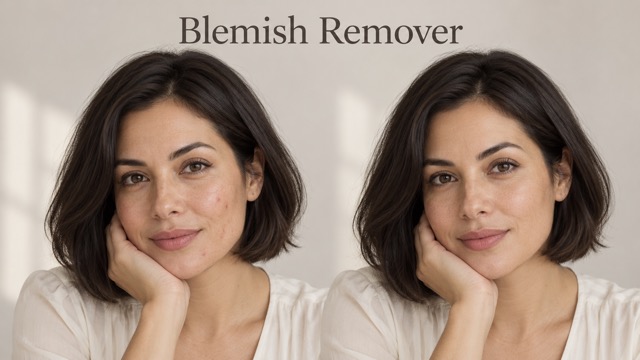
AI Blemish Remover
FLUX 3 Image Klein

Ideogram 4.5

AI Portrait Retouching

Snatched Waist Editor

AI Facial Expression Changer

AI Texture Generator

AI Nose Piercing Filter

Replace Object in Photo Online

Add Object to Photo

Eyeliner Filter

AI Bust Down Filter

Image Splitter

Add White Background to Photo

Snapchat Text Remover

Realistic AI Skin Generator

Add speech bubble to photo

Change Photo Background

AI Clothes Wrinkle Remover

AI LinkedIn Profile Picture

GPT Transparent BG Image Editor

Image to Layers

3D Angle Editor
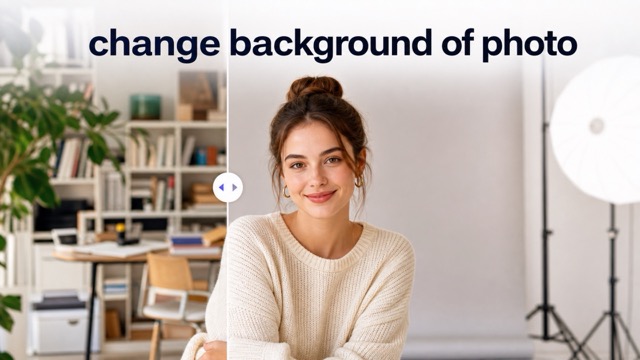
Change Background of Photo
Vignette Effect: Add Cinematic Focus to Any Photo
Create a polished vignette effect online in seconds
Upload any portrait, product image, travel photo, or social post and let AI apply a balanced vignette effect in one click. The vignette effect gently darkens the outer edges while keeping the main subject clear, bright, and visually dominant. No manual masking, complex sliders, or editing experience is required. PicEditor analyzes the composition and creates a natural vignette effect that fits the lighting, subject position, and mood of your image.
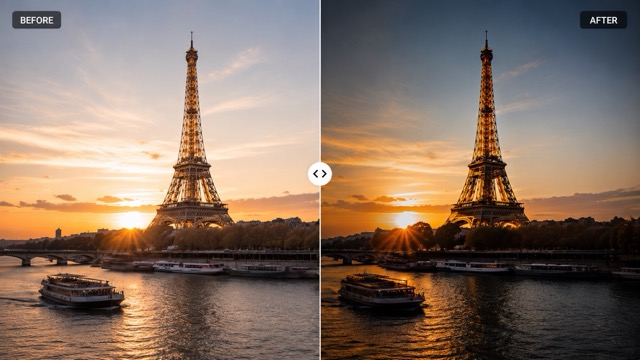
How to Add a Vignette Effect Online
Turn an ordinary image into a more focused visual with a refined vignette effect. The process is fast, simple, and designed for users who want professional depth without traditional photo editing.

Upload Your Image
Choose a clear JPG, PNG, or WebP image from your device. The vignette effect tool works with portraits, products, landscapes, food photos, event images, and creative artwork.

Let AI Analyze the Composition
PicEditor detects the subject, lighting, background, and visual center before applying the vignette effect. This helps prevent harsh corners, uneven darkness, or unwanted shading over important details.

Generate and Download
Click generate to create your vignette effect image. Preview the result, confirm that the subject remains clear, and download the finished photo for social media, marketing, printing, or personal use.
Create a Professional Vignette Effect Without Manual Editing
A good vignette effect guides attention without making the image look artificially dark. PicEditor uses image-aware processing to preserve important details while building smooth edge depth around the composition.
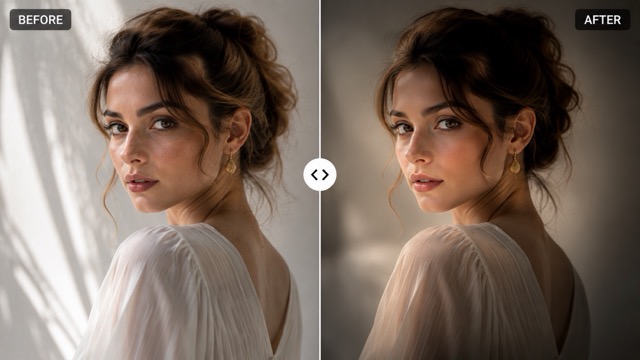
Smart Subject-Aware Edge Shading
Traditional filters often place the same dark circle over every image. PicEditor creates a more adaptive vignette effect by recognizing where the main subject appears and how the frame is composed. The vignette effect stays subtle around faces, products, text-free focal areas, and important background elements. This produces cleaner visual hierarchy and avoids the heavy tunnel look caused by generic overlays.
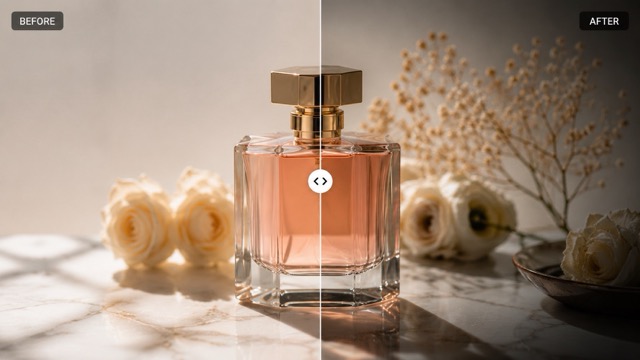
Add Cinematic Depth to Portraits
Use the vignette effect to draw attention toward a face while reducing distractions near the frame. The gradual edge shading gives portraits a studio-inspired finish without changing facial features, skin tone, hairstyle, clothing, pose, or background. A soft vignette effect can make profile photos, graduation portraits, fashion images, and lifestyle shots feel more intentional and emotionally engaging.
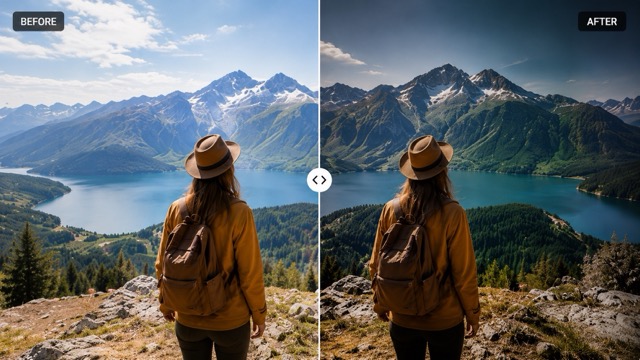
Improve Product and Advertising Images
A controlled vignette effect can direct the viewer toward the product and create stronger contrast around the center. Apply the vignette effect to cosmetics, bags, jewelry, electronics, food, packaging, and promotional visuals. PicEditor keeps the product recognizable while adding a polished frame that supports ecommerce listings, ads, campaign graphics, and branded social content.
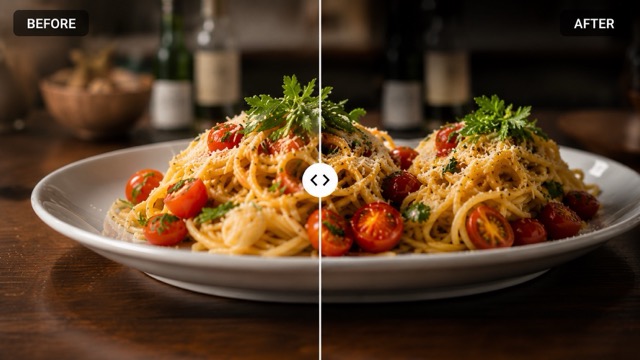
Preserve the Original Image Quality
The vignette effect changes the visual emphasis, not the identity of the image. PicEditor preserves the original composition, proportions, colors, subject details, and background structure. The transition from the center to the edges remains smooth, helping the vignette effect look integrated rather than pasted on. The result is suitable for both quick online use and polished creative projects.
Vignette Effect FAQ
Learn how the vignette effect works, which images perform best, and how to create a natural result with PicEditor.
A vignette effect is a gradual reduction in brightness or color intensity near the edges of an image. The center usually stays clearer and brighter, which helps direct attention toward the main subject. A subtle vignette effect can add depth, mood, contrast, and a more finished photographic look.
The tool analyzes the uploaded image, identifies the likely focal area, and applies a smooth vignette effect around the outer frame. Unlike a fixed overlay, the AI vignette effect responds to the composition and tries to protect important details from excessive darkening.
Yes. A portrait is one of the best uses for a vignette effect because the darker edges can guide attention toward the face. PicEditor applies the vignette effect while preserving facial details, pose, clothing, background, and the original proportions of the image.
No. The vignette effect is added within the existing frame. PicEditor is designed to keep the original aspect ratio, composition, subject shape, and image structure unchanged. It does not need to crop the photo to create the effect.
Portraits, product photos, wedding images, travel shots, food photography, pet photos, posters, and social media graphics can all benefit from a vignette effect. Images with a clear focal point usually show the strongest improvement because the vignette effect reinforces where the viewer should look.
Yes. You can use the finished vignette effect image for ecommerce, advertisements, campaign graphics, thumbnails, social posts, presentations, and other creative projects, provided you have the necessary rights to the original uploaded image.
Why Creators Choose Our Vignette Effect Tool
Photographers, designers, marketers, and everyday creators use PicEditor to add a clean vignette effect without spending time on manual masks and complicated adjustments.
I use the vignette effect for portrait previews when clients need a more focused look. The edge shading is smooth, and the face stays bright without the obvious dark ring I often get from basic filters.
I use the vignette effect for portrait previews when clients need a more focused look. The edge shading is smooth, and the face stays bright without the obvious dark ring I often get from basic filters.
The vignette effect helps our product photos feel more premium and directs attention toward the item. It is especially useful when I need fast campaign variations for different store pages.
The vignette effect helps our product photos feel more premium and directs attention toward the item. It is especially useful when I need fast campaign variations for different store pages.
My travel photos sometimes have busy corners. Adding a vignette effect gives the center more impact while keeping the landscape natural. The result feels cinematic without looking overedited.
My travel photos sometimes have busy corners. Adding a vignette effect gives the center more impact while keeping the landscape natural. The result feels cinematic without looking overedited.
I can add a vignette effect before publishing social graphics, and it instantly improves the visual hierarchy. The tool is quick enough for daily content production and does not require technical editing skills.
I can add a vignette effect before publishing social graphics, and it instantly improves the visual hierarchy. The tool is quick enough for daily content production and does not require technical editing skills.
A soft vignette effect works beautifully on ceremony portraits and detail shots. It creates a gentle sense of intimacy while preserving the flowers, clothing, expressions, and lighting in the original photo.
A soft vignette effect works beautifully on ceremony portraits and detail shots. It creates a gentle sense of intimacy while preserving the flowers, clothing, expressions, and lighting in the original photo.
The AI vignette effect gives branded images a cleaner focal point. I like that the transition looks balanced across different layouts instead of forcing the same circular shadow onto every design.
The AI vignette effect gives branded images a cleaner focal point. I like that the transition looks balanced across different layouts instead of forcing the same circular shadow onto every design.


Popular Ways to Use a Vignette Effect
The vignette effect is a flexible finishing technique for photography, advertising, ecommerce, social media, and personal creative work.

Portrait Photography
Add a vignette effect around portraits to reduce edge distractions and guide attention toward the face, expression, and styling.

Product Promotion
Use a vignette effect to frame a central product and create stronger focus for online stores, advertisements, and launch visuals.

Social Media Posts
Apply a vignette effect to profile images, lifestyle posts, covers, and thumbnails to create a more polished and scroll-stopping composition.

Wedding Photos
Create a romantic vignette effect for couple portraits, ceremony moments, rings, bouquets, and emotional close-up images.

Travel and Landscape Images
Use a light vignette effect to contain the frame and emphasize a landmark, person, road, sunset, or central scenic detail.

Food and Lifestyle Content
Add a balanced vignette effect to food, interiors, crafts, pets, and daily-life photos for stronger mood and visual focus.
Add a Vignette Effect to Your Photo Now
Upload an image and create a smooth, subject-focused vignette effect in one click. Give portraits, products, landscapes, and social content a more professional finish without manual editing.
